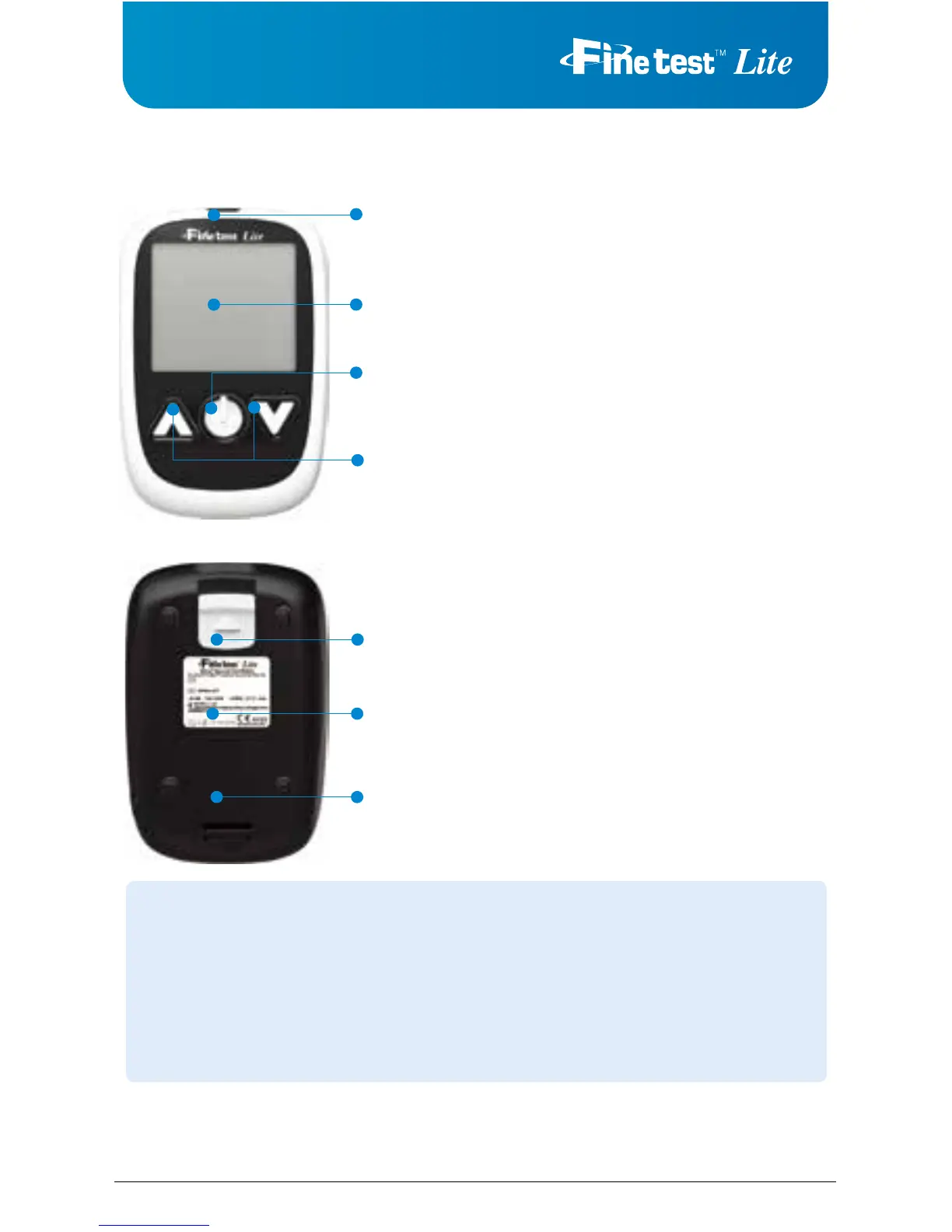
Test Strip Port:
Insert the
Finetest™ Lite
test strip
Display Screen:
Displays your test results, symbols, and messages.
Power/Enter Button:
Power the meter on/off, prompts memory data and acts as
an “Enter” button during setup and after tests.
Up/Down Arrow Buttons:
Scroll up or down to adjust settings or retrieve memory.
Test Strip Ejector:
Releases and discards test strip.
Serial Number
Battery Cover
Finetest™ Lite Meter
Low Battery Warning Symbol
Alarm Symbol
Troubleshooting Symbol
Average Te st Result System
Before Having a Meal
After Having a Meal
After Ta king Medication
After Sport Activity
Control Solution Symbol
Blood Drop Symbol for Test
Test Strip Code Symbol
Test Result Unit Symbol
Temperature / Date
CAUTION
1. Do not use
Finetest™ Lite
glucose test meter in a dry environment, especially if
synthetic materials are present. Synthetic clothes, carpets, etc., may cause
damaging static discharge in a dry environment.
2. Do not use
Finetest™ Lite
glucose test meter near cellular or cordless telephones,
walkie-talkies, garage door openers, radio transmitters, or other electrical equipment
that are sources of electromagnetic radiation, as these may interfere with the proper
operation of the glucose test meter.



 To Next Page