24
25
Performing a Control Solution Test
How to perform Your the Control SolutionTest.
CAUTION !
• Control solution data and your real data tested are stored differently.
• Control solution can only be checkd in ID OFF mode.
Before Perfoming Your Control Solution Test, press or button, after is
displayed.
As the control solution symbol appears, apply the control solution to the test strip.
Performing Your Test
Step 4-2.
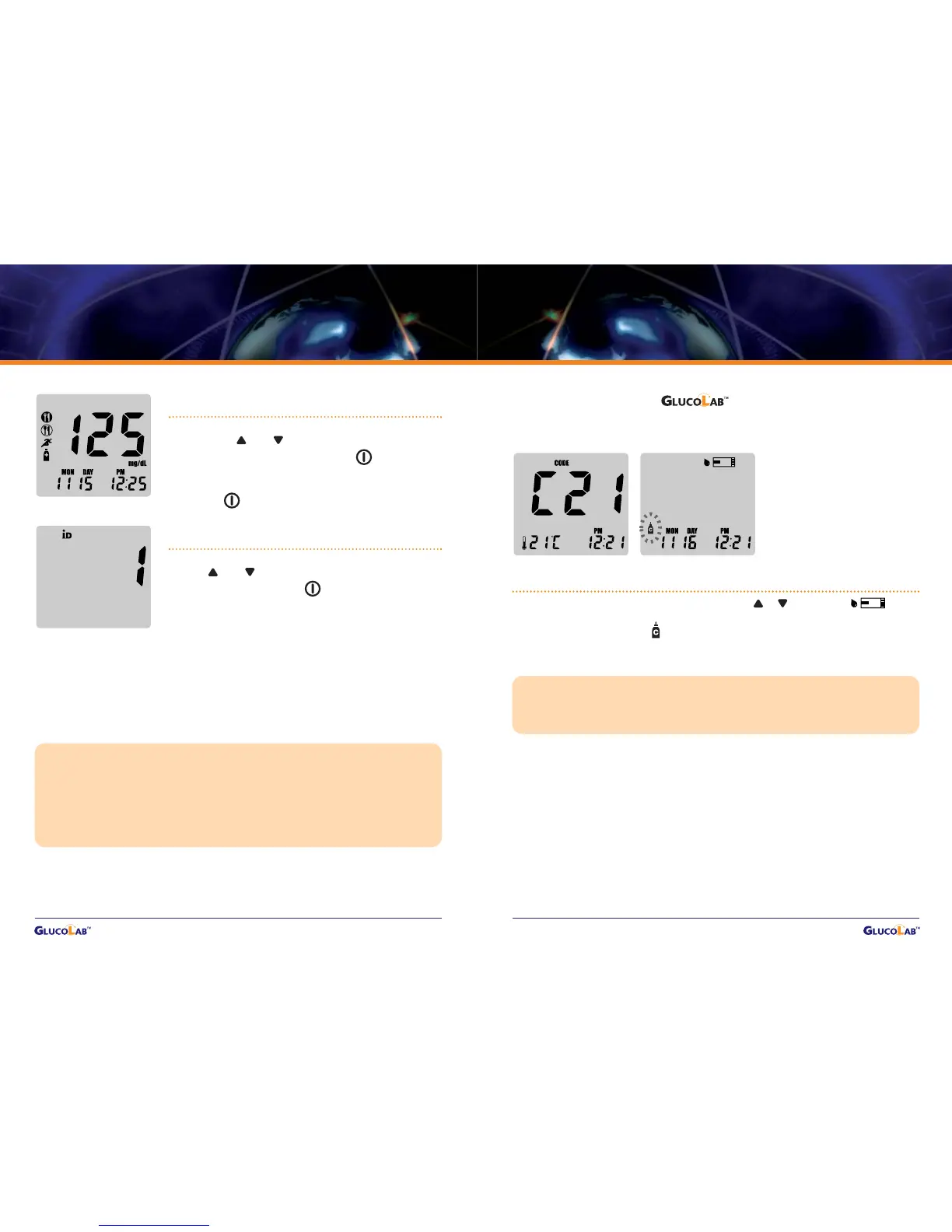
If you selected to use the User ID feature during setup,
press and to select the User ID that correlates
with your result, then press .
Record the result value in your logbook. When glucose
test strip is removed, glucose test meter turns off
automatically.
CAUTION !
Although you already set the user option and individual ID, if you pull the test strip out right
after test, you cannot move onto step 4.
Please refer to page 13, if you want to set the activity and individual ID options.
In ID ON mode, the data not stored in any ID number is automatically saved in, but the user
can see the data in ID OFF mode.
Step 4-1.
If you selected to use the activity based features during
set up, press and to select the activity that
correlates with your result, then press .
If you do not select to use User Activity option during set
up, press .


 To Next Page