• 20 • • 21 •
COMPONENTS
USING THE CLEAR TIP (AST)
1. Place the lancing device and lancet on the skin in the chosen area, press and hold it
continuously for a few seconds, then push the release button to take a blood sample.
2. Watch through the clear tip until a sufficient blood sample is taken. If there is not enough
blood, gently massage the area until a sufficient sample is collected.
STORAGE
Products must be stored at room temperature protected from sunlight or moisture.
CLEANING AND DISINFECTION
-Clean and wipe the outer part of lancing device once a week at the minimum with a soft
cloth dampened with mild soap and water. Wash the adjustable tip and clear tip, once a
week with mild soap.
-DO NOT immerse the lancing device in water or liquid.
WARRANTY
Lancing device has a 2-year warranty from the date of purchase.
A malfunctioning device should be returned to the following address:
put address:
Depth Indicator/Adjustable Tip
Lancet Holder
Clear Tip
Ejection System Sliding Barrel
Release Button
ɋ
ɍ
Ɍ
Ɍ
Ɍ
ƣ
Performing a blood test with your fingertip
CAUTION
1. If you do not see the code displayed, pull the glucose test strip out of the port, and
re-start the procedure from the beginning.
2. If you do not see the code displayed match the code printed in the vial, If the mismatch
persists, please contact your local representative for assistance.
3. Avoid testing under direct sunlight, for a more accurate test result.
4. If you apply your blood sample before a blinking test strip on the screen, Er5 message
will appear on LCD. Please refer to Page 40.
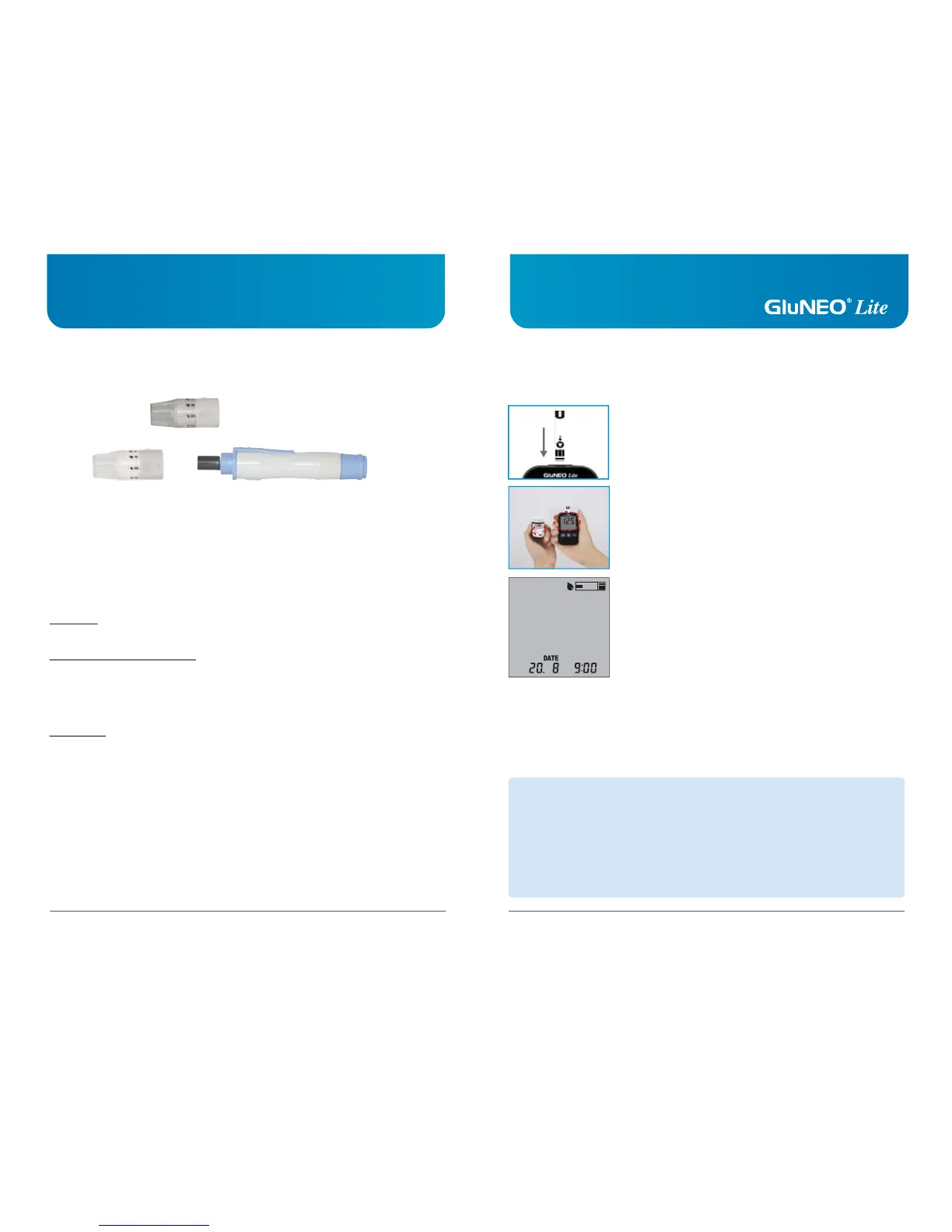
Step 1
Firmly insert the test strip into the meter test port in the direction
of arrow on test strip (arrow up). Please do not insert the glucose
test strip upside down.
When you insert the glucose test strip into the glucose test meter,
the power automatically turns on with the code and temperature.
Make sure the code number matches on the test strip bottle
(e.g. CODE 125). GluNEO
®
Lite automatically recognizes the
test strip code number and adjusts the meter accordingly.
A blinking test strip will appear at the top of the screen, which
indicates that the meter is ready for testing.
125



 To Next Page