2.3. Communication Port Explanation
The communication port on the rear panel of the UPS is a true RS232
serial type. It may be connected to a computer and allows the computer
to monitor the status of UPS, and controls the operation of the UPS, via
an additional UPS software kits. The bundled software of the UPS is for
Windows environment, such as Windows 3.1, Windows 95 & 98,
Windows NT. For other applications, such as Novell NetWare, Unix,
etc., please contact your local distributor for a proper solution.
2.3.1. The RS232 interface settings
The RS232 interface shall be set as follows:
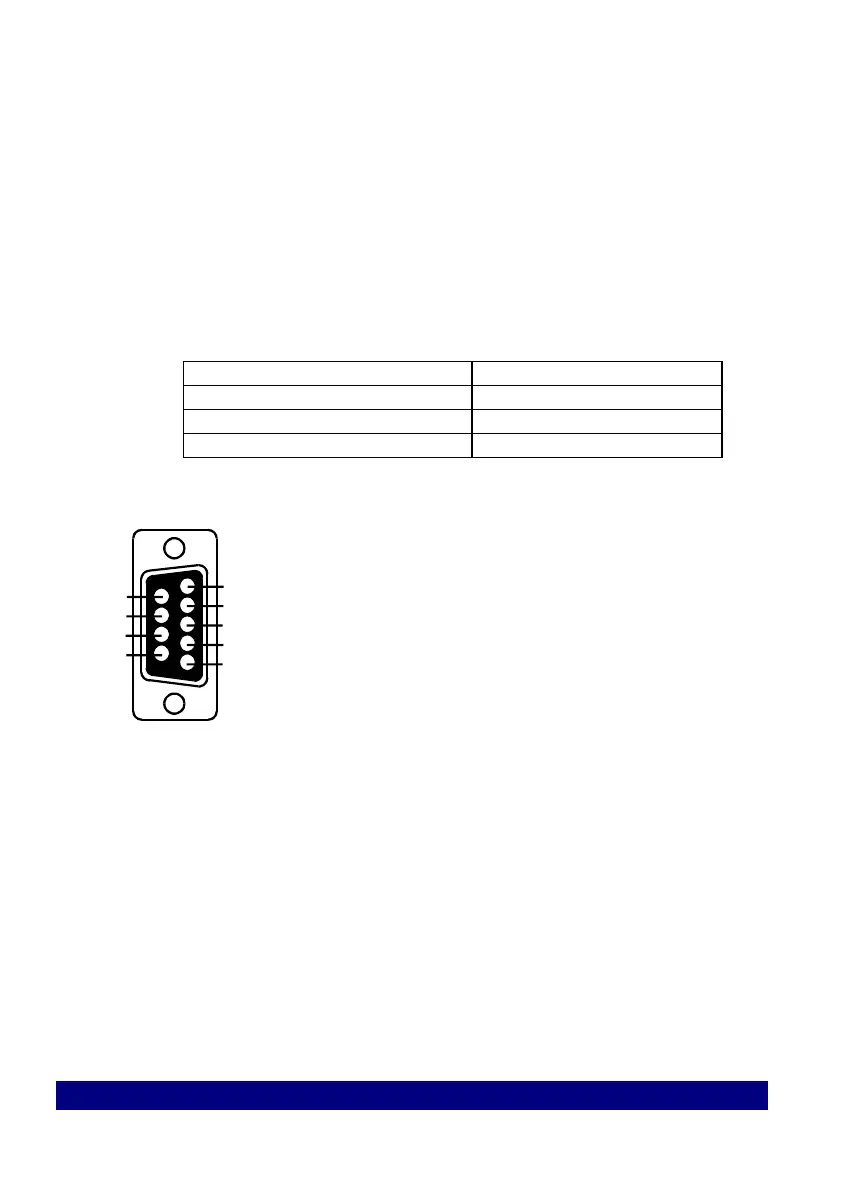
2.3.2. The Pin Assignments of true RS232 type
The Pin Assignments of true RS232 type are illustrated as follows:
Installation and Operation .



 To Next Page