INFOSEC UPS SYSTEM - 15, rue du Moulin - 44880 Sautron - FRANCE - www.infosec-ups.com
Hot Line – Tel + 33 (0)2 40 76 15 82 - Fax + 33 (0)240 94 29 51 - hotline@infosec.fr – 06 17 AA 59 205 05
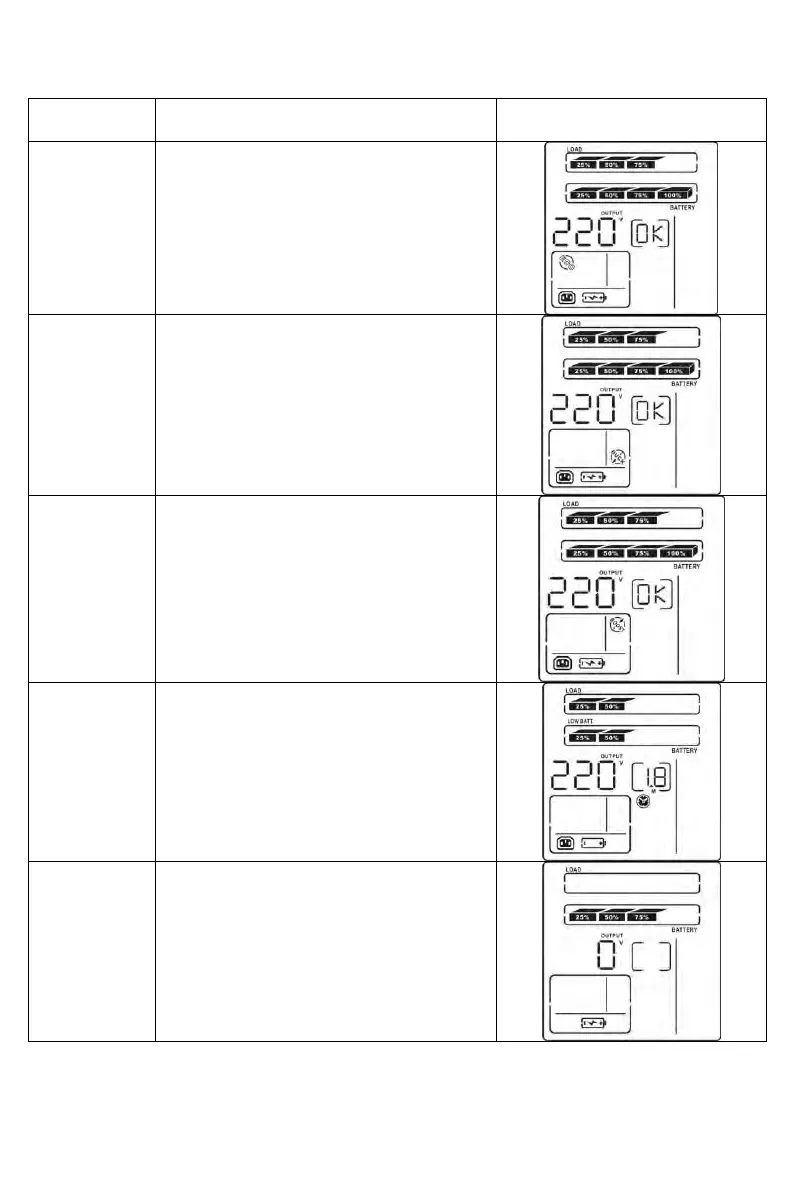
3.6 Operating mode and description
When the input voltage is within voltage
regulated range, UPS will power the output
directly from the mains. ECO is the
abbreviation of Efficiency Corrective
Optimizer. In this mode, when the battery is
full charged, the fan stops working for an
energy saving.
Buck mode
when AC is
normal
When the input voltage is higher than the
voltage regulation range but lower than high
loss point, the buck AVR will be activated.
Boost mode
when AC is
normal
When the input voltage is lower than the
voltage regulation range but higher than low
loss point, the boost AVR will be activated.
When the input voltage is beyond the
acceptable range or power failure and alarm
is sounding every 10 seconds, UPS will
backup power from battery.
UPS is powered off, there is no output
supply power, but the batteries can be
charged.


 To Next Page
 Loading...







