INFOSEC UPS SYSTEM - 4, rue de la Rigotière - 44700 Orvault - FRANCE - www.infosec-ups.com
Hot Line – Tel + 33 (0)2 40 76 15 82 - Fax + 33 (0)2 40 94 29 51 - hotline@infosec.fr – 07 11 AA 59 203 06
8
Step 6 - Turn on the UPS
Press the ON/MUTE button on the front panel for two seconds to power on the UPS.
Note: The battery charges fully during the first five hours of normal operation. Do not expect
full battery run capability during this initial charge period.
Step 7 - Install software
For optimal computer system protection, refer to the InfoPower software CD to fully
configure UPS shutdown.
2.4 Battery replacement
NOTICE: This UPS is equipped with internal batteries and user can replace the batteries
without shutting down the UPS or connected loads (hot-swappable battery design).
Replacement is a safe procedure, isolated from electrical hazards.
CAUTION! Consider all warnings, cautions, and notes before replacing batteries.
Note: Upon battery disconnection, equipment is not protected from power outages.
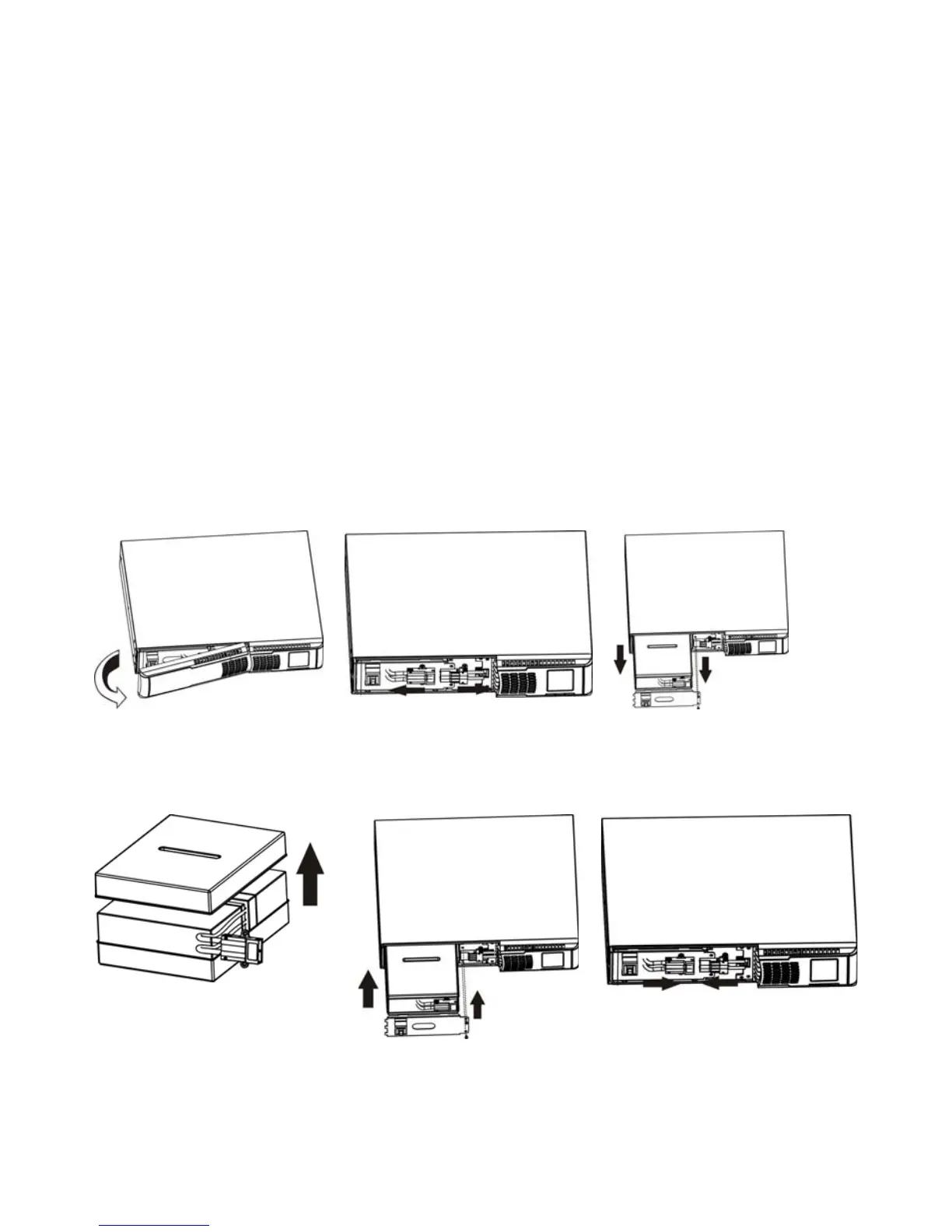
Step 1 Step 2 Step 3
Remove front panel. Disconnect battery wires.
Pull out the battery box by
removing two screws on the front
panel.
Step 4 Step 5 Step 6
Remove the top cover of battery
box and replace the inside
batteries.
After replacing the batteries,
put the battery box back to
original location and screw it
tightly.
Re-connect the battery wires.













 To Next Page