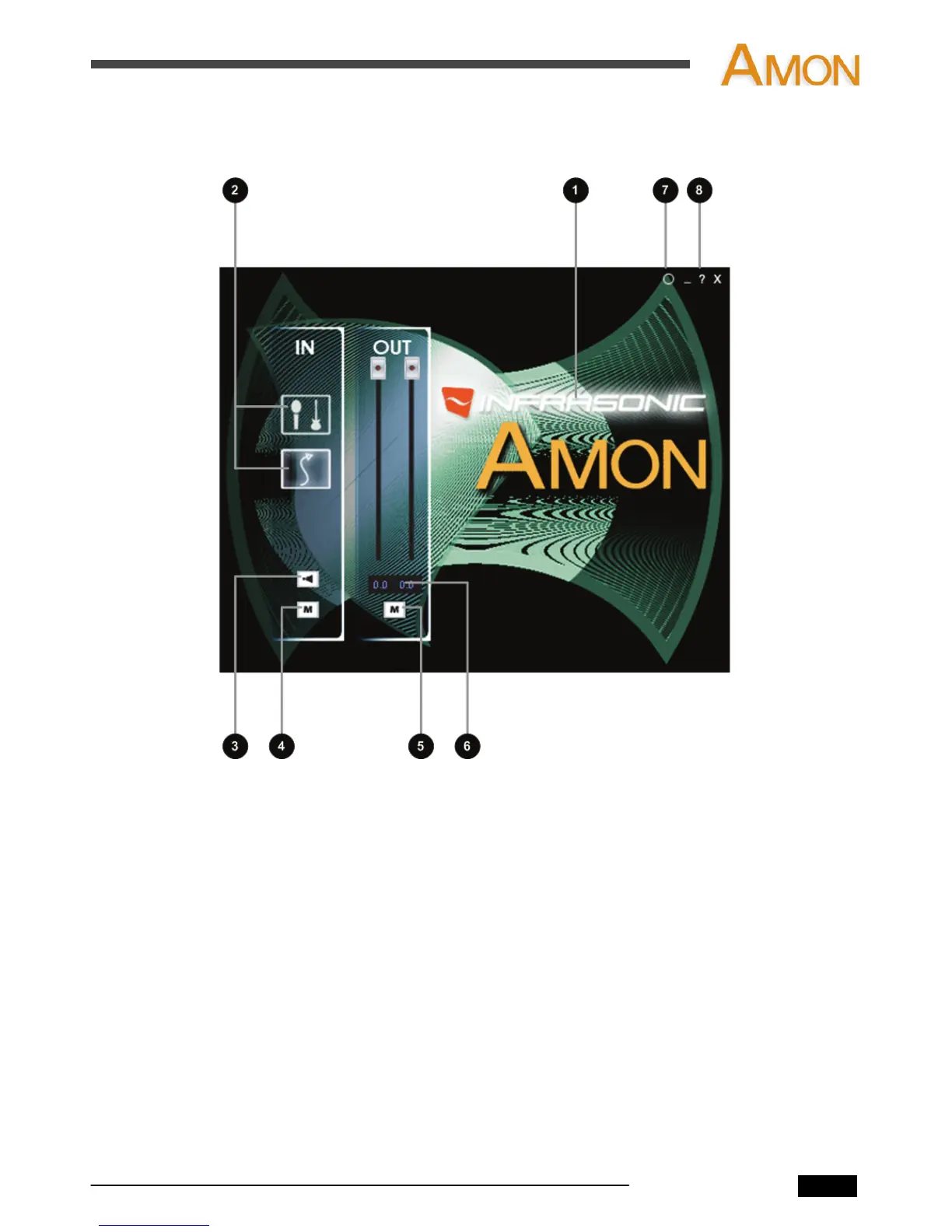
5. The control panel
1. Connection status: The INFRASONIC logo indicates the current status of the USB
connection.
2. Input selector: You can select the input type among ‘MIC’, ‘Hi-Z’ and ‘Line’.
3. Input direct monitor: You can monitor the sound directly from the input source with
zero latency. You can hear "MIC" input source in the left channel and "Hi-Z" in
the other channel.
4. Input mute: Select this button to mute input signal sources.
5. Output mute: Select this button to mute signals of output channels.
6. Output level information: The output level is displayed in here.
7. Always on top: Enables the AMON Control Panel to always be on your desktop.
8. About: Check current driver information.
AMON User’s Manual
8


 To Next Page