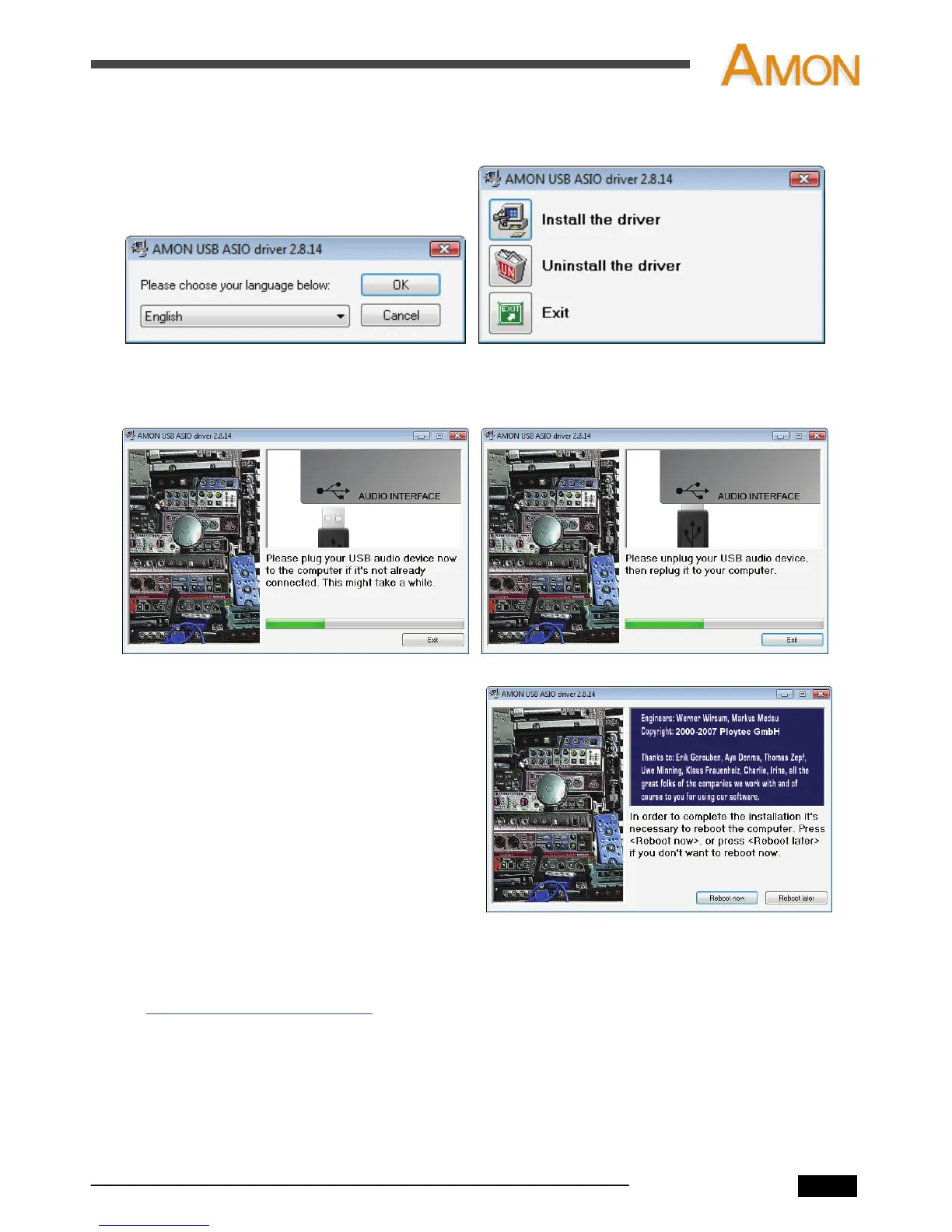
2. Choose your language during the installation process.
Then, click the “Install the driver.”
3. Follow the instructions on the screen. During installation, you may have to plug or
unplug your AMON to the computer up to two times.
4. Restart your system as the software
recommends. Once your computer is
restarted, your AMON is ready to use.
4.1.2 Installation (Mac OS)
Check http://www.infra-sonic.com for driver updates and download driver software.
After the download is finished, just click setup file to proceed with the driver software
installation. And then follow the instructions on the screen.
AMON User’s Manual
6


 To Next Page