1. Introduction
Congratulations on the purchase of INFRASONIC AMON!
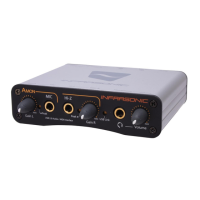
The AMON is the most powerful USB recording interface for MIDI and audio
recording. The AMON is suitable for providing high quality results at reasonable price.
It features a small-size and a rugged aluminum case. And the AMON supports USB 2.0 high-
speed. Other features include a microphone preamp, direct instrument Hi-Z input, MIDI I/O,
and a headphone amplifier. The AMON is a professional recording interface that will satisfy its
users in features, performance and convenience.
1.1 Key Features
• 2-in/2-out USB 2.0 High-Speed audio interface
• MIC pre-amp (TRS phone jack) with peak LED, gain control
• Line/Hi-Z input (TS phone jack) with peak LED, gain control
• 2 unbalanced inputs with RCA jack
- A/D converter: SNR 102dBA @ (48 kHz)
• 2 unbalanced outputs with RCA jack
- D/A converter: SNR 108dBA @ (48 kHz)
• Supports up to 24-bit/96kHz
• 1 x MIDI I/O
• Small design featuring a heavy duty aluminum case
• Bus-powered with USB link LED
• Supports zero latency direct hardware monitoring
• ASIO2.0, MME, DirectSound and Core Audio supports
• Windows® XP/VISTA or later, Mac OS 10.3 or later
• Native Instruments ABSYNTH 4 DEMO, MASSIVE DEMO and TRAKTOR 3 DEMO software
included
1.2 Minimum system requirements
<PC>
Intel Pentium 4 or equivalent and
Compatible CPU
512MB of RAM
One available USB port
Microsoft Windows® XP/VISTA or later
<Mac>
Macintosh with G4 or better processor
512MB of RAM
One available USB port
Mac OS 10.3 or later
1.3 What’s in the box
• AMON Hardware
• Installation CD with the driver and Native Instruments DEMO software
• Standard USB cable
• User’s Manual
AMON User’s Manual
1


 To Next Page