EasyManua.ls Logo

Ingenico iSelf Series - User Manual

Ingenico iSelf Series
23 pages
Print Icon
To Next Page IconTo Next Page
Loading...
INTEGRATION GUIDE
iSELF VENDING
CLASSIC
Question and Answer IconNeed help?

Do you have a question about the Ingenico iSelf Series and is the answer not in the manual?

Summary

Introduction to iSELF Payment Solution

iSELF Vending Classic Payment Solution Overview

Overview of the iSelf Series as an unattended payment solution for various kiosk types.

iUP250 LE Connectivity and Communication Diagram

Diagram illustrating power and data communication connections for the iUP250LE pin pad module.

iSELF Module Descriptions and Specifications

iUP250 LE PIN Pad Overview

Details about the iUP250LE PIN Pad, including front and rear views and basic functionality.

iUP250 LE Technical Characteristics

Technical specifications for the iUP250LE, covering mass, dimensions, power, memory, and connectivity links.

iUP250 LE Output Connectors Description

Description of the physical output connectors on the iUP250LE, detailing power, USB, Ethernet, SAM, and µSD ports.

iUP250 LE Wake-Up Mechanism

Explanation of the power-saving 'stand-by and sleep mode' and the mechanisms used to wake the device.

iUR250 Hybrid Card Reader Overview

Introduction to the iUR250 Hybrid Card Reader, its purpose and capabilities.

iUR250 Technical Characteristics

Technical specifications for the iUR250 reader, including operating conditions, power, platform, card interface, and link types.

iUR250 LED Indicators and Lever Lock

Details on the iUR250's RGB LED status indicators and the function of the optional lever lock.

iUP250 LE and iUR250 Interconnectivity

Instructions and details for connecting the iUP250LE PIN pad and the iUR250 card reader via USB.

iUC150 B Compact Contactless Reader Overview

Introduction to the iUC150B Compact Contactless Reader, highlighting its compact design.

iUC150 B Product Views and Specifications

Visual presentation of the iUC150B reader and its key technical hardware characteristics.

iUC150 B Output Connectors and Interconnectivity

Description of iUC150B output connectors and its USB interconnectivity with the iUP250LE.

Kiosk Installation Procedures and Requirements

Kiosk Security and PIN Entry Requirements

Essential security requirements for integrating the iUP250LE, focusing on PIN entry protection and PCI-PTS compliance.

General Kiosk Installation Recommendations

Guidelines for installation, covering space, safety, ergonomics, local regulations, and environmental considerations.

Metallic Kiosk Grounding Considerations

Guidance on properly grounding metallic kiosk structures and devices according to IEC 60950 standards.

Plastic Kiosk Grounding Considerations

Guidance on properly grounding plastic kiosk structures and devices according to IEC 60950 standards.

Terminal Assembly and Mounting Procedures

iUP250 LE Assembly and Kiosk Volume Requirements

Details on the iUP250LE assembly process and the minimum required internal volume within a kiosk.

Kiosk Preparation for iUP250 LE Installation

Instructions for preparing the kiosk's cut-out and mounting points for the iUP250LE installation.

Installing the iUP250 LE PIN Pad in a New Kiosk

Step-by-step guide and recommendations for physically installing the iUP250LE PIN pad module into a kiosk.

Connecting the iUP250 LE to Kiosk Ground

Procedures for ensuring correct and safe electrical grounding of the iUP250LE terminal within the kiosk.

iUR250 Assembly and Kiosk Preparation

Details regarding the assembly of the iUR250 card reader and the necessary kiosk preparation for its mounting.

Suggested Layout for iUP250 LE and iUR250 in Kiosk

Recommended ergonomic and space-efficient configurations for mounting the iUP250LE and iUR250 within a kiosk.

iUC150 B Assembly and Kiosk Preparation

Details on the assembly of the iUC150B contactless reader and the kiosk preparation for its installation.

Non-Voluntary Contactless Reading Prevention

Guidance on maintaining a clear sensitive area on the iUC150B to prevent unintended contactless card readings.

Overview

The iSELF Vending Classic is a cashless payment solution designed by INGENICO Group for integration into self-service devices such as vending machines, fuel pumps, ticket machines, and kiosks. This solution is intended for installation by qualified professionals specializing in integrating cashless payment solutions. The iSELF Series is the latest generation of Ingenico unattended devices, leveraging experience from previous product ranges like the i9500 and CAD30 series. The terminal solution consists of three main modules for PIN management, contact cards, and contactless cards: the iUP250LE PIN pad, the iUR250 hybrid card reader, and the iUC150B compact contactless reader. These compact devices are designed for easy installation, adhering to EVA standard (iUP250) and Compact door standard (iUR250, iUC150B), and are suitable for both indoor and outdoor use, resisting harsh environments. The products are PCI PTS certified and must be installed in an environment that complies with specific rules to maintain this certification.

iUP250LE - PIN Pad

Function Description:

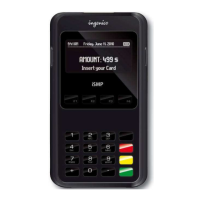
The iUP250LE is a PIN pad unit designed for PIN management in unattended payment terminals. It features a keyboard layout with command keys (OK, CLR, STP) and a graphic display. It serves as the central power hub for the terminal and its modules, with readers powered through USB Host connections.

Important Technical Specifications:

  • Mass: 860 g
  • Dimensions:
    • 134 x 101 x 32 mm (without Ethernet connectivity)
    • 134 x 101 x 39 mm (with Ethernet connectivity)
  • Power Supply: 9-16 V Max 2 A
  • Platform: Telium 2
  • Memory: 32 Mb SDRAM and 128 Mb Flash
  • Functionality:
    • 17 metallic keys
    • 128 x 64 graphic display
    • RGB Backlight
    • Buzzer
    • RGB LED internal status indicator
    • 1 Maintenance Button
    • µSD
    • 2 SAM
    • 1 Jack for external lighting
    • Wake-up mechanism on RS232 connectors
  • Link:
    • Ethernet (shielded RJ45 connector, standard cable not provided)
    • 3 USB host (1.5 A total max, 2 standard Type A, 1 JST low profile)
    • 1 USB device (JST low profile connector)
    • 2x RS232 (JST connector for serial port)
  • Operating Conditions:
    • Operational Temperature: -20°C to +55°C (for user safety, IEC 60950), operational up to 65°C without tampering.
    • Functional Temperature: -20°C to +65°C
    • Max Relative Humidity: 85% at 55°C, non-condensing
    • Maximum Backward Leaning: 30 degrees from vertical
  • Storage Conditions:
    • Storage Temperature: -20°C to +65°C
    • Max Relative Humidity: 85% at 55°C, non-condensing

Usage Features:

  • RGB Backlight: Controlled by applications to indicate priority information:
    • Steady red: Product tampered (Key erased, irruption).
    • Slowly flashing red: Product disabled (Keys erased, no irruption).
    • Quickly flashing red: Product out of order (Commissioning needed).
  • Wake-up Mechanism: Designed to save power with "stand-by and sleep mode." Can be activated by a button on the jack (optional), Pin 2 of COMO link & COM2 link, or by pressing the "OK" key on the keyboard. The wake-up pin is driven to "0" by the device requesting wake-up.
  • PIN Shield Light Output: Provides 5V (Pin 1) and HZ (Pin 2) signals, with "Light off" and "Light on" options.

Maintenance Features:

  • Maintenance Button (on the back):
    • To enter LLT mode: Press at power up or restart until the red LED lights on.
    • To enter Maintenance mode: Press at power up or restart until the red LED starts blinking.
    • To restart the product: Press until the blue LED lights on.
  • Mounting: Uses EVA mounting standard, requiring a flat, burr-free cut-out in the kiosk. Fixing is done by 4 x M4 x 16 mm welded studs. Hexagonal nuts are used for integration, screwed with a 1.0 Nm torque. Threadlocker fluid is recommended to prevent unscrewing.
  • Grounding: All parts of the kiosk and the iUP250LE must be connected to ground using ground cables or braid, according to IEC 60950. A copper braid connected to a specific area on the iUP250LE and then to the chassis is recommended, with a torque value of 1 Nm.

iUR250 - Hybrid Card Reader

Function Description:

The iUR250 is a hybrid card reader designed for contact and magnetic stripe card transactions. It works in conjunction with the iUP250LE PIN pad.

Important Technical Specifications:

  • Mass: 700 g (without cable)
  • Dimensions: 148 x 108 x 73 mm (depth x width x height)
  • Power Supply: USB 5V 500 mA
  • Platform: Telium 2
  • Card Interface:
    • EMV level 1 and ISO 7816 (read & write) for T=0, T=1, and synchronous cards.
    • Magnetic stripe: ISO 1/2/3 (read only).
  • Functionality:
    • Buzzer
    • RGB LED indicator
    • Lever lock (optional)
  • Link:
    • USB device (Type A USB for connection to iUP250LE)
    • RS232 connection (only for wake-up mechanism)
  • Operating Conditions:
    • Functional Temperature: -20°C to +65°C
    • Max Relative Humidity: 85% at 55°C, non-condensing
    • Fixing Tilt: Must be horizontally fixed or can be leaned up to 45° to evacuate water.
  • Storage Conditions:
    • Storage Temperature: -20°C to +65°C
    • Max Relative Humidity: 85% at 55°C, non-condensing

Usage Features:

  • RGB LEDs: Controlled by applications to indicate priority information:
    • Steady red: Product tampered (Key erased, irruption).
    • Slowly flashing red: Product disabled (Keys erased, no irruption).
    • Flashing red: Product out of order (Commissioning needed).
    • Quickly flashing red: Product out of order (not compatible with iUP SW version).
  • Optional Lever Lock: Controlled by application, can be used to prevent card withdrawal during chip access. A mechanical mechanism allows smart card extraction with approximately 30N force to prevent permanent card blocking.
  • Wake-up Mechanism: Designed to save power with "stand-by mode." Can be woken up by inserting a card or using the wake-up mechanism (Pin 2 of COMO link). The wake-up pin is driven to "0" by the device requesting wake-up.

Maintenance Features:

  • Mounting: Requires a flat, burr-free cut-out in the kiosk. Fixing is done by 4 M4 to M6 x 12 mm welded studs. Special attention is required for the anti-removal switch areas.
  • Interconnectivity: Connects to the iUP250LE via a standard USB-A to USB-B cable (part number 296129367).

iUC150B - Compact Contactless Reader

Function Description:

The iUC150B is a compact contactless reader designed for contactless card transactions.

Important Technical Specifications:

  • Mass: 87 g
  • Dimensions: 61 x 73 x 23 mm (height x width x depth)
  • Power Supply: 5 V Max 500 mA
  • Platform: Telium 2
  • Functionality:
    • Contactless cards reader
    • Buzzer
    • Go cless link
    • Wake-up + serial link
  • Link: 1x USB device

Usage Features:

  • Non-Voluntary Contactless Reading: The sensitive area (indicated in blue) must be kept free to avoid unintended contactless readings.

Maintenance Features:

  • Mounting: Does not require internal volume in the kiosk cabinet. Can be mounted directly on the kiosk panel, requiring a cut-out. The surface must be flat, without burrs or sharp edges. Fixed with four M4 screws. The screw length depends on panel thickness or front face. The thread depth of the reader is 5.9 mm, and the torque is 0.6 to 0.75 Nm. The dimensions allow mounting into EVA EPS compact cut-out (rear mounting).
  • Interconnectivity: Connects to the iUP250LE via a standard USB-A to USB-JST cable (part number 296189206 for 30 cm, or 296192761AB for 1.15 m).
  • PCI Hardware Version: The label with the PCI hardware version number must be visible after installation.

General Installation Recommendations:

  • Security: Integration must comply with PCI-PTS requirements. The iUP250LE does not have its own privacy shield and must be integrated to fulfill concealed PIN entry requirements. Ingenico recommends supplying a PIN shield according to "EPC343-08 Version 2.0 PRIVACY SHIELDING FOR PIN ENTRY." The iUP250LE must be mounted to activate removal detectors.
  • Space: Ensure sufficient free space for installation, operation, and maintenance.
  • Ergonomics: Consider ergonomic aspects and local recommendations for disabled and visually impaired people.
  • Environmental: Adhere to environmental specifications, especially for cold or humid weather, ensuring internal temperature is at least -20°C.
  • ESD Protection: Use ESD-protective clothing when handling devices. All kiosk parts should be grounded with ground cables or braid.

Ingenico iSelf Series Specifications

General IconGeneral
CategoryPayment Terminal
ManufacturerIngenico
SeriesiSelf Series
ConnectivityEthernet, Wi-Fi, Bluetooth
Payment MethodsEMV, NFC, Magnetic Stripe, Contactless
SecurityPCI PTS
PrinterThermal Printer

Related product manuals