iSMP-Companion • 15/24
Copyright © 2012 Ingenico
90000 R11 000 04/1120
All rights reserved
4.3. Positioning the terminal
Install the terminal on a flat surface, with an easy access to an electrical outlet if needed.
Place the terminal away from any heat source and protected from dust, vibrations and
electromagnetic radiations (away from video terminals, PC, anti-shoplifting barriers, ...).
Positioning of the terminal must be in such a way to make cardholder PIN (Personal
Identification Number) spying infeasible.
4.4. Power on / off
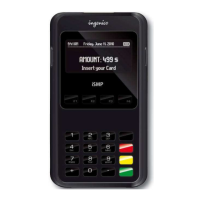
To power on the terminal connect the battery and press green key.
To power off the terminal, press dot key + yellow key.
4.5. Connection
4.5.1. USB cable connection
A USB connector is located on the front of the terminal.
• Present the device in front of the connector and plug it
CAUTION
Use only Ingenico cable or accessory not to void warranty.


 To Next Page
 Loading...








