This document is the property of Ingenico Inc. Rev20180802
Its content cannot be reproduced or divulged without the company’s written approval.
10 / 26
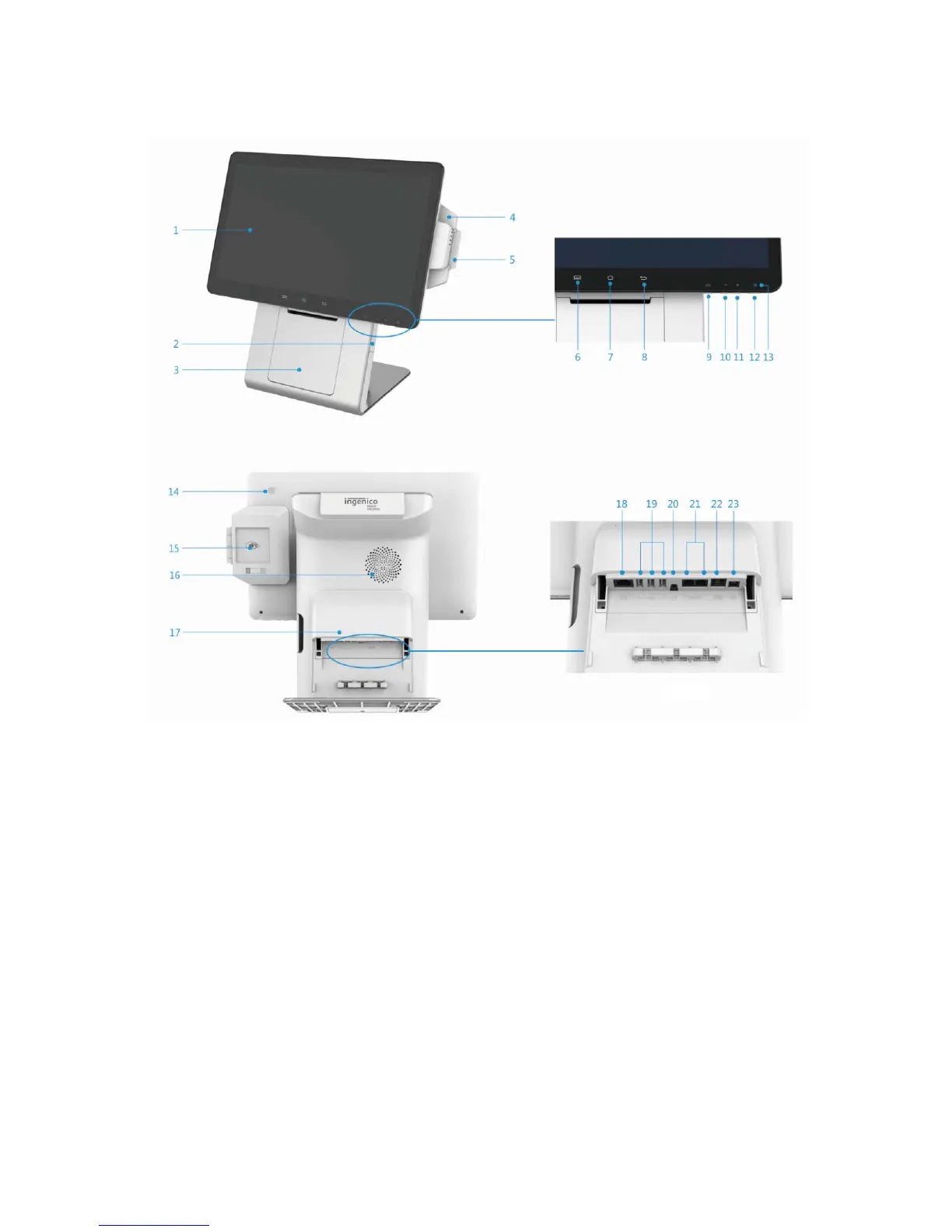
3.2 Configuration 2: no customer display
Figure 3-2
1. Main Screen (LCD and touch panel) 2. Buckle of paper roll cover
3. Paper roll cover 4. Magnetic card reader
5. Smart card reader 6. Menu key
7. Home key 8. Back key
9. Cash drawer button
10. Volume - Keys
11. Volume + Keys 12. Power Key
13. Power LED 14. Finger print reader
15. Contactless card reader 16.Speaker
17. Cable outlet cover plate
18. LAN (Ethernet) port
19. USB port *3 20. Headphone jack
21. RS232 port 22. Cash drawer port
23. DC power jack



 To Next Page