This document is the property of Ingenico Inc. Rev20180802
Its content cannot be reproduced or divulged without the company’s written approval.
12 / 26
4.3 Micro USB
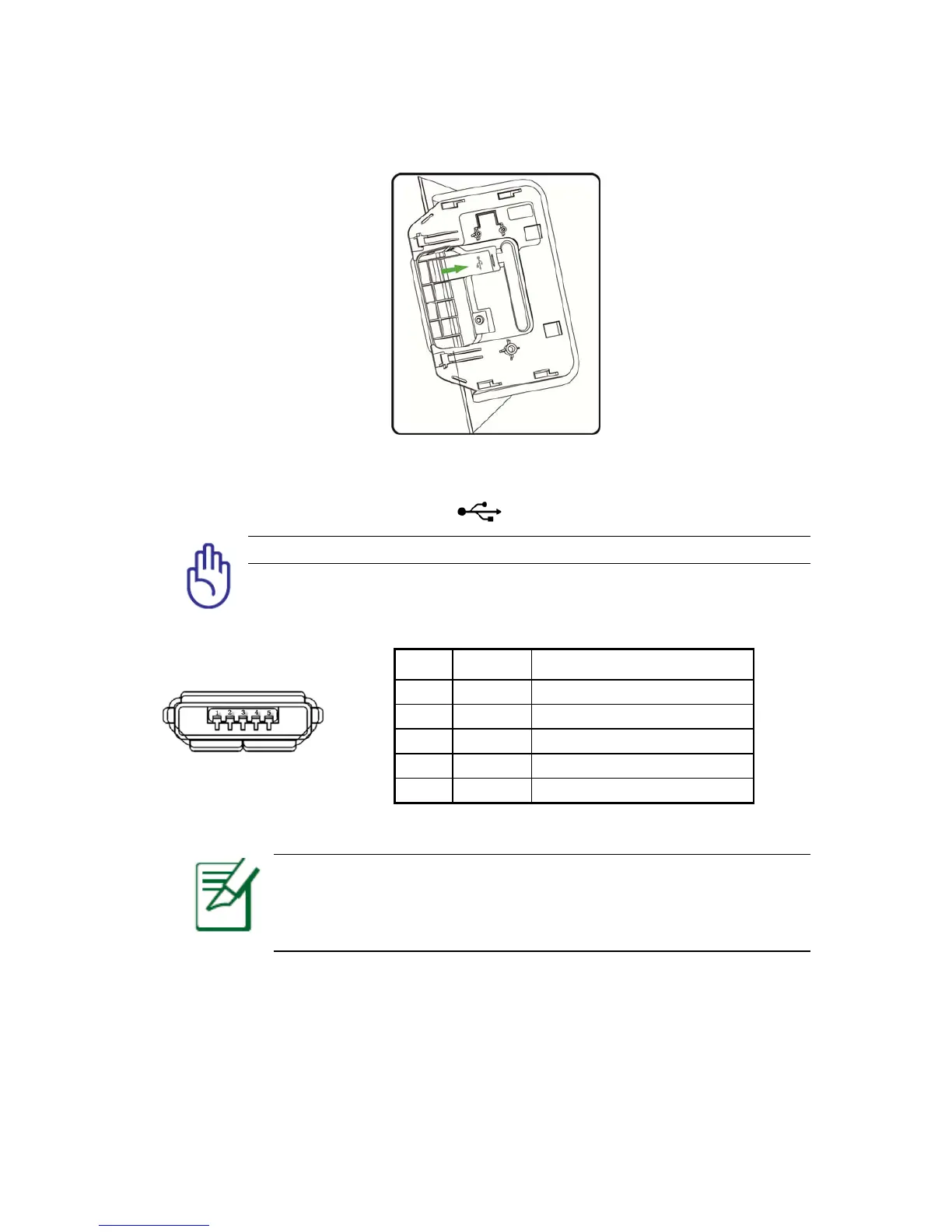
Figure 4-2
Open the RP45x cover plate, then you will find a logo, it shows the Micro USB located.
Caution: The ports of the terminal should not be connected improperly.
Micro USB is only used as a slave device to connect the computer to debug and copy data.
Figure 4-3
Notice: When the Moby C150 is connected to the computer, the
Ethernet and the USB Type-A connections are temporarily disabled.
The connection will be resumed automatically when the Moby C150 is
disconnected to the computer.
`
Pin Definition Description
1 VBUS 5V
2 D- Differential Date, Negative
3 D+ Differential Date, Positive
4 ID NC
5 GND Ground



 To Next Page