This document is the property of Ingenico Inc. Rev20180802
Its content cannot be reproduced or divulged without the company’s written approval.
21 / 26
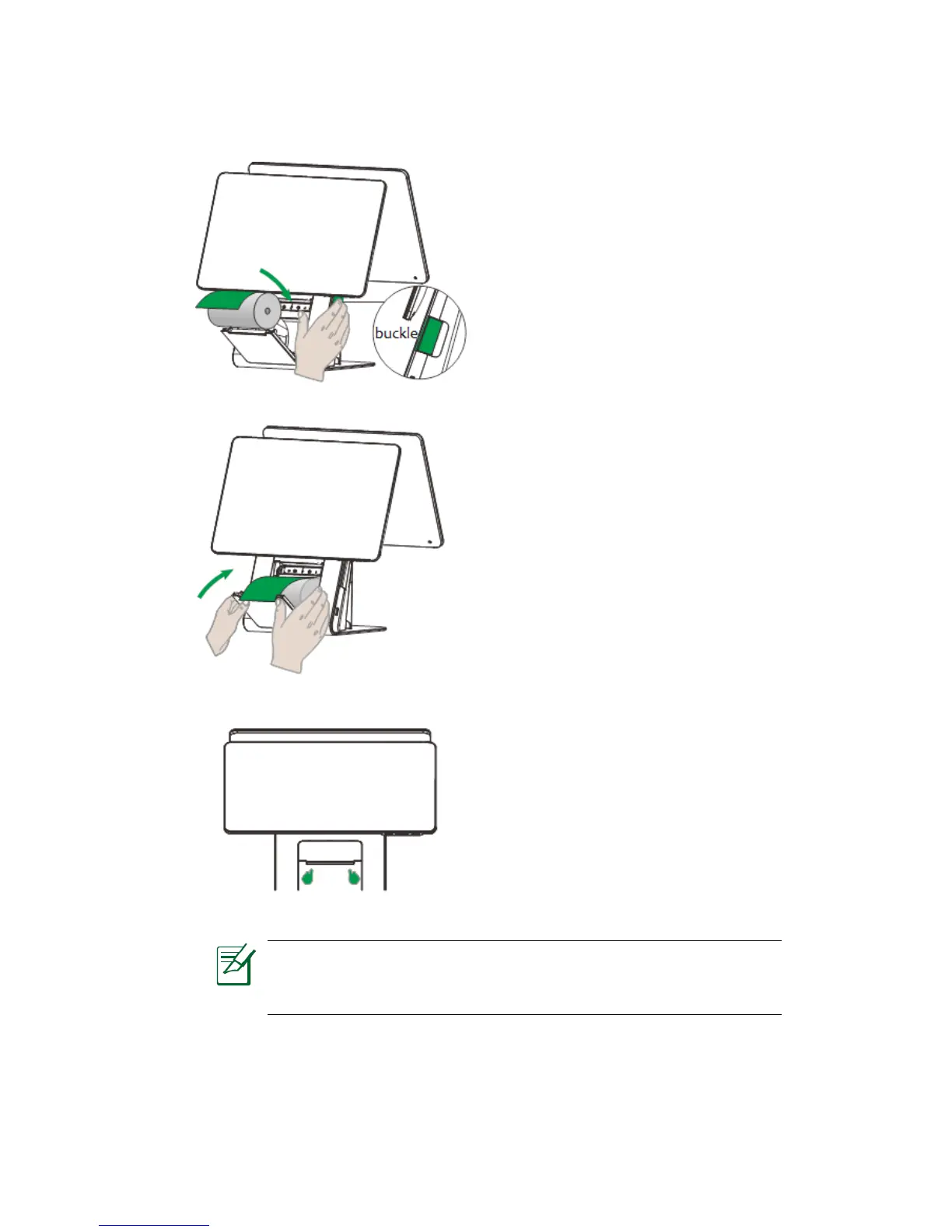
2. Installing paper roll
Figure 5-9
Notice: Please make sure that paper roll cover is buttoned with the
entire panel, otherwise it may lead to poor printing or failing to
recognize the paper roll.
1. Pull the buckle of the paper roll
cover.
2. Insert the paper roll in the
compartment following the
directions show on the below
picture
.
3. Pull the paper up to the top of the
terminal, maintain the paper and
close the cover.
4. Press simultaneously on both
upper corners of the paper flap until
it clips into position.
5. Press both sides of the cover at
the same time with both hands.
Make sure that both sides of the
cover are buttoned.



 To Next Page