APRIL 2020 • REVISION 4.0 INSTRUCTION MANUAL
19
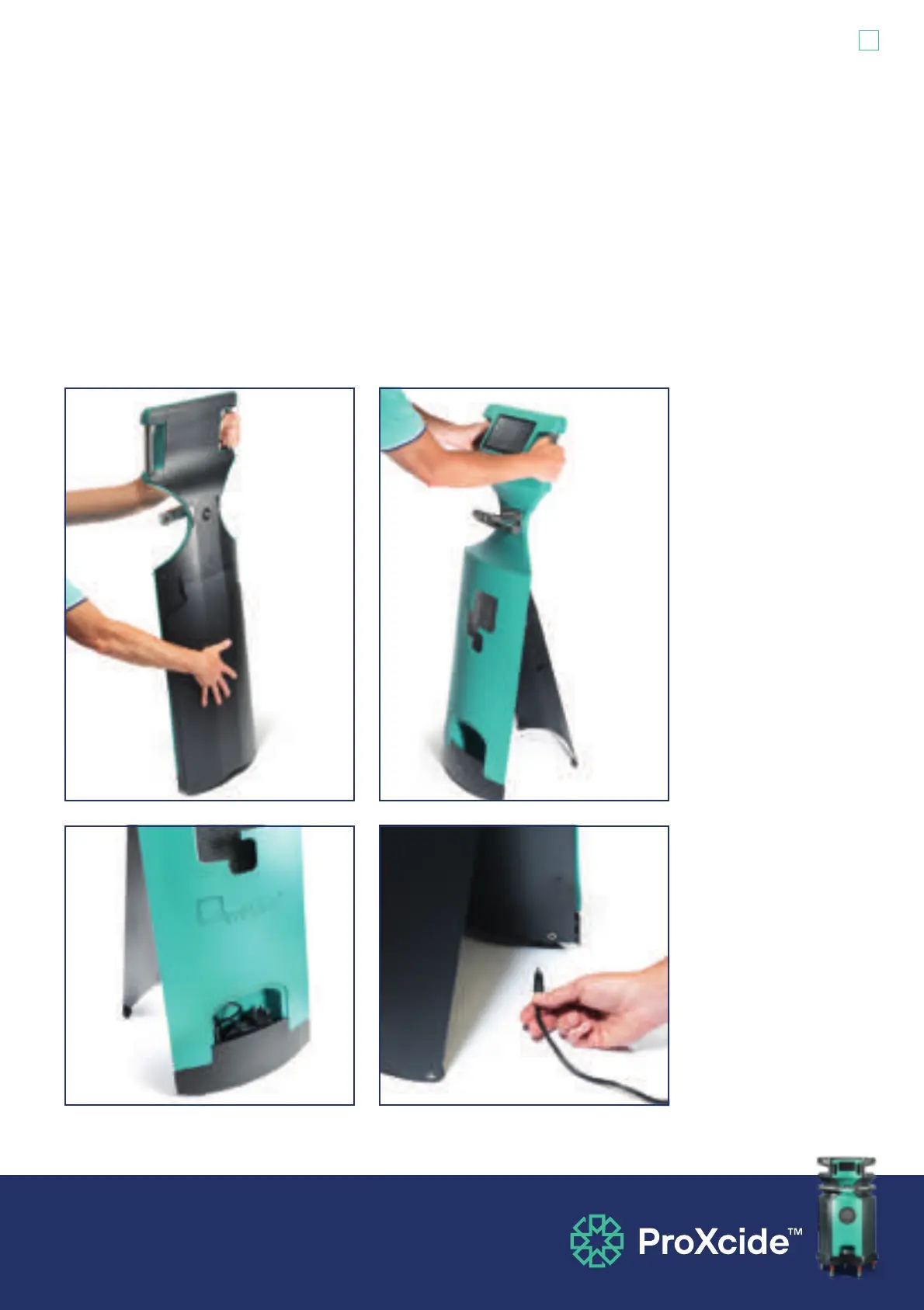
5.1.5 Gently tilt the process monitor forward to access the support stand at the back. Press
and release firmly on the back of the process monitor to release the support stand.
Tilt the process monitor backwards slightly to allow the stand to fully open. Never pull
out or force the support stand open. Access the supplied power adaptor stowed in the
compartment on the front of the process monitor. The process monitor power socket is
located on the rear of the process monitor.


 To Next Page