18
www.inivos.com
INSTRUCTION MANUAL REVISION 4.0 • APRIL 2020
5.1.1 Restrict general access to the area to be treated by placing ‘NO ENTRY – decontamination in
progress’ signs and suitable barriers on all doors. Even during the set-up phase, danger exists
from tripping on cables, so personnel must be excluded from the area.
5.1.2 A single ProXcide™ unit can eectively treat a volume of up to 170m
3
. This is suicient for side
rooms, toilets, small bays etc. If the area to be treated is open plan to an adjoining area (an
opening without doors) then the opening must be sealed o . This can be achieved by using
plastic sheeting and DVI tape.
Should an area larger than 170m
3
require treatment (large ward, corridor etc.), then two
options exist. Either the area can be broken down into smaller spaces by utilising plastic
sheeting, or multiple ProXcide™ machines can be distributed around the space. If this latter
option is used, machines should be positioned >10 metres apart.
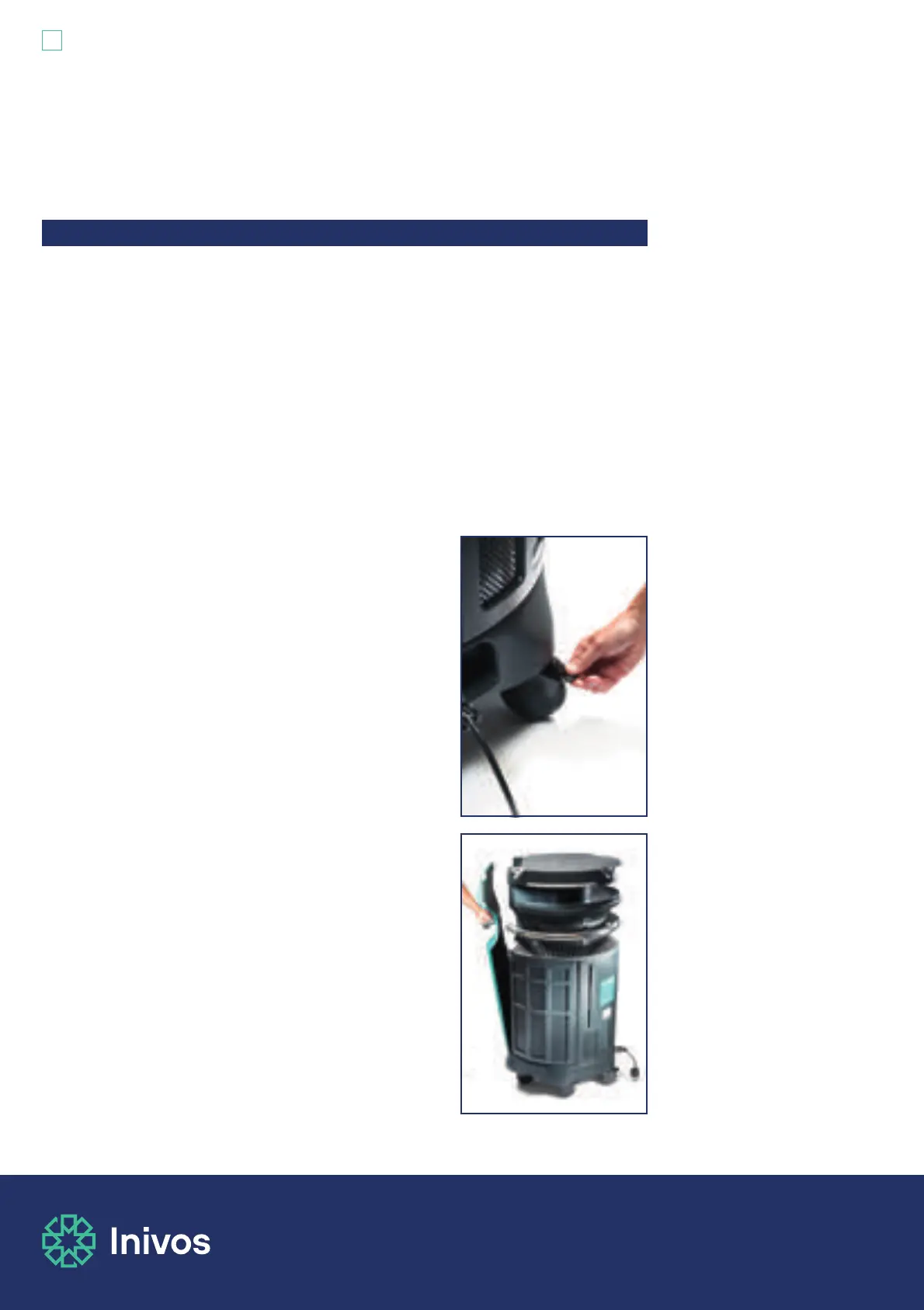
5.1.3 Position the ProXcide™ main unit into the centre of the
space to be treated. Apply all six ProXcide™ total-lock
brakes. The ProXcide™ unit must not be moved again until
the end of the process.
5.1.4 Release the process monitor by unhooking it from the
main unit by pressing the release button on the process
monitor handle and lifting away from the main unit. Hold
the process monitor by the handles provided around the
touchscreen and take it to a suitable position outside of
the treatment space. When choosing the position of your
process monitor you should ensure that it will not cause an
obstruction or hazard to others.
Section 5: Using the ProXcide
™
IMPORTANT: The ProXcide™ should only be used by trained and competent
operators.
5.1 ProXcide™ Operator Instructions


 To Next Page