APRIL 2020 • REVISION 4.0 INSTRUCTION MANUAL
25
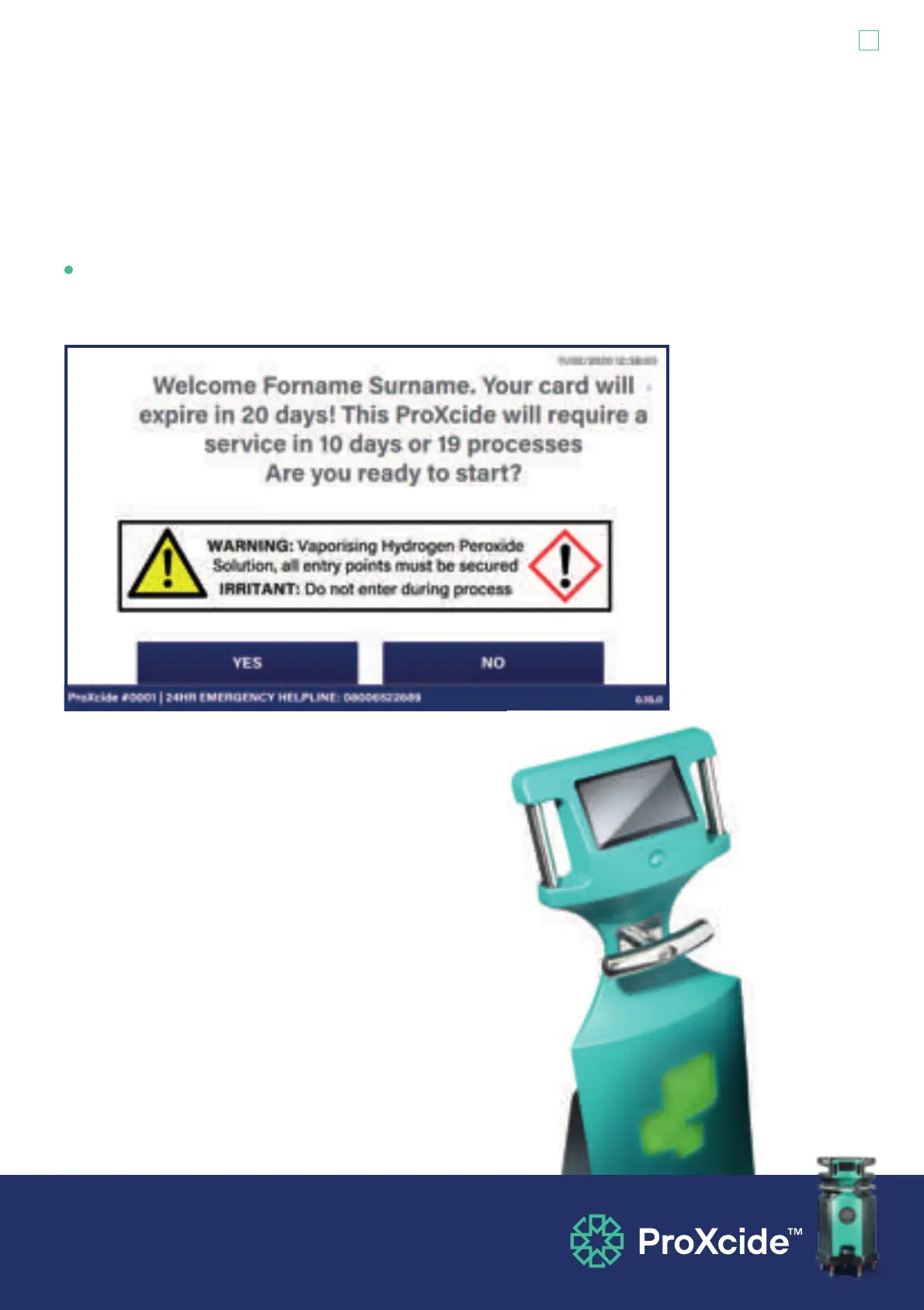
‘Welcome Forename Surname, are you ready to start?’ - The final screen asks you to make
final checks. Physically check that nobody has removed door seals, barriers or signs and
entered the treatment area. If seals etc. are intact, mentally check that you did cover the fire
alarm sensor. If yes, touch ‘YES’ to start the process.
The ProXcide™ will first perform a series of checks. These
include: checking the fans are working to enable deactivation at
the end of the process; checking the humidity of the room is in
range; checking the fluid levels and whether the fluid is entering
the injection module. If an error is detected during these checks,
the ProXcide™ will not run. If there are no errors, the ProXcide™
decontamination process will start.


 To Next Page