33
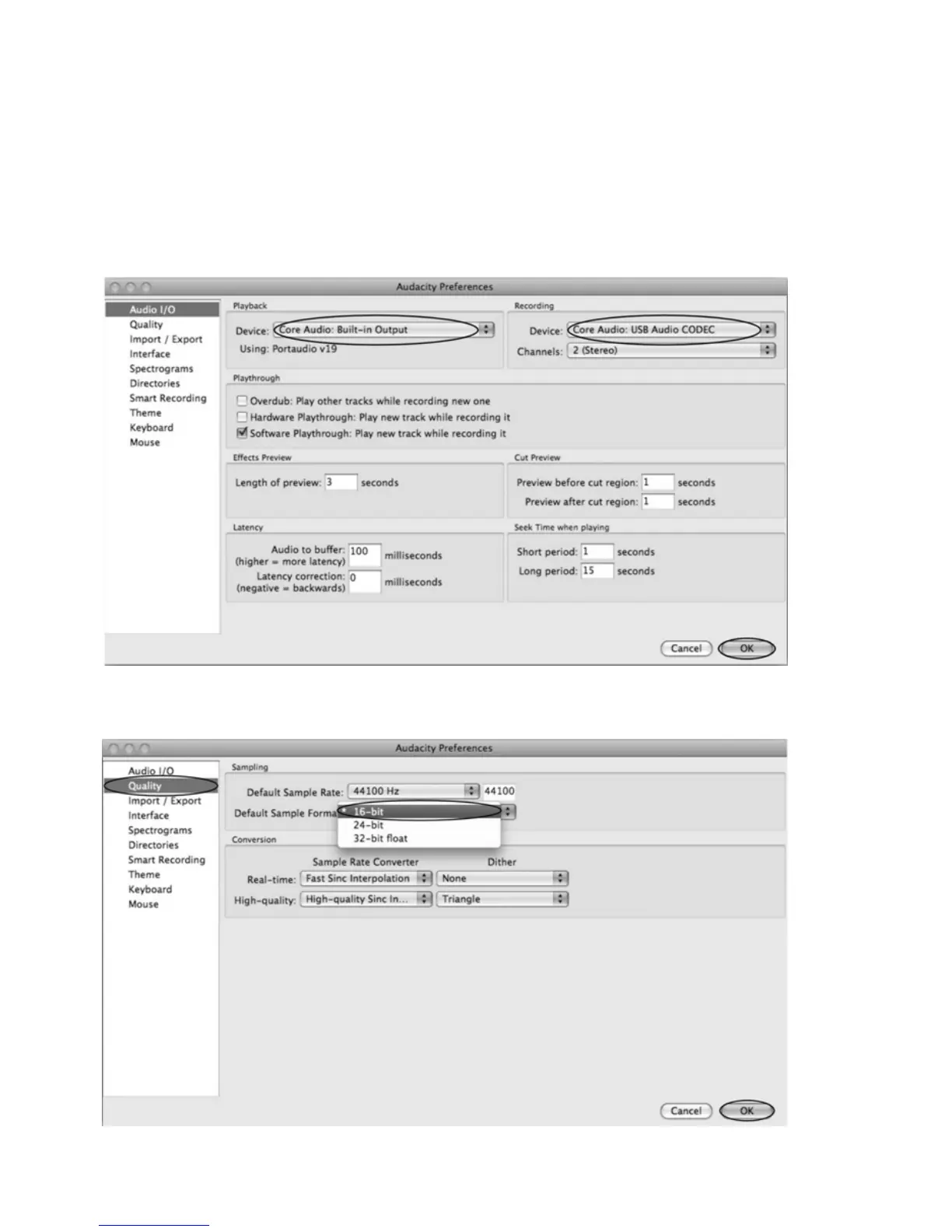
Select the recording device: Core Audio (USB Audio CODEC)
z Click the “Audio I/O” at the Audacity Preferences interface.
z Click the “Device” and select “Core Audio (USB Audio CODEC)”.
z Click the “Channels” and select 2 (stereo).
z Click the “OK”.
z Note: If you couldn't find the " Core Audio (USB Audio CODEC) " from the Device list, close the
Audacity Software and re-open then try again or insure the turntable is connect to the
computer.
Under the Quality tab, set the Default Sample Format to 16 bit. Select OK to save your setting and
close the preferences window.



 To Next Page