IF1200A Pilot Operating Handbook 12. Using HereLink Hand Controllers
12. Using HereLink Hand Controllers
Both the HereLink Blue and HereLink Black hand controllers have QGroundControl (QGC)
software installed at the factory. Full documentation for QGC is available at:
https://docs.qgroundcontrol.com/en/. Training videos describing all aspects of planning and
uploading an autonomous mission are also available online.
Install the antennas on the top of the hand controller.
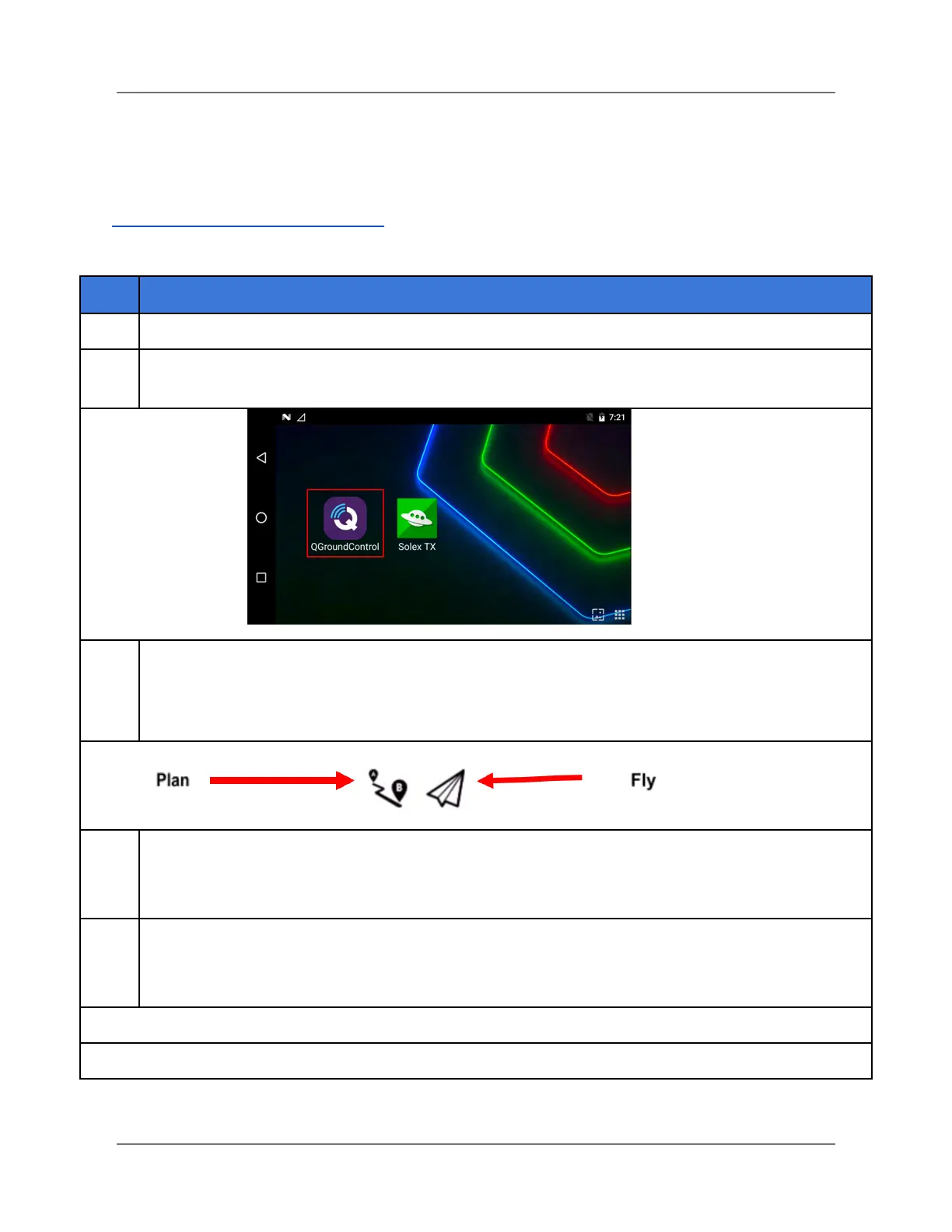
Press and hold the power button on the hand controller. Two applications appear on the hand
controller’s screen (see below). Select QGroundControl (QGC).
Two icons appear in the toolbar in the upper-left corner of the QGroundControl screen (see below). The
Fly icon is highlighted. Next to it is the Plan icon. Tap on either icon to switch between the two screens.
Note: When QGroundControl is first opened, it defaults to Fly mode, which displays a connected
camera’s video stream and map.
Use this screen to plan and upload autonomous missions to the UAV. Waypoints can be added and
configured to plan a mission. Tools are available to create various patterns such as surveys and corridor
scans. A mission command list appears on the right-hand side of the screen where you can change
waypoints and planned actions.
Monitors the aircraft during operation, providing telemetry readouts and an overlay of any video
streaming. You can toggle between a map view of the aircraft’s current flight, or a video stream if the
aircraft is equipped with that capability. All in-flight actions, emergency and otherwise, can be accessed
through the Fly view.
Note: QGC can be accessed on the HereLink or on a laptop receiving a Wi-Fi signal from the HereLink.
IFT Doc Num 102094, Rev 1.02 Page 29



 To Next Page