IF1200A Pilot Operating Handbook 14. Power On the Aircraft
14. Power On the Aircraft
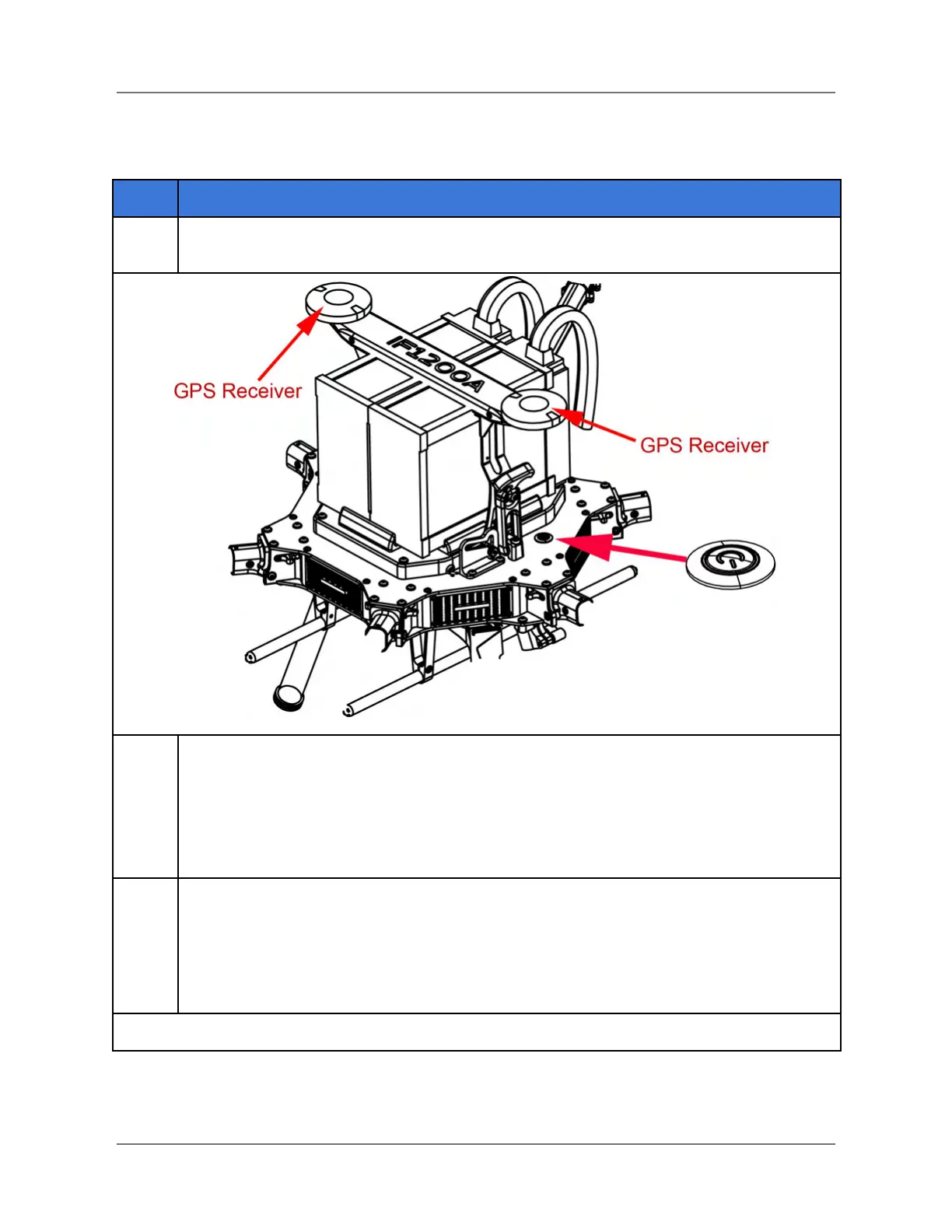
Press and hold the power button (see graphic below) on the chassis until the button
illuminates green. This takes about nine seconds.
Navigation LEDs: There are navigation LEDs on the end of all six arms on the
aircraft, just below each motor. These become active as follows:
● Front-left: Red (port)
● Front-right: Green (starboard)
● Side & Rear: a white LED, on each (2) rear motor
The aircraft will emit a series of beeps during the initialization sequence. The GPS
status indicators (there are two, graphic in Step 1) behave as follows:
● Blue flashing on and off: Waiting for GPS lock
● Flashing green: GPS Lock obtained, ready to fly.
● Red flashing: Error - See GCS for error message details, or reboot aircraft.
IFT Doc Num 102094, Rev 1.02 Page 33



 To Next Page