12
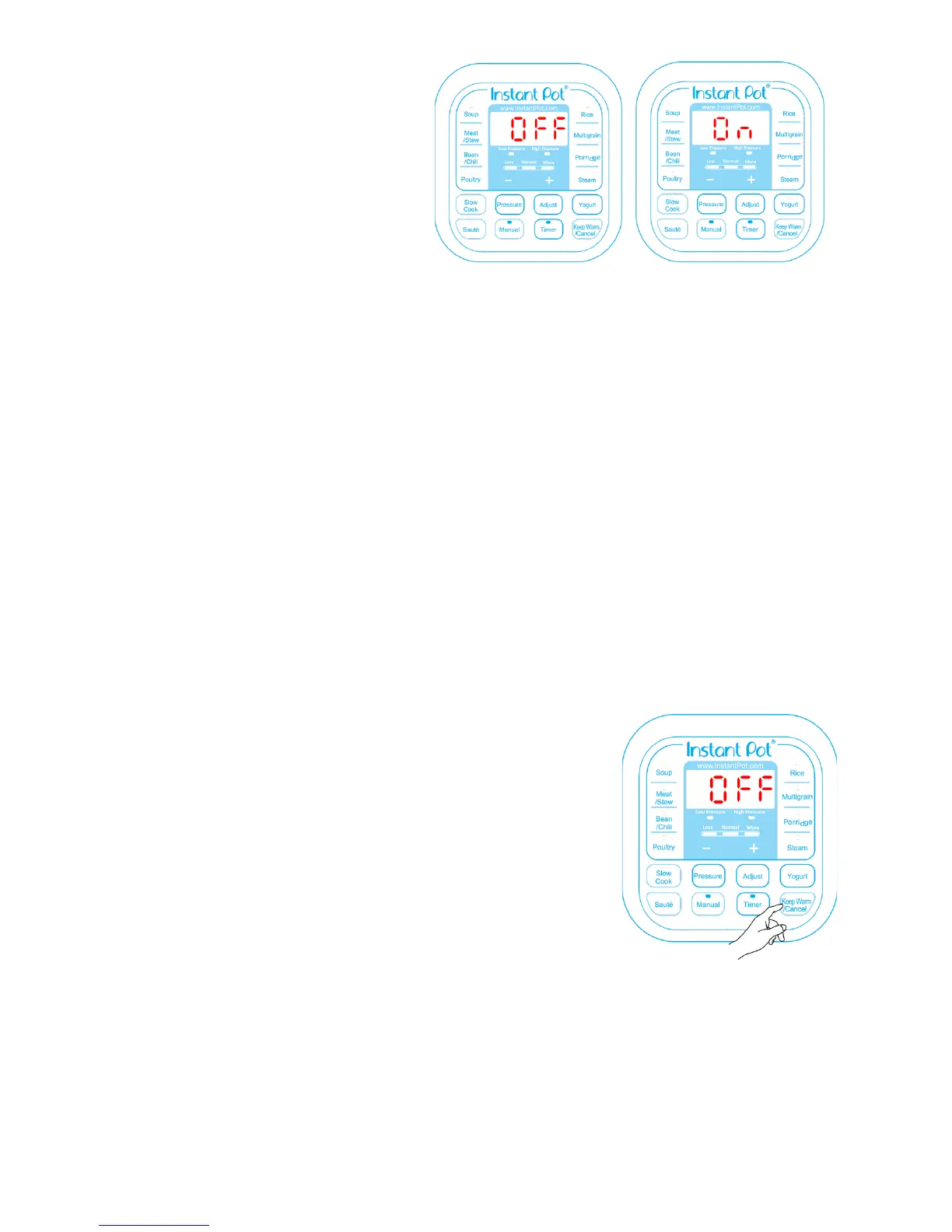
Your Instant Pot® has 3 states which are
shown on the LED display and funcon
indicators.
Standby state: the LED display
shows “OFF”.
Pre-heang state: the LED display
shows “On” and the acvated
funcon indicator lights up.
Program operang state: the acvated funcon indicator lights up and the LED display
shows me. For all pressure cooking, “Slow Cook” and “Delay Start” funcons, the me
counts down. For “Keep Warm” and “Yogurt” funcons, the me counts up.
The 4 operaons keys include “+”, “-“, “Pressure” and “Adjust” keys. The “+” and “-“ are used to
change the me value.
The "Pressure" key toggles the pressure seng between “High Pressure” and “Low Pressure” for
the pressure cooking funcons which include "Soup", "Bean/Chili", "Poultry", "Meat/Stew",
"Mulgrain", "Porridge", "Steam", “Rice" and “Manual” funcons. The “Pressure” key has no
eect on non-pressure cooking funcons: “Slow Cook”, “Sauté” and “Yogurt”.
The "Adjust" key can make 3 types of adjustments:
1. Changing the pressure keeping me for pressure cooking funcons, except "Manual"
and "Rice" funcons. "Rice" is fully automac.
2. Switching the temperature of "Slow Cook" and "Sauté".
3. Selecng programs in “Yogurt”.
The most important key is “Keep Warm/Cancel”. When Instant
Pot® is being programmed or in operaon, pressing this key will
cancel the program and return the cooker to standby state.
When the cooker is in standby state, pressing this key acvates
the keep-warm program.
The “Soup” key is for making various soups and broth. You can use
the “Adjust” key to select a shorter or longer cooking me,
depending on the desired cooking result. Instant Pot® controls
the pressure and temperature to a level that the liquid never
goes into a heavy boiling state. For example, when making
chicken broth with the "Soup/Broth" funcon, the broth is clear
and the chicken remains intact aer cooking. If you need the
food content to be fully broken down, please sr and mix the
soup before serving.
The “Meat/Stew” key is for cooking meat and stew. The “Adjust” key can be used to change the
cooking me to achieve the desired meat texture. In general, the "More" seng is for fall-of-
the-bone cooking results.
The “Bean/Chili” key is designed for cooking beans and making Chili. If you want the beans well
cooked, please use the “Adjust” key to select "More" duraon.



 To Next Page