EasyManua.ls Logo

Instant Pot ultra - System Settings Configuration; Initial Test Run Procedure

Instant Pot ultra
30 pages
To Next Page IconTo Next Page
To Previous Page IconTo Previous Page
Loading...
14
Systems Settings (Sound ON/OFF, Temperature Unit and Altitude)
Press the Cancel button to return the cooker to standby mode displaying OFF. Push and
hold the central dial for 5 seconds and then release the hold. Rotate to select the parame-

Start 




can clog the steam release valve.

free from debris.
Pressure Cooking
StartCancel
Initial Test Run (Optional)

Plug-in the cooker. Rotate the central dial to Steam
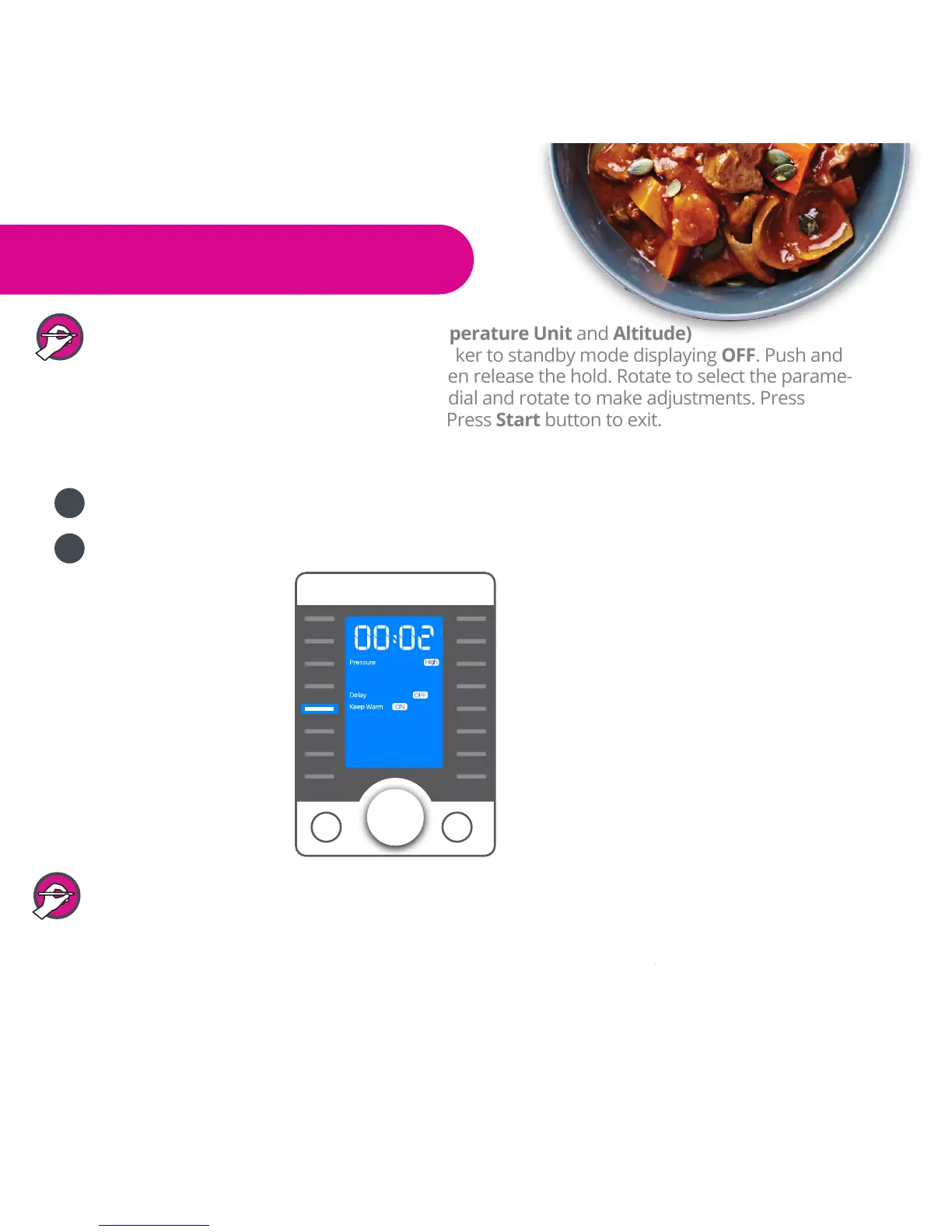
See diagram below.
5
4

Related product manuals