EasyManua.ls Logo

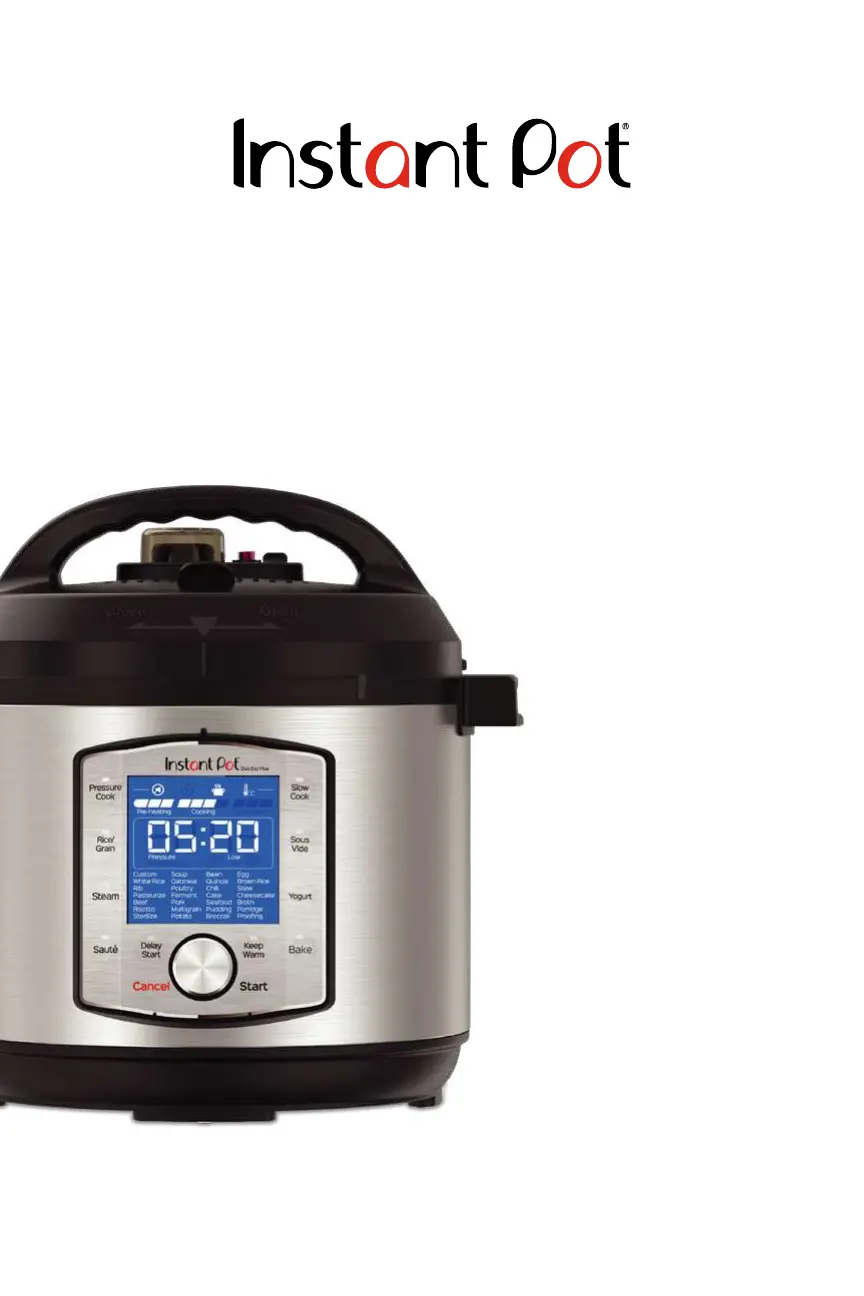
Instant Pot DUO EVO PLUS - User Manual

Instant Pot DUO EVO PLUS
61 pages
Print Icon
To Next Page IconTo Next Page
Loading...
DUO EVO
TM
PLUS
6 and 8 Quart
Multi-Use Pressure Cookers
User Manual
Important Safeguards
Product Specications
Initial Setup
Product, Parts and Accessories
Smart Program Settings
Cleaning Before First Use
Overview of Pressure Control
Features
Pressure Cooking with the
Duo Evo Plus
Initial Test Run (Water Test)
Recommended Cooking Times
Grain-to-Water Ratios
Care and Cleaning
Troubleshooting
Warranty
Contact Information

Other manuals for Instant Pot DUO EVO PLUS

Questions and Answers

  • A
    Angela OrtizAug 17, 2025
    How to close the lid of my Instant Pot Electric Pressure Cooker?
    • T
      Teresa CamachoAug 17, 2025
      If you're having difficulty closing the lid, make sure the sealing ring is properly installed and snug behind the sealing ring rack. Also, check if the float valve is in the popped-up position; if it is, gently press it downward with a long utensil. If the contents in the cooker are still hot, move the quick release switch into the Vent position, then lower the lid onto the cooker base slowly, allowing heat to dissipate.
  • H
    Heidi BellAug 20, 2025
    Why is steam leaking from the side of my Instant Pot DUO EVO PLUS Electric Pressure Cooker lid?
    • B
      Benjamin PrestonAug 20, 2025
      Steam may leak from the side of the lid for several reasons. Make sure there is a sealing ring in the lid. If there is one, it might be damaged or improperly installed, in which case you should replace it. Food debris attached to the sealing ring can also cause leaks, so remove the sealing ring and clean it thoroughly. Ensure the lid is closed properly. The sealing ring rack could be warped or off-center, inspect it for bends or warps. Also, the inner pot rim may be misshapen, check for deformation.
  • N
    Norma Smith MDAug 22, 2025
    What to do if I have difficulty opening the lid of my Instant Pot Electric Pressure Cooker?
    • M
      mary80Aug 22, 2025
      If you're having trouble opening the lid, it's likely due to pressure inside the cooker. Release the pressure according to your recipe and only attempt to open the lid after the float valve has dropped down. Another possibility is that the float valve is stuck in the popped-up position because of food debris or residue. Ensure all steam is released by quick releasing pressure, then gently press the float valve with a long utensil. After opening, clean the float valve, the surrounding area, and the lid thoroughly before your next use.
  • D
    Diana SmithAug 27, 2025
    Why does steam gush from the steam release valve on my Instant Pot DUO EVO PLUS when the quick release switch is in the Seal position?
    • M
      Michael YoungAug 28, 2025
      If steam gushes from the steam release valve when the quick release switch is in the Seal position, it could be due to a few reasons. First, ensure there is enough liquid in the inner pot; add thin, water-based liquid. It could also be due to the steam release valve not being seated properly; move the quick release switch to the Seal position. If neither of these resolves the issue, it may indicate a pressure sensor control failure, in which case you should contact Customer Care.
  • W
    whowellSep 2, 2025
    What to do if the inner pot is stuck to the lid of my Instant Pot DUO EVO PLUS Electric Pressure Cooker when I open it?
    • A
      Ashley HawkinsSep 2, 2025
      If the inner pot is stuck to the lid when you open the cooker, it's likely because the cooling of the inner pot has created a suction. To release the vacuum, move the quick release switch into the Vent position.
  • S
    scottfuentesSep 5, 2025
    Why is there minor steam leaking or hissing from the steam release valve of my Instant Pot Electric Pressure Cooker during the cook cycle?
    • O
      oericksonSep 5, 2025
      Minor steam leaking or hissing from the steam release valve during the cook cycle is often normal. First, ensure the quick release switch is in the Seal position. If it is, the cooker is likely just regulating excess pressure, which requires no action.
  • C
    Catherine HunterSep 8, 2025
    What to do if the display remains blank on my Instant Pot Electric Pressure Cooker after connecting the power cord?
    • K
      Kyle JamesSep 8, 2025
      If the display remains blank after connecting the power cord, first inspect the power cord for damage. If damage is noticed, contact Customer Care. Then, check the outlet to ensure it is powered. It is also possible that the cooker’s electrical fuse has blown, in this case you should contact Customer Care.
  • F
    franklinriveraSep 12, 2025
    Why is the bottom of the inner pot of my Instant Pot Electric Pressure Cooker wet?
    • E
      ereynoldsSep 12, 2025
      Wipe exterior surfaces of inner pot and ensure the heating element is dry before inserting the inner pot into the cooker base.
  • S
    Stacy MooreSep 13, 2025
    Why does my Instant Pot DUO EVO PLUS Electric Pressure Cooker make occasional clicking or light cracking sounds?
    • A
      Andrew MedinaSep 13, 2025
      The occasional clicking or light cracking sound you hear is the normal sound of power switching and the pressure board expanding when the temperature changes; no action is needed.
  • T
    Tammy HughesNov 24, 2025
    What to do if an error code appears on my Instant Pot DUO EVO PLUS Electric Pressure Cooker display and it beeps continuously?
    • D
      Danielle JohnsonNov 24, 2025
      If an error code appears on the display and the cooker beeps continuously, it could be due to several reasons. If the error codes are C1, C2, C6, C6H, C6L, or C7/NoPr, contact Customer Care. If the error code is due to not enough liquid, add thin, water-based liquid to the inner pot. If the quick release switch is in the Vent position, move it to the Seal position. If the error code is C8, insert the correctly sized inner pot with easy-grip handles into the cooker base. If the error code is Lid, open and close the lid, and remember not to use a lid when using Sauté. If the error code is OvHt / Burn / Food burn, starch deposits at the bottom of the inner pot may have blocked heat dissipation. Turn the cooker off, release pressure, and inspect the bottom of the inner pot. If the error code i...

Summary

Important Safeguards

Special Cord Set Instructions

Instructions for safe use of the power cord to reduce hazards.

Product Specifications

Technical details and dimensions of the Duo Evo Plus pressure cooker models.

Initial Setup

Product, Parts and Accessories

Control Panel

Control Panel Display and Indicators

Explains the LCD display, progress indicators, and status icons for operating the control panel.

Status Messages Explained

Details various messages displayed on the control panel and their meanings.

Smart Program Settings

Sound and Temperature Scale Settings

Instructions on how to turn sounds on/off and change temperature units (°F/°C).

Manual Keep Warm Function

Guidance on setting and customizing the manual Keep Warm function.

Adjusting Cooking Parameters During Use

How to modify cooking time, pressure, and temperature levels while a program is running.

Resetting Program Defaults

Procedures for restoring smart programs to their original factory default settings.

Cleaning Before First Use

Overview of Pressure Control Features

Pressure Cooking Lid

Details about the specific lid designed for pressure cooking, its features and usage.

Sealing Ring

Information on the sealing ring, its installation, removal, and maintenance.

The Float Valve

Explanation of the float valve's function in indicating pressure and its proper installation/removal.

Pressure Cooking With The Duo Evo Plus

Introduction to Pressure Cooking

Explains the principle of pressure cooking and the three stages involved.

Depressurizing the Cooker

Methods for safely releasing pressure from the cooker after cooking.

Initial Test Run (Water Test)

Step-by-step guide for performing an initial test run to familiarize with the appliance.

Using Pressure Cooking Smart Programs

Smart Program - Pressure Cook, Rice;Grain, Bake

Guide to using the three main pressure cooking smart programs and their presets.

Using Non-Pressure Cooking Smart Programs

Smart Program: Bake

Instructions for using the Bake smart program for baking various items.

Smart Programs: Steam and Slow Cook

How to use the Steam and Slow Cook programs for steaming and slow cooking.

Smart Program: Sauté

Details on using the Sauté function for simmering, stir-frying, and searing.

Smart Program: Yogurt

Guide to making yogurt using the Yogurt smart program, including pasteurization and fermentation.

Smart Program Overview

Recommended Cooking Times

Pressure Cooking Timetable

A table providing recommended cooking times for various foods under pressure.

Grain-to-Water Ratios

Guidance on the correct water ratios for cooking different types of grains.

Care and Cleaning

Troubleshooting

Warranty

Limited Warranty Terms

Details the terms, duration, and coverage of the limited warranty for the appliance.

Warranty Limitations and Exclusions

Outlines limitations on liability and specific exclusions from warranty coverage.

Product Registration and Service

Instructions for product registration and how to obtain customer service for warranty claims.

Instant Pot DUO EVO PLUS Specifications

General IconGeneral
ModelDUO EVO PLUS
CategoryElectric Pressure Cooker
Capacity6 Quarts
Voltage120 V
Pressure Levels2 (High and Low)
Cooking FunctionsPressure Cook, Slow Cook, Sauté, Yogurt
DisplayLCD
Inner PotStainless Steel
Safety FeaturesOverheat Protection
Warranty1-year limited warranty
Power1200 Watts

Related product manuals