EasyManua.ls Logo

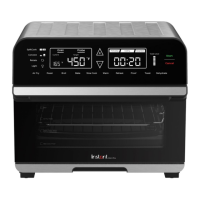
Instant OMNI PLUS - User Manual

Instant OMNI PLUS
30 pages
Print Icon
To Next Page IconTo Next Page
Loading...
OMNI
TM
PLUS
TOASTER OVEN
User Manual
Welcome
Important Safeguards
Getting Started
Initial Setup
Product Overview
Control Panel
Initial Test Run
Smart Programs
Cooking Timetable
Rotisserie
Cooking Tips
Care and Cleaning
Troubleshooting
Warranty
Contact Information

Other manuals for Instant OMNI PLUS

Questions and Answers

  • S
    Sharon WagnerJul 28, 2025
    Why is black smoke coming from my Instant OMNI PLUS?
    • P
      Pamela CameronJul 28, 2025
      If black smoke is coming from your Instant Oven, it could be due to a few reasons. First, try using a neutral oil with a high smoke point such as Canola, Avocado, Soybean, Safflower, or Rice Bran. Food particles or residue on the bottom of the cooking chamber, air fry basket, oven rack, cooking pan, rotisserie spit and forks, or crumb tray can also cause this issue, so remove all accessories and clean the area thoroughly. Lining the crumb tray with aluminum foil can simplify cleanup. If the issue persists, it could be a faulty circuit or heating element, in which case you should contact Customer Care and not attempt to repair the appliance yourself.
  • A
    allen01Aug 4, 2025
    Why is white smoke coming from my Instant OMNI PLUS?
    • R
      Robert SimpsonAug 4, 2025
      White smoke from your Instant Oven usually occurs when cooking foods high in fat, like bacon or sausage. Try to avoid air frying high-fat foods. Also, ensure you check the cooking pan for excess oil or fat after cooking and carefully remove it if needed. Patting dry moist food before air frying and avoiding adding water to the cooking chamber can also help. Be mindful when seasoning food, spraying vegetables and meats before adding seasoning so they adhere to the ingredients.
  • M
    Michelle MartinAug 11, 2025
    How to fix an Instant OMNI PLUS Oven that is plugged in but will not turn on?
    • K
      Kirk CaldwellAug 11, 2025
      If your Instant Oven is plugged in but won't turn on, first, make sure the power cord is firmly plugged into a 120 V outlet. Next, test the outlet by plugging in another appliance to see if it's working. Try moving the oven to another outlet to ensure nothing else is on the same circuit. Finally, inspect the power cord for any damage. If you notice damage, stop using the appliance and contact Customer Care.
  • K
    Kelly MitchellAug 20, 2025
    What to do if condensation is forming on countertops when using Instant OMNI PLUS?
    • A
      Angelica PhamAug 20, 2025
      Condensation forming on countertops when using your Instant Oven means it lacks proper ventilation. Make sure there is at least 5" / 13cm of space around all sides of the toaster oven while it's in use.

Summary

Important Safeguards

Special Cord Set Instructions

Product Specifications

Initial Setup

Product, Parts and Accessories

Control Panel

Status Messages

Explains the various messages displayed on the control panel during operation, including Preheat, Turn Food, and End.

Smart Program Settings

Cooking with the Omni Plus Toaster Oven

Initial Test Run

Step-by-step guide to running an initial test cycle to familiarize with the oven's operation before first use.

Smart Programs

Rotisserie Cooking

Cooking Tips

Cooking Timetable

Care and Cleaning

Troubleshooting

Warranty

Limited Warranty

Details the terms, duration, and coverage of the limited warranty for the appliance.

Limitation and Exclusions

Outlines specific damages, misuse, and conditions not covered by the appliance's limited warranty.

Disclaimer of Implied Warranties

States Instant Brands makes no implied warranties regarding merchantability or fitness, beyond those expressly provided.

Limitation of Remedies; Exclusion of Incidental and Consequential Damage

Defines the sole remedy as repair or replacement and excludes liability for consequential damages.

Warranty Registration

Instructions on how to register the appliance online to validate the warranty and receive updates.

Warranty Service

Provides contact information and procedures for obtaining customer service and warranty repairs.

Contact Information

Instant OMNI PLUS Specifications

General IconGeneral
Power1800 Watts
Control TypeDigital
MaterialStainless Steel
Voltage120 V
Frequency60 Hz
TimerUp to 60 minutes
Capacity18L
FunctionsAir Fry, Bake, Roast, Broil, Dehydrate, Reheat, Toast, Convection
Temperature Range150°F - 450°F
Included AccessoriesAir Fry Basket, Baking Pan, Oven Rack

Related product manuals