EasyManua.ls Logo

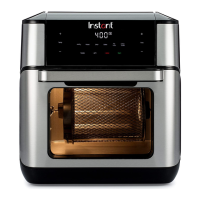
Instant VORTEX PLUS 10 - User Manual

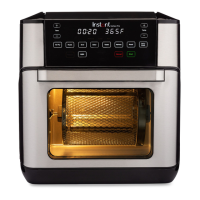
Instant VORTEX PLUS 10
27 pages
Print Icon
To Next Page IconTo Next Page
Loading...
Download the Instant Pot app with
1000+ recipes at instantappliances.com/app.
VORTEX
PLUS
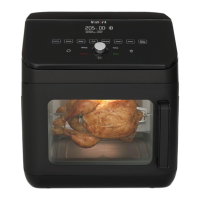
10 QUART AIR FRYER OVEN
User manual
Important safeguards
Product, parts and accessories
Get started
Control panel
Cooking
Rotisserie cooking
Care, cleaning and storage
Troubleshooting
Warranty
Contact

Other manuals for Instant VORTEX PLUS 10

Questions and Answers

  • V
    veronicalloydJul 28, 2025
    Why won't my Instant VORTEX PLUS 10 Oven turn on?
    • M
      Maria MurrayJul 28, 2025
      If your Instant Oven isn't turning on, there could be a few reasons. First, ensure the power cord is firmly plugged into the outlet. Next, test the outlet by plugging in another appliance to see if it's powered. Finally, make sure the oven door is fully closed, as the oven will not turn on if the door is open.
  • J
    jessica48Aug 5, 2025
    How to stop black smoke from coming out of my Instant VORTEX PLUS 10 Oven air fryer?
    • J
      Jonathan WongAug 5, 2025
      Black smoke from your Instant Oven air fryer can be caused by several factors. It might be due to using an oil with a low smoke point; if this is the case, switch to a neutral oil with a high smoke point, such as avocado, canola, soybean, safflower, or rice bran oil. Another cause could be food residue on the heating coil, in the cooking chamber, or on the accessories. To resolve this, remove all accessories and thoroughly clean the area and accessories. If neither of these solutions works, it could be due to a faulty circuit or heating element, in which case you should contact Customer Care and not attempt to repair the appliance yourself.
  • T
    Troy ReillyAug 12, 2025
    What to do if white smoke comes out of my Instant VORTEX PLUS 10?
    • C
      Christopher KellerAug 12, 2025
      If you notice white smoke coming from your Instant Oven, it could be due to a few reasons. One common cause is cooking foods with a high fat content, such as bacon, sausage, or hamburger. Try to avoid air frying these types of foods. Another reason could be that water is vaporizing and producing thick steam; make sure to pat dry moist food ingredients before air frying and avoid adding water or other liquids to the cooking chamber. Lastly, seasoning on food might have blown onto the element; be mindful when seasoning food and consider spraying vegetables and meats with oil before seasoning to help the seasoning stick.
  • J
    Jodi ConwayAug 19, 2025
    What does it mean when all the lights flash and a code appears on the Instant VORTEX PLUS 10 Oven display?
    • T
      tharrisSep 12, 2025
      If all the lights are flashing and a code appears on the display of your Instant Oven, this indicates a temperature sensor issue or a temperature sensor short circuit. In either case, you should contact Customer Care for assistance.

Summary

Important Safeguards

Special Cord Set Instructions

Safety guidelines for the power cord to prevent hazards like grabbing, entanglement, and tripping.

Product, Parts, and Accessories

Getting Started

Initial Setup Guide

Step-by-step instructions for the initial unboxing, placement, and preparation of the appliance.

Initial Test Run Procedure

Instructions for performing a test run to familiarize with the appliance's functions before actual cooking.

Control Panel Functions

Display and Input Keys

Explanation of the time/temperature display and the +/- adjustment keys for time and temperature.

Cooking Operations

Cooking Setup and Process Steps

Step-by-step guide for setting up and executing cooking programs, including preheating and turning food.

Rotisserie Cooking

Rotisserie Spit and Forks Assembly

Instructions for attaching forks and food items to the rotisserie spit for secure roasting.

Rotisserie Setup and Operation

Step-by-step guide to installing the rotisserie accessory and starting the cooking program.

Rotisserie Cooking Stage 2

Steps for setting up and starting the rotisserie cooking program after accessory installation.

Removing Rotisserie Accessories

Safe procedure for detaching the rotisserie basket or spit after cooking.

Care, Cleaning, and Storage

Troubleshooting Guide

Instant VORTEX PLUS 10 Specifications

General IconGeneral
Capacity10 Quarts
Control TypeDigital
Dishwasher Safe PartsYes
FunctionsAir Fry, Roast, Bake, Reheat, Dehydrate
Temperature Range95°F to 400°F
Power1500W
Timer60 minutes
AccessoriesRotisserie spit, Rotisserie forks
Dimensions13.23 L x 13.23 W x 14.37 H inches

Related product manuals