EasyManua.ls Logo

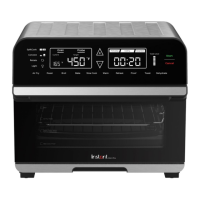
Instant OMNI PRO - User Manual

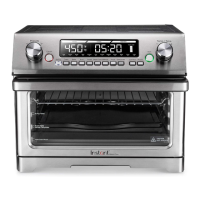
Instant OMNI PRO
32 pages
Print Icon
To Next Page IconTo Next Page
Loading...
OMNI
TM
PRO
TOASTER OVEN AND AIR FRYER
User manual
Important safeguards
Products, parts and
accessories
Get started
Control panel
Cooking
Rotisserie cooking
Care, cleaning and storage
Troubleshooting
Warranty
Contact
Register your product today at instantappliances.com/support/register.
Download the Instant Pot App with 1000+ recipes at instantappliances.com/app.

Questions and Answers

  • J
    John RodriguezJul 29, 2025
    Why is black smoke coming from my Instant OMNI PRO?
    • D
      Donald HuntJul 29, 2025
      If you notice black smoke coming from your Instant Oven, immediately stop cooking by touching Cancel. Then, unplug the appliance and let it cool down to room temperature. This can happen because of using an oil with a low smoke point, food particles or residue on the heating elements, in the cooking chamber, or on the accessories. Choose a neutral oil with a high smoke point, such as avocado, canola, soybean, safflower, or rice bran oil. Remove all accessories from the cooking chamber and thoroughly clean the area and all accessories. A faulty circuit or heating element may also be the cause. In such case you should contact Customer Care and do not attempt to repair the appliance.
  • C
    Chelsea CantrellAug 4, 2025
    What to do if Instant OMNI PRO Oven is plugged in but not turning on?
    • K
      Kathryn MedinaAug 4, 2025
      If your Instant Oven is plugged in but not turning on, there might be a few reasons. First, make sure the power cord is firmly plugged into a 120 V outlet. If it is, try plugging another appliance into the same outlet to check if the outlet has power. You can also try moving the toaster oven to another outlet, ensuring nothing else is plugged into the same circuit. Finally, inspect the power cord for any damage. If you notice any damage, stop using the appliance and contact Customer Care.
  • A
    anortonAug 10, 2025
    Why is white smoke coming from my Instant OMNI PRO?
    • A
      Amy SotoAug 10, 2025
      If you see white smoke coming from your Instant Oven, it could be due to several reasons: cooking foods with a high fat content, excess oil or fat, water vaporizing, or seasoning on food. To address this, avoid air frying foods with a high fat content. Check the cooking pan and/or crumb tray for excess oil or fat, and carefully remove it after cooking. Pat dry moist food ingredients before air frying, and do not add water or other liquid to the cooking chamber when air frying. Also, be mindful when seasoning food; spray vegetables and meats with oil before seasoning to help the seasoning stick.
  • N
    Nicholas SawyerAug 16, 2025
    How to prevent condensation when using Instant OMNI PRO?
    • B
      bescobarAug 16, 2025
      Condensation forming on countertops when using your Instant Oven is often due to a lack of proper ventilation. Ensure the toaster oven has at least 5 inches / 13 cm of space around all sides while in use to allow for adequate airflow.
  • J
    Jeremy ChangAug 22, 2025
    What to do if the oven light will not turn on in my Instant Oven?
    • X
      xstricklandAug 22, 2025
      If the oven light in your Instant Oven will not turn on, it likely means the oven light has burnt out. In this case, contact Customer Care for assistance.

Summary

Important Safeguards

Special Cord Set Instructions

Details on the power cord for safe operation, grounding, and extension cord usage.

Product Specifications

Key technical details including model, wattage, voltage, capacity, and dimensions.

Get Started

Control Panel Overview

Cooking Instructions

Air Fry, Roast, and Bake Modes

Details on using convection cooking for Air Fry, Roast, and Bake functions.

Toast Functionality

Instructions for toasting bread and bagels, including darkness level settings.

Broil, Slow Cook, Warm, Reheat, Proof, Dehydrate Modes

Operating instructions and recommended settings for specific cooking modes.

SplitCook Feature

How to program two cooking functions sequentially for complex dishes.

Cooking with the Temperature Probe

Using the probe for accurate internal temperature monitoring during cooking.

Rotisserie Cooking

Troubleshooting Guide

Warranty Information

Instant OMNI PRO Specifications

General IconGeneral
Model Number140-4002-01
Control TypeDigital
MaterialStainless Steel
Power1800W
FunctionsAir Fry, Broil, Bake, Roast, Dehydrate, Reheat, Toast
AccessoriesAir Fry Basket

Related product manuals