LCR-800 Series User Manual
56
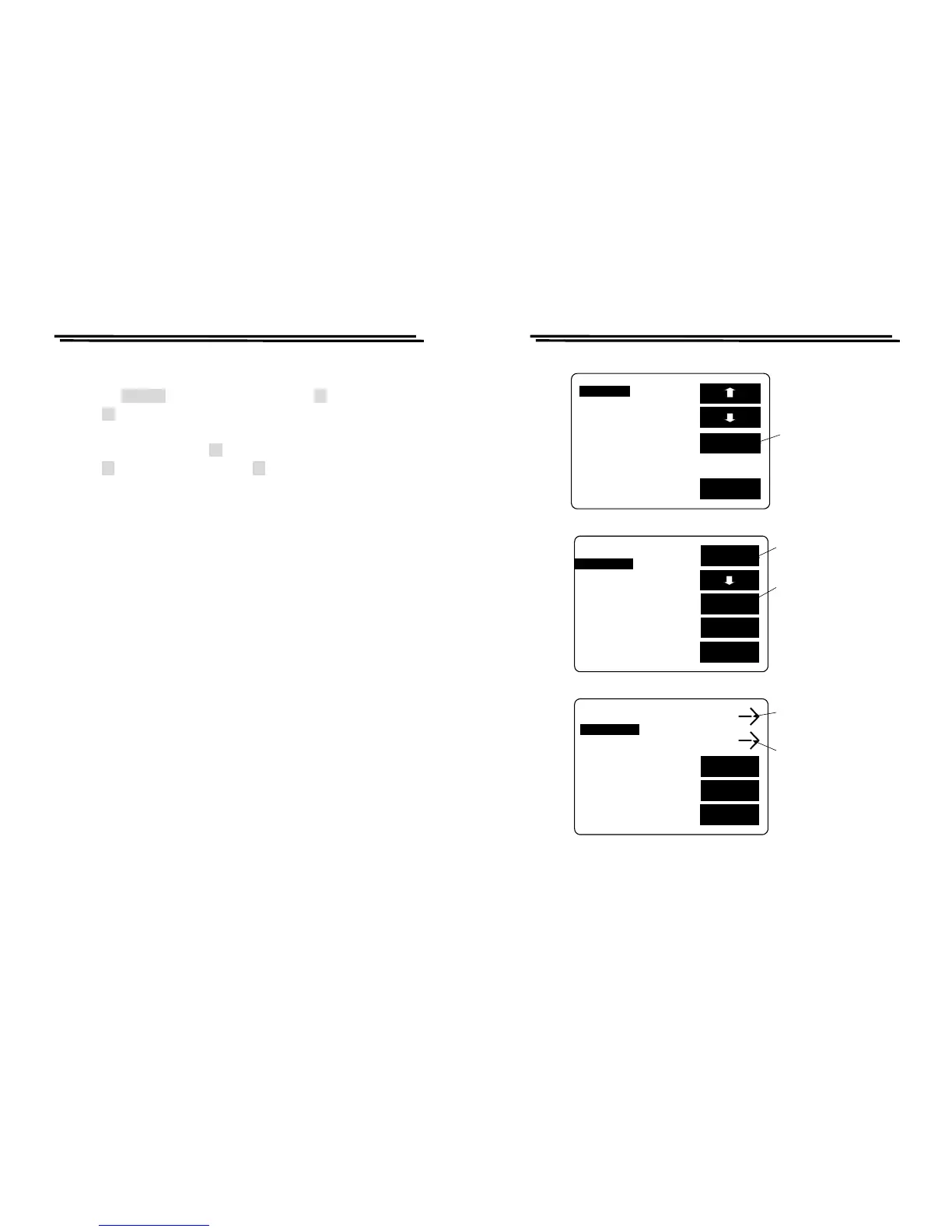
The step for BIN setting: (Please refer to Figure 8-14)
z When the SET BIN inverts to white character, press F3 key.
z Press F3 key to select C or D sorting (The selected is a primary parameter,
the other one is an assistant parameter.)
z BIN clear setting by pressing F1 key.
z Press F1 key to maintain setting, Press F2 key to delete the setting.
LCR-800 Series User Manual
57
EXIT
BIN SUM
MODE:C/D CIRCUIT:SER.
SPEED:SLOW DISPLAY:BIN
C D
BIN
F:1.0000kHz MANU
V:1.000 V INT.B OFF
RANGE:1 C.V : OFF
DELAY:00000mS AVG : 1
SET
SET BIN
Press F3 key
to the bin
setting
EXIT
BIN1
TOt_Bin:13
C_Nom.Val: 15.000pF
Max:16.500pF+:10.0%
Min:13.500pF-:10.0%
D_Max:1.000
D_Min:.0010
SORT
D
Press F3 key
to sort C or D
NEXT
BIN
BIN
CLR
SORT BY C
Press F1 key
for clear
setting
EXIT
BIN1 NO
TOt_Bin:13
C_Nom.Val: 15.000pF YES
Max:16.500pF+:10.0%
Min:13.500pF-:10.0%
D_Max:1.000
D_Min:.0010
SORT
D
Press F1 key
for non-clear
NEXT
BIN
SORT BY C
Press F2 key
for clear
setting
Figure 8-14



 To Next Page