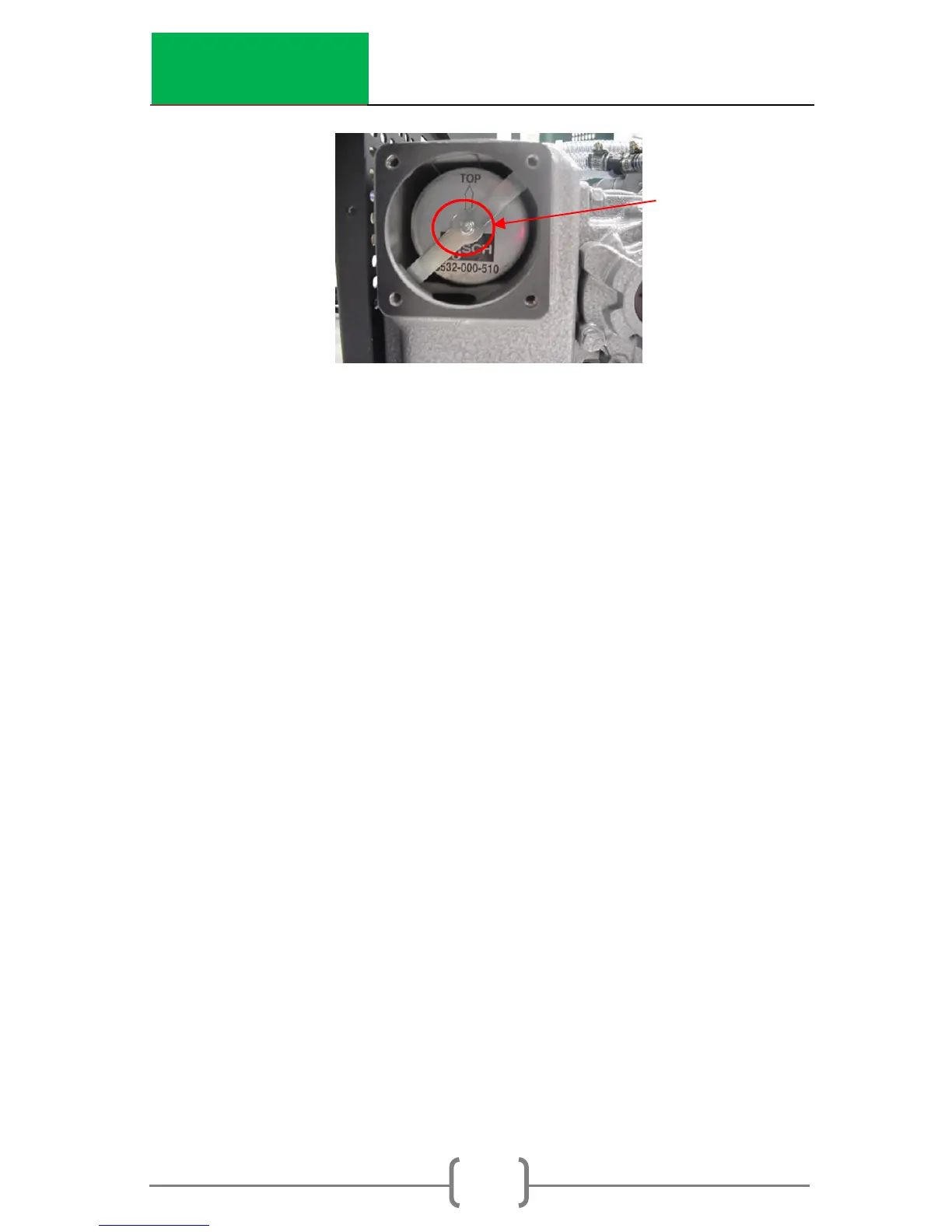
9. Gently pull old exhaust filter out by the attached clip
above the arrow on the filter. Verify that rubber O-Ring
is removed with the filter.
10. Install new filter making sure gasket fits snuggly into filter
seat in chamber.
11. Replace retaining bar and tighten screw.
12. Replace filter stuffing and exhaust cover. Tighten the
four bolts that hold the exhaust cover on.
13. Replace top cover of CoreDry. Make sure that wiring
and hosing remains undisturbed and is not crimped
between base and top cover.
14. Replace all exterior screws.
15. Go into Menu option 10 and reset the timer for the
Exhaust Filter.
Changing Pump Filter - Welch Pump (Replacement part
number 977.1002)
1. Turn the ON/OFF switch to OFF position.
2. Unplug the power cord from the wall outlet.
3. To remove top cover of CoreDry, unscrew all black
screws located on outside surface of green top cover (4
screws total: 1 on each side at the back and 1 on each
side in the middle near the base).
4. Prior to lifting top cover place a piece of foam or other
support in front of CoreDry
5. Lift top cover and rotate towards the front to expose the
pump located towards the rear of the unit. (Pull the


 To Next Page