Disconnecting the power supply
The device is mounted to the DIN rail.
The power supply is connected and switched off.
1. Disconnect the ground lead of the power supply from the terminal
"GND".
2. Disconnect the plus pole of the power supply from the terminal for
the power supply.
The EBW-E100 is disconnected from the power supply.
Removing the device from the DIN rail
How to uninstall the EBW-E100 from a DIN rail in a switch cabinet:
You will need a small flat-blade screwdriver.
The power supply of the switch cabinet is switched off and secured against
being switched on accidentally.
All cables at the device are disconnected.
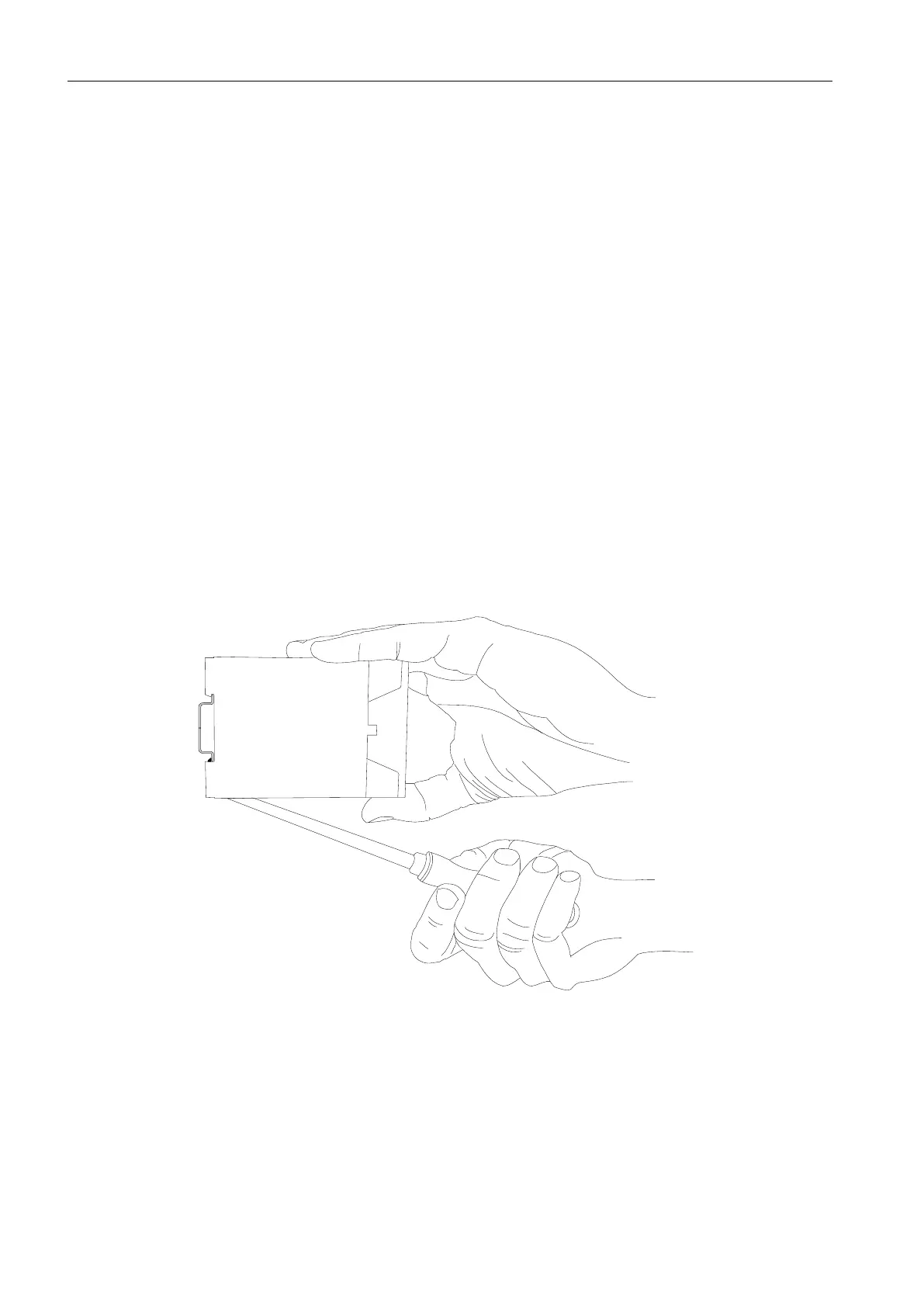
1. Insert the flat-blade screwdriver into the groove in the bottom as
shown in the following figure.


 To Next Page