1-981-2180-GB, 2021-03-16 BCR-SD G2 Page: 12
SystemHouse Solutions
5 Communication and address
There is one RS485 communication line to/from the BCR-SD G2.
5.1 Setting address
For proper communication on RS485 device needs to have proper address assigned. All devices
have from production address 1. If another address is required default address must be changed by
following next steps:
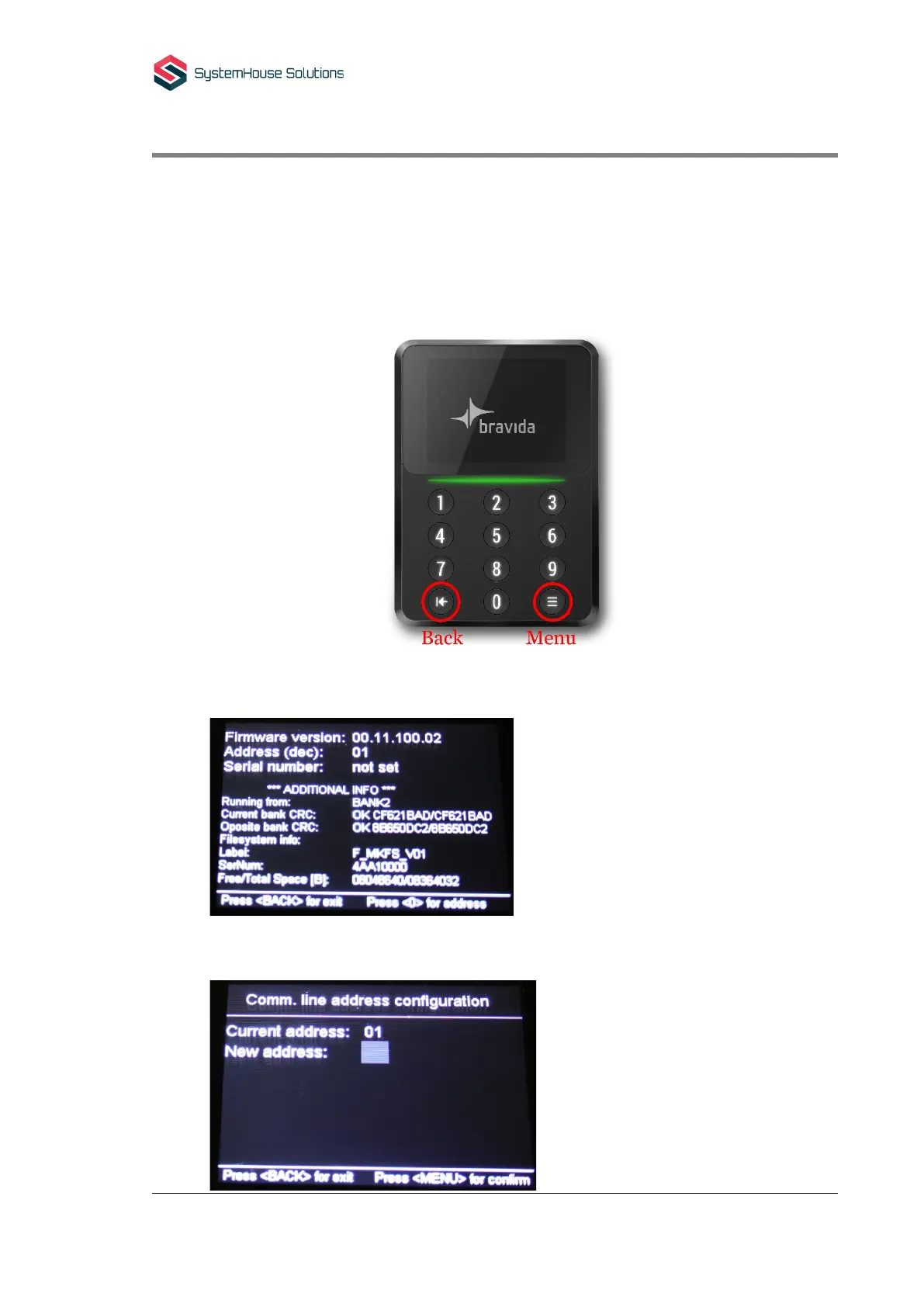
1. Open device to disconnect it from power supply. Hold “Menu button” while closing
device to enter extended information screen.
2. Press “0” to enter address configuration screen.
Current address and new address fields are shown.



 To Next Page