71
En
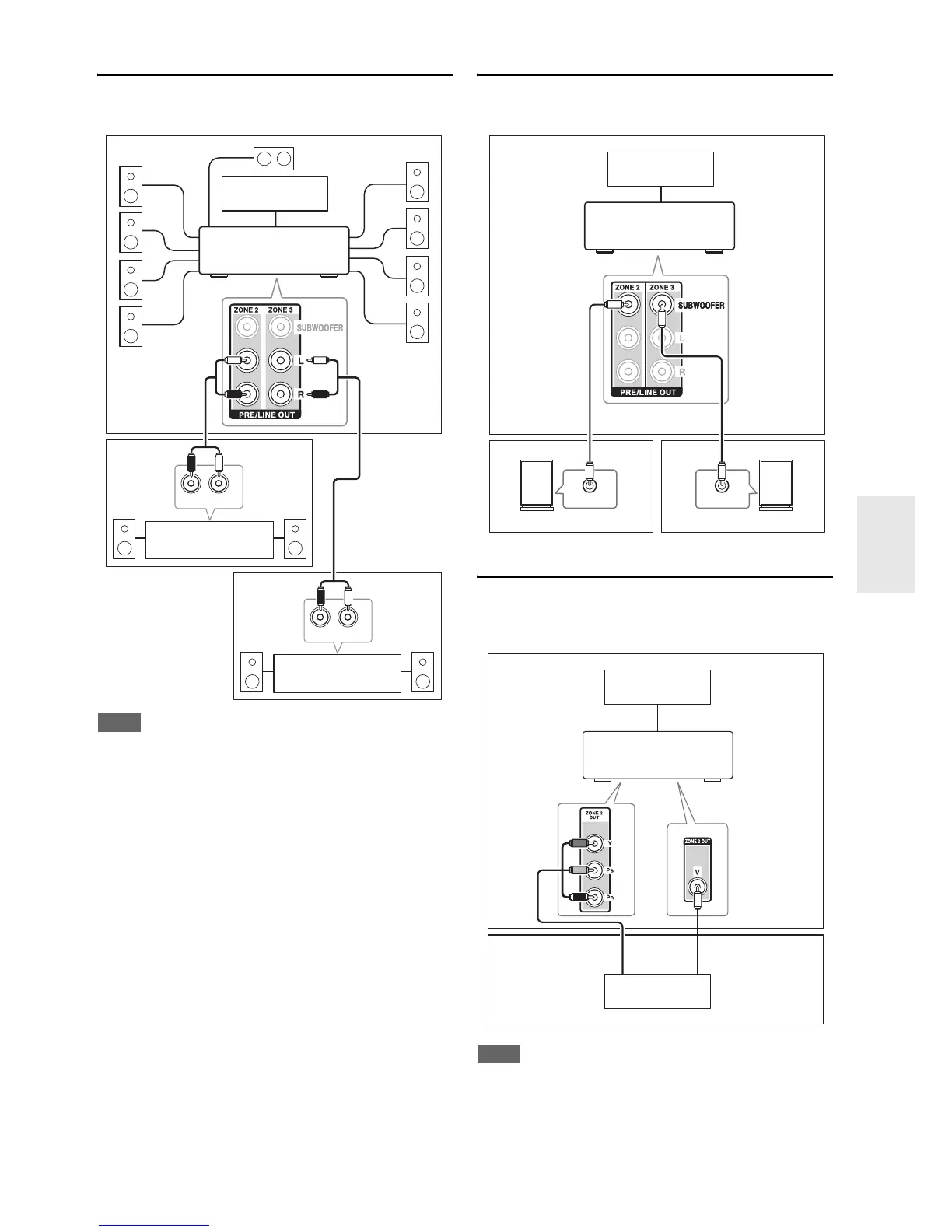
Connecting the Zone Speakers to individual
Amplifiers
This setup allows 9.2-channel playback in your main
listening room and 2-channel stereo playback in Zone 2/3.
Note
• With the default settings, the Zone 2/3 volume must be set on the
Zone 2/3 amplifier. If your Zone 2/3 amplifier has no volume
control, change the setting so that you can set the Zone 2/3
volume on the AV receiver. See “Multi Zone” (➔ page 63).
Connecting Powered Subwoofers in
Zone 2/3
This setup allows you to use powered subwoofers in
Zone 2/3.
Zone 2 Video Output
The AV receiver features composite video and component
video outputs for connection to a TV in Zone 2, so that
you can enjoy both audio and video in that zone.
Note
• If you use the COMPONENT VIDEO ZONE 2 OUT, you must
set the “Zone 2 Component Video Out” setting to “Yes”
(➔ page 63).
•The COMPONENT VIDEO ZONE 2 OUT outputs video of
components connected to component video inputs only.
•The ZONE 2 OUT V jack outputs video of components con-
nected to composite video only.
R
L
IN
R
L
IN
Main room
TV
Zone 2
AV receiver
Receiver/
integrated amp
Receiver/
integrated amp
Zone 3
LINE INPUT LINE INPUT
Main room
TV
Zone 2
AV receiver
Zone 3
Powered Subwoofer Powered Subwoofer
Main room
TV
Zone 2
AV receiver
TV
or



 To Next Page