Integra
®
Luxtec
®
9300XSP 300 Wa Xenon Light Source
10
How to remove the turret:
1. Turn off Light Source. Unplug unit.
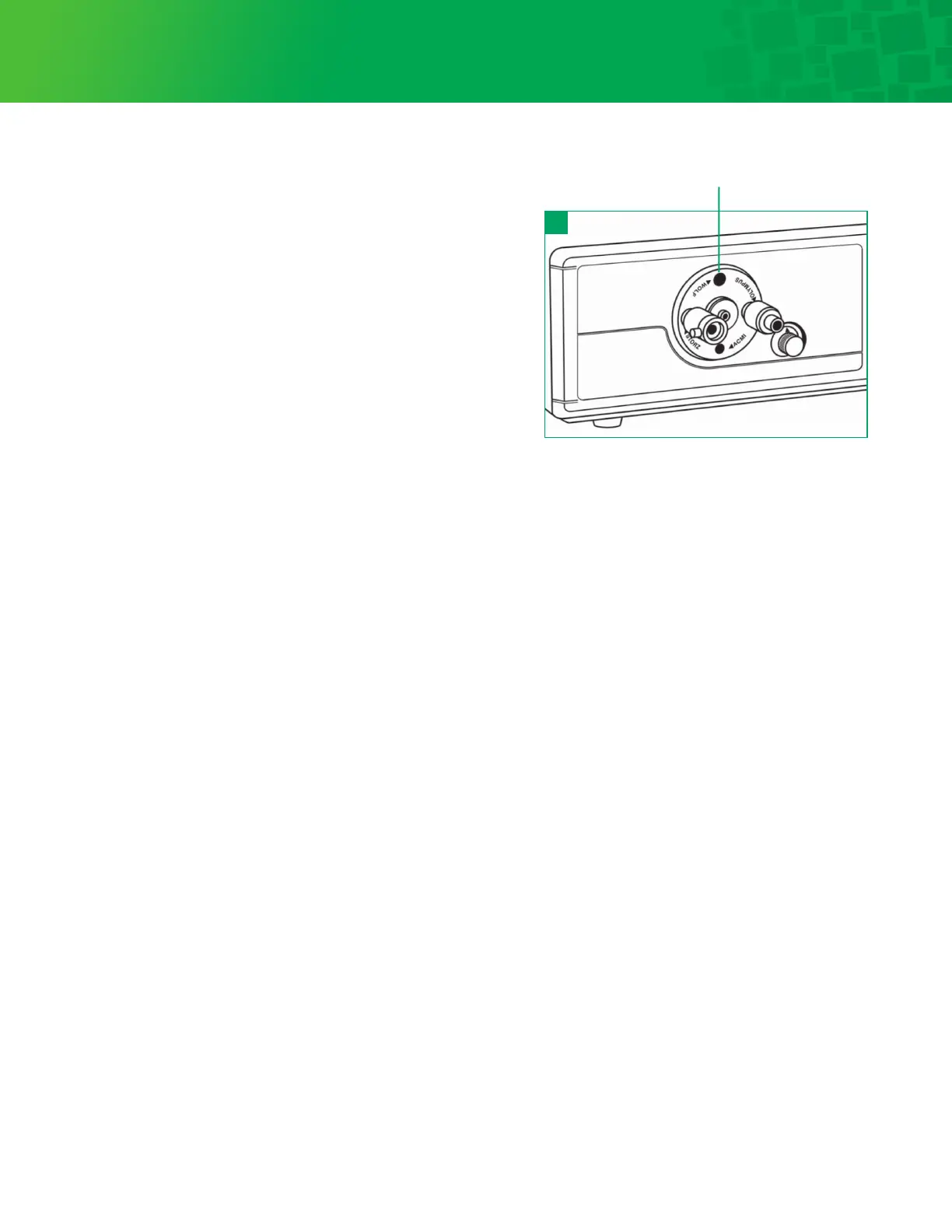
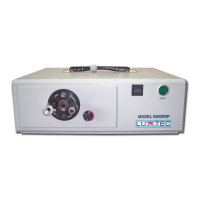
2. Rotate turret until Wolf port is lined up at 12 o’clock. See figure 14.
3. Through the Wolf port hole, remove the screw with a
Phillips screwdriver.
4. Rotate turret so the Wolf port is over the opposite
screw at 6 o’clock.
5. Remove the second screw through the Wolf port.
6. While pulling forward, gently remove the turret assembly.
How to install a new turret:
1. Push turret into hole in bezel. A small pin in the plate
behind the cup will line up with a small hole in the turret
cup. It will allow the cup to seat only one way.
2. Rotate turret until Wolf port is lined up at 12 o’clock.
3. Install one of the flat head screws (supplied with turret)
through the Wolf port.
4. Rotate turret so the Wolf large hole is over the opposite
screw at 6 o’clock.
5. Install the second screw through the Wolf port.
6. Rotate the turret to ensure it is seated and secure; the turret
should not rock but should rotate freely.
The light source is now ready for use.
Turret Assembly Replacement
14
Wolf port


 To Next Page