7
Power on the Light Source
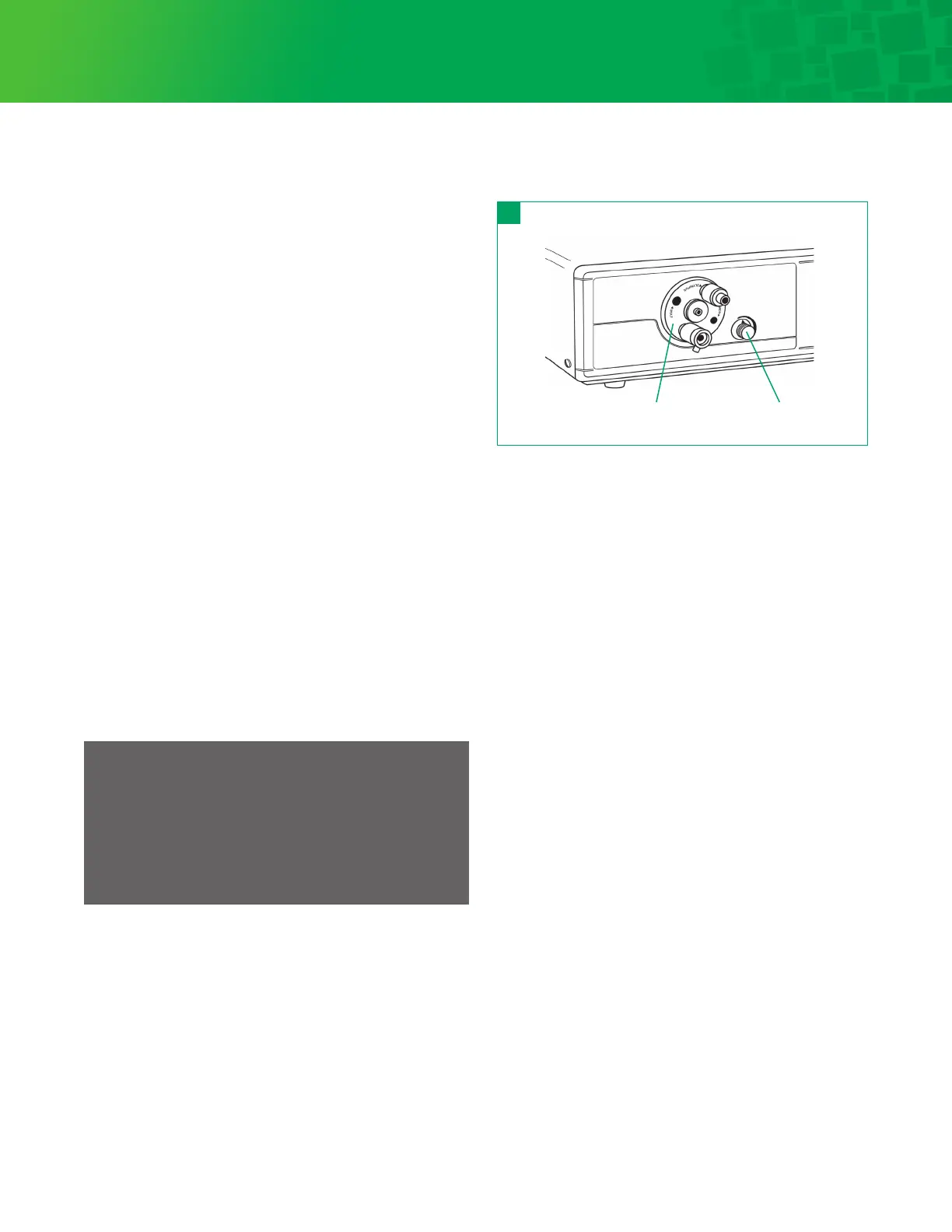
The power switch is located on the front panel. See
Figure 1. Ignition clicking sounds are normal. Some light will
show through the turret wheel and the fan outlets. When the
power switch is pressed, it will light up indicating power is on.
The Light Source is now ready to use.
Rotate turret wheel 1⁄8 turn to block light output as
shown in Figure 6.
When finished using the Light Source, press the power
switch again to turn off the unit.
Turret
The 9300XSP Light Source is equipped with a rotary turret.
See Figure 6. This turret is to aach light guide cables for
instrument or headlight use to the Light Source.
To operate the turret, rotate the wheel until the desired
connection lines up with the light channel. When the fiber
optic cable is inserted, a click can be heard indicating the
cable is properly seated.
Light Aenuation
The 9300XSP has a manually operated light intensity knob
to control the desired light output level. To increase the light
output, rotate the knob clockwise until the desired level is
reached. See Figure 6.
Light Source Operation
Note
It is strongly recommended that the light intensity be
adjusted to the minimum level of brightness for the
procedure. There is a risk that prolonged exposure on
one spot during surgery at close proximity may cause an
increase in tissue temperature. Minimum intensity levels
and exposure will mitigate this occurrence.
6
Turret Light intensity knob
XSP



 To Next Page