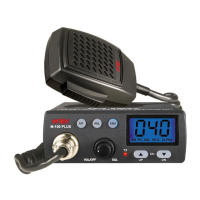
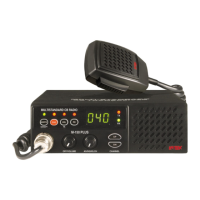
Controls and operation
- 7 -
English
6. CHANNEL Selector
This knob selects the channel number, by one channel steps. The knob may be
turned clockwise to select channels upward or counter clockwise to select channels
downward.
7. Q.DN (Quick Down) Key
This key allows fast selection of the operating channel downward. Each time this key
is pressed, the channel number moves down by 10 channels.
8. AM/FM and LCR Key
AM/FM SELECTOR
This key allows to select the AM or FM operating mode in both RX and TX. The
AM/FM operating mode selection is possible only if it is allowed the programmed
frequency band, otherwise the selection is not possible.
LCR
Pressing this key for about 1.5 seconds, the last used channel will be automatically
recalled.
UK / CE SELECTOR
If the UK frequency band has been programmed, shortly pressing this key, it will be
possible to select between the UK channels (frequencies) and the CE channels
(frequencies).
9. Q.UP (Quick UP) Key
This key allows fast selection of the operating channel upward. Each time this key is
pressed, the channel number moves up by 10 channels.
10. SQUELCH Control
The SQUELCH control allows to silent the receiver by cutting the background noise.
Turn the SQUELCH knob clockwise until the background noise is cut. Turn the
SQUELCH knob counter clockwise (SQUELCH opening) to listen to the weakest
signals.
11. OFF/VOL (OFF / Volume) Control
This knob switches the radio ON and OFF and it adjusts the volume control. If no
signals are being received on the operating channel, it is suggested to open the
SQUELCH and adjust the volume to the desired level while listening to the
background noise.
12. MICROPHONE Connector
Connect the supplied dynamic microphone to this connector, locking it through the
ring nut.


 To Next Page