
 Need help?
Do you have a question about the Intel DG41AN and is the answer not in the manual?
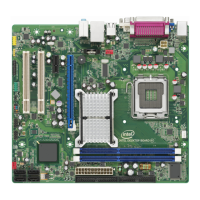
Details the major components and their locations on the desktop board.
Information regarding the supported processor and installation.
Specifications and requirements for system memory (RAM).
Details the Intel G41 Express Chipset features and architecture.
Information on the integrated graphics capabilities and support.
Specific features of the GMA X4500 graphics controller.
Explains the onboard audio capabilities and codecs.
Details the Gigabit Ethernet controller and its status LEDs.
Information on the USB 2.0 ports and their compatibility.
Overview of the BIOS functions, storage, and update methods.
Details on setting supervisor and user passwords for BIOS access.
Features for monitoring voltages, temperatures, and fan speeds.
Implemented power management levels and features.
How ACPI enables OS control over power management.
Details hardware aspects of power management.
Function and operation of fan headers and control.
Enables remote wake-up via network traffic.
General precautions and guidelines before performing installation procedures.
Instructions on how to install the processor to the Desktop Board.
Step-by-step instructions for installing a processor into the socket.
Detailed steps for correctly installing the processor into the socket.
Guidance on installing and removing system memory (DIMMs).
Step-by-step guide for installing DDR3 DIMM modules.
Instructions for connecting main power and CPU power supply cables.
Location and purpose of the BIOS configuration jumper.
Procedure to clear BIOS passwords using the jumper.
Steps to update BIOS using the Windows-based utility.
Overview of updating BIOS using ISO image or Iflash utility.
Detailed steps for updating BIOS using an ISO image bootable CD.
Steps to update BIOS using the Iflash utility from USB or CD.
 General
| Brand | Intel |
|---|---|
| Model | DG41AN |
| Category | Motherboard |
| Language | English |




 To Next Page
