Intel Desktop Board DG41AN Product Guide
36
Connecting SATA Drives
Two types of SATA cables are provided with the Desktop Board:
• a standard SATA data cable
• a SATA-to-Slimline SATA adapter cable (with power) that allows you to connect a
Slimline SATA drive to the board
Connecting a Standard SATA Drive
You can use the standard SATA data cable supplied to connect a standard SATA drive
to the Desktop Board.
For correct cable function:
1. Observe the precautions in “Before You Begin” on page 24.
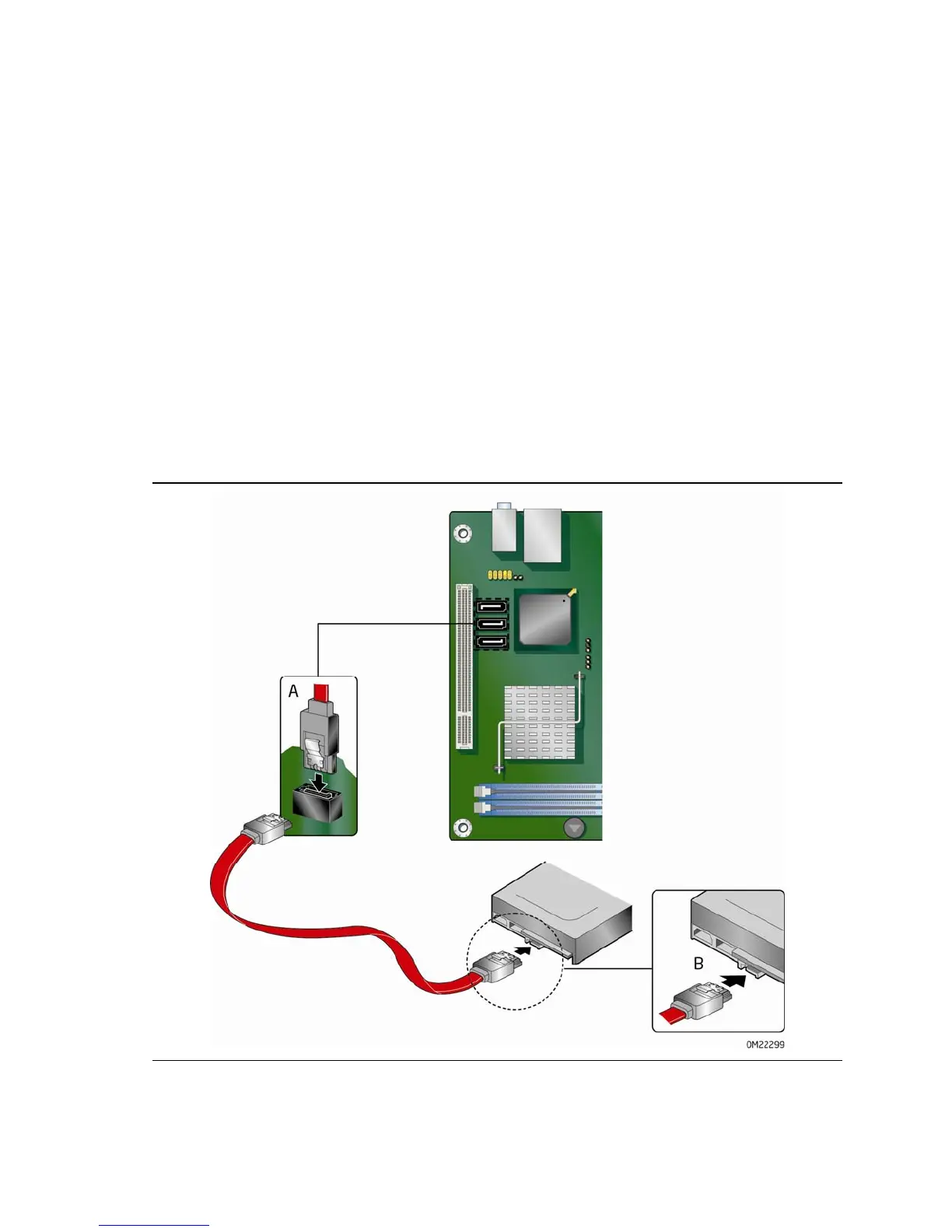
2. Attach
one end of the SATA data cable to one of the SATA connectors on the board
(Figure 16, A) and attach the other end of the
cable to the SATA drive
(Figure 16, B).
Figure 16. Using the Standard SATA Cable





 To Next Page