Installing and Replacing Desktop Board Components
29
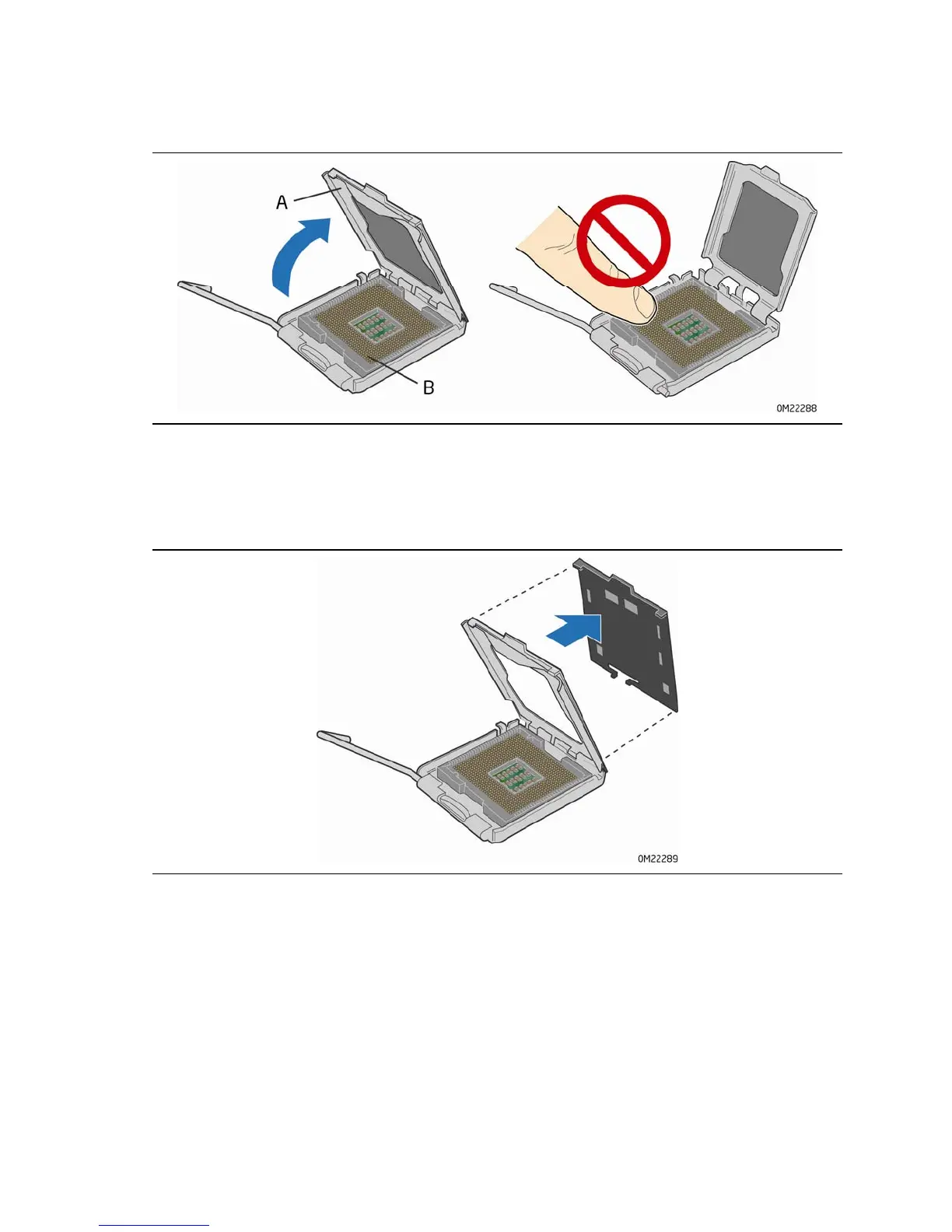
3. Lift the load plate (Figure 7, A). Do not touch the socket contacts (Figure 7, B).
Figure 7. Lift the Load Plate
4. Remove the plastic protective socket cover from the load plate (Figure 8). Do not
discard the protective socket cover. Always replace the socket cover if the
processor is removed from the socket.
Figure 8. Remove the Protective Socket Cover





 To Next Page