Contents
vii
Product Certifications..........................................................................................67
Board-Level Certifications ............................................................................67
Chassis- and Component-Level Certifications..................................................68
ENERGY STAR*, e-Standby, and ErP Compliance ....................................................68
Figures
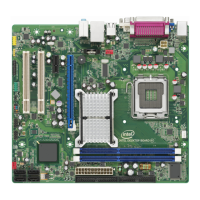
1. Intel Desktop Board DG41AN Components .......................................................11
2. LAN Connector LEDs .....................................................................................17
3. Location of the Standby Power Indicator ..........................................................22
4. Installing the I/O Shield ................................................................................26
5. Intel Desktop Board DG41AN Mounting Screw Hole Locations..............................27
6. Lift the Socket Lever .....................................................................................28
7. Lift the Load Plate.........................................................................................29
8. Remove the Protective Socket Cover ...............................................................29
9. Remove the Processor from the Protective Processor Cover ................................30
10. Install the Processor .....................................................................................30
11. Close the Load Plate .....................................................................................31
12. Connecting the Processor Fan Heat Sink Cable to the Processor Fan Header..........32
13. Dual Channel Memory Configuration Example ...................................................33
14. Use DDR3 DIMMs .........................................................................................34
15. Installing a DIMM .........................................................................................35
16. Using the Standard SATA Cable ......................................................................36
17. Using the SATA-to-Slimline SATA Adapter Cable................................................37
18. Internal Headers and Connectors....................................................................38
19. Back Panel Audio Connectors .........................................................................42
20. Location of the Chassis Fan Header .................................................................43
21. Connecting Power Supply Cables ....................................................................44
22. Location of the BIOS Configuration Jumper Block ..............................................45
23. Removing the Battery ...................................................................................51
24. Intel Desktop Board DG41AN China RoHS Material Self Declaration Table .............63
Tables
1. Feature Summary.......................................................................................... 9
2. Intel Desktop Board DG41AN Components .......................................................12
3. Processor and Memory Speeds .......................................................................14
4. Audio Jack Retasking Support.........................................................................16
5. LAN Connector LEDs .....................................................................................17
6. Front Panel Audio Signal Names for Intel HD Audio............................................39
7. Front Panel Audio Header Signal Names for AC’97 Audio ....................................39
8. Chassis Intrusion Header Signal Names ...........................................................39
9. Serial Port Header Signal Names.....................................................................40
10. USB 2.0 Header Signal Names........................................................................40
11. Alternate Front Panel Power LED Header Signal Names ......................................41
12. Front Panel Header Signal Names ...................................................................41
13. Jumper Settings for the BIOS Setup Program Modes..........................................46
14. BIOS Beep Codes .........................................................................................56
15. Front-panel Power LED Blink Codes .................................................................57
16. BIOS Error Messages ....................................................................................57





 To Next Page