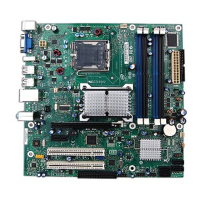
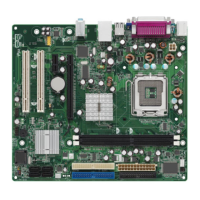
Motherboard Description
23
1.11.5 PCI IDE Connectors (J9J1, J8J1)
Pin Signal Name
Signal Name
1 Reset IDE
Ground
3 Host data 7
Host data 8
5 Host data 6
Host data 9
7 Host data 5
Host data 10
9 Host data 4
Host data 11
11 Host data 3
Host data 12
13 Host data 2
Host data 13
15 Host data 1
Host data 14
17 Host data 0
Host data 15
19 Ground
Key
21 DDRQ0 [DDRQ1]
Ground
23 I/O write#
Ground
25 I/O read#
Ground
27 IOCHRDY
Vcc pull-up
29 DDACK0# [DDACK1#]
Ground
31 IRQ 14 [IRQ 15]
Reserved
33 Address 1
Reserved
35 Address 0
Address 2
37 Chip select 1P# [Chip select 1S#]
Chip select 3P# [Chip select 3S#]
39 Activity#
Ground
NOTE: Signal names in brackets are for the secondary IDE connector
1.11.6 Power Supply Connector (J5M1)
An ATX power supply supports remote power on/off through pin 14 of the power supply
connector. This enables the motherboard to turn off system power through software control.
To enable soft-off control in software, APM must be enabled in the Setup program and in the
operating system. When the system BIOS receives the correct APM command from the operating
system, the BIOS turns off power to the computer. For example, in the Windows 95 Start menu,
the user selects Shutdown to turn off the power.



 To Next Page