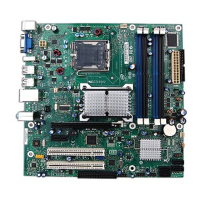
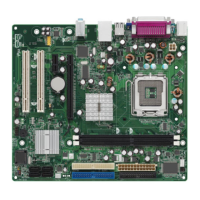
VS440FX Motherboard Technical Product Specification
34
Table 3. Jumper Settings
Function Jumper Configuration
Password Clear J6D1 27-29 Password enabled (Default)
25-27 Password clear/disabled
CMOS (NVRAM and ESCD) Clear J6D1 20-22 Keep (Default)
18-20 Clear
BIOS Setup Access J6D1 28-30 Access enabled (Default)
26-28 Access denied (password protected)
Processor Frequency J6D1 Refer to Table 4
Host Bus Frequency* J6D1 Refer to Table 4
BIOS Recovery J6D1 4-6 Normal operation (Default)
2-4 Recover BIOS
* These jumpers also set the PCI and ISA bus frequencies
1.13.1 Processor Configuration (J6D1)
The motherboard must be configured for the frequency of the installed processor. Table 4 shows
the jumper settings for each frequency and the corresponding host bus, PCI bus, and ISA bus
frequencies.
Table 4. Jumper Settings for Processor and Host Bus Frequencies
Processor
Freq. (MHz) Jumpers (J6D1)
Host Bus
Freq. (MHz)
PCI Bus
Freq. (MHz)
ISA Bus
Freq. (MHz)
Bus/Processor
Freq. Ratio
200 19-21, 12-14, and 9-11 66 33 8.33 3
180 17-19, 12-14, and 9-11 60 30 7.5 3
166 19-21,10-12, and 11-13 66 33 8.33 2.5
150 17-19, 10-12, and 11-13 60 30 7.5 2.5
reserved 17-19, 10-12, and 9-11
reserved 17-19, 12-14, and 11-13
reserved 19-21, 10-12, and 9-11
reserved 19-21, 12-14, and 11-13
1.13.2 Password Clear (J6D1)
Use this jumper to clear the password if the password is forgotten. The default setting is
pins 27-29, (password enabled). To clear the password, turn off the computer, move the jumper to
pins 25-27, and turn on the computer. Then turn off the computer, and return the jumper to pins
27-29 to restore normal operation. If the jumper is in the 25-27 position (password disabled), you
cannot set a password.



 To Next Page