Need help?
Do you have a question about the Intellinet IDC-757IR and is the answer not in the manual?
Lists all items included in the camera package for verification.
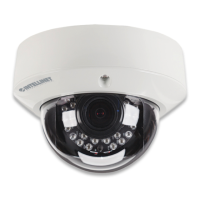
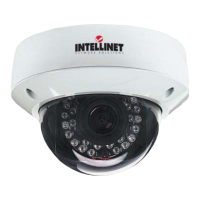
Details the physical components and connection points of the camera.
Explains the meaning of Network, Power, and SD Card LED indicators.
How to reset the camera to factory default settings.
Connect I/O adaptor, remove dome cover, and prepare cables.
Steps for mounting the camera to walls or ceilings.
Connecting via PoE and non-PoE methods.
Initial access and setup using the IP Installer application.
How to pan, tilt, and rotate the lens module for desired view.
Steps to adjust zoom and focus for optimal image quality.
Cleaning the dome and securing tamper-proof screws.
 General
| Model | IDC-757IR |
|---|---|
| Category | Security Camera |
| Brand | Intellinet |
| Type | IP Camera |
| Night Vision | Yes |
| Weather Resistance | IP66 |
| Motion Detection | Yes |
| Audio Support | No |
| Lens | 3.6 mm |
| Night Vision Range | 20 meters |
| Connectivity | 10/100 Mbps Ethernet |
| Power Supply | 12V DC, PoE (802.3af) |
| Video Compression | H.264 |
| Supported Protocols | TCP/IP, UDP, HTTP, HTTPS, DHCP, DNS, DDNS, RTP, RTSP, SMTP, NTP, UPnP |

 To Next Page