EasyManua.ls Logo

Inteno DG150 - User Manual

Inteno DG150
20 pages
Print Icon
To Next Page IconTo Next Page
Loading...
Installation
Guide
English Svenska Suomi Norsk
DG150 Multi WAN Residential Gateway
Question and Answer IconNeed help?

Do you have a question about the Inteno DG150 and is the answer not in the manual?

Summary

DG150 Hardware Layout

Back Panel

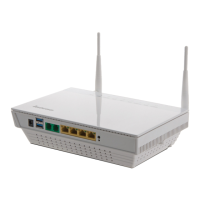
Diagram showing connections and ports on the back of the DG150.

Front;Top Panel

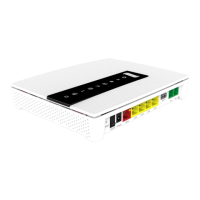
Diagram showing indicators and ports on the front and top of the DG150.

Installation Procedures

Start Box Contents

Lists the items included in the DG150 start box.

Connecting DSL;Telephone Jack

Instructions for connecting the modem to the telephone line for DSL service.

Connecting WAN;Broadband Connection

Guide for establishing the broadband internet connection via WAN port.

Configuration and Indicators

Connecting the LAN

Instructions for connecting the DG150 to a computer via Ethernet.

Wireless LAN (WiFi) Connection

Steps for connecting to the DG150's WiFi network.

Front Panel Indicator Description

Explains the function of each indicator light on the front panel.

Device Buttons and Troubleshooting

Description of Buttons

Details on the WPS and ECO (WiFi on/off) buttons.

Troubleshooting Common Issues

Guides for resolving common problems with the DG150.

Summary

DG150 Hardware Layout

Back Panel

Diagram showing connections and ports on the back of the DG150.

Front;Top Panel

Diagram showing indicators and ports on the front and top of the DG150.

Installation Procedures

Start Box Contents

Lists the items included in the DG150 start box.

Connecting DSL;Telephone Jack

Instructions for connecting the modem to the telephone line for DSL service.

Connecting WAN;Broadband Connection

Guide for establishing the broadband internet connection via WAN port.

Configuration and Indicators

Connecting the LAN

Instructions for connecting the DG150 to a computer via Ethernet.

Wireless LAN (WiFi) Connection

Steps for connecting to the DG150's WiFi network.

Front Panel Indicator Description

Explains the function of each indicator light on the front panel.

Device Buttons and Troubleshooting

Description of Buttons

Details on the WPS and ECO (WiFi on/off) buttons.

Troubleshooting Common Issues

Guides for resolving common problems with the DG150.

Inteno DG150 Specifications

General IconGeneral
Device TypeGateway
WAN Ports1
LAN Ports4
Wireless Frequency Bands2.4 GHz, 5 GHz
USB Ports1
VoIP Ports2
Power Supply12V DC

Related product manuals