EasyManua.ls Logo

Inteno DG301AL - User Manual

Inteno DG301AL
10 pages
Print Icon
To Next Page IconTo Next Page
Loading...
1
Installation
Guide
English Svenska Suomi Norsk
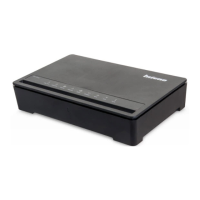
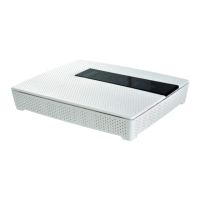
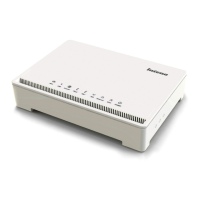
DG301 Multi WAN Residential Gateway
Including models DG301AL,DG301AL-AC,DG301A-R1-AC and DG301B-R1-AC
www.intenogroup.com
Ethernet Wireless Voice Broadband Status Internet DECT TV WPS
2 4
3 5
6 8
7 9
1
INTERNET
STATUS DECT
2.4
BROADBAND
WIFI
TV
VOICE WPS
INFOWPSDECT WIFI
INFO
WIFI
DSL PSTN
USB
WPS
WAN
WAN
INA CT IVE
DECT
PAIRING
DG301
Question and Answer IconNeed help?

Do you have a question about the Inteno DG301AL and is the answer not in the manual?

Summary

Getting Started with Your DG301 Gateway

Start Box Contents

Verify all necessary items are included in the start box for installation.

Connecting the DSL;Telephone Jack

Connect the broadband service to the first telephone jack for optimal performance.

Connecting the WAN;Broadband Connection

Connect the gateway to your broadband outlet using an RJ45 network cable.

Device Setup and Configuration

Connecting to the Local Area Network (LAN)

Connect the DG301 to your computer using an RJ45 network cable.

Connecting to the Wireless Local Area Network (WLAN)

Enable WLAN and connect using the SSID and encryption code from the device sticker.

Front Panel Description

Overview of indicators and buttons on the front panel of the DG301 gateway.

Troubleshooting Common Issues

Power and Indicator Light Issues

Diagnose problems with power and indicator lights, checking connections and adapter.

Broadband Connection Problems

Troubleshoot loss of broadband connection, static on line, or improper jack connection.

Ethernet and Reset Functions

Check Ethernet connections and learn how to reset the modem to factory settings.

Summary

Getting Started with Your DG301 Gateway

Start Box Contents

Verify all necessary items are included in the start box for installation.

Connecting the DSL;Telephone Jack

Connect the broadband service to the first telephone jack for optimal performance.

Connecting the WAN;Broadband Connection

Connect the gateway to your broadband outlet using an RJ45 network cable.

Device Setup and Configuration

Connecting to the Local Area Network (LAN)

Connect the DG301 to your computer using an RJ45 network cable.

Connecting to the Wireless Local Area Network (WLAN)

Enable WLAN and connect using the SSID and encryption code from the device sticker.

Front Panel Description

Overview of indicators and buttons on the front panel of the DG301 gateway.

Troubleshooting Common Issues

Power and Indicator Light Issues

Diagnose problems with power and indicator lights, checking connections and adapter.

Broadband Connection Problems

Troubleshoot loss of broadband connection, static on line, or improper jack connection.

Ethernet and Reset Functions

Check Ethernet connections and learn how to reset the modem to factory settings.

Inteno DG301AL Specifications

General IconGeneral
BrandInteno
ModelDG301AL
CategoryGateway
LanguageEnglish

Related product manuals