Need help?
Do you have a question about the Inteno DG200 Series and is the answer not in the manual?
Describes the device's capabilities and specifications.
Lists the necessary components and software for device usage.
Lists the items included in the product package.
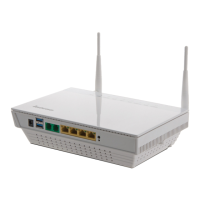
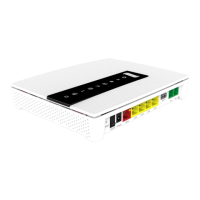
Explains the front panel layout, LEDs, and connectors.
Describes the rear panel connectors and ports.
Provides instructions for physical connections of the device.
Detailed step-by-step guide for connecting the device.
Instructions on how to log in to the device's configuration page.
Steps to verify the connection and configuration of the device.
Overview of factory default parameters for the device.
Displays general system and DSL connection status.
Details of the WAN connection configuration and status.
Shows interface traffic and error data.
Displays the device's IP routing information.
IP-to-MAC mapping and DHCP client leases.
For configuring DSL ATM and ETH WAN interfaces.
Setting up various internet connection types.
Local Area Network settings.
Network Address Translation configuration.
IP filtering and MAC filtering for network security.
Time and URL restrictions for network access.
Traffic prioritization for improved network performance.
Default gateway and static routes setup.
DNS resolution settings and dynamic hostname mapping.
DSL modulation and line settings.
UPnP traffic handling and DNS query forwarding.
Printer sharing and port grouping for VLANs.
Establishing secure VPN tunnels.
Managing device and trusted CA certificates.
Enabling wireless, setting SSID, and channel.
Authentication and encryption methods for wireless.
Filtering wireless clients by MAC address.
Setting up Wireless Distribution System (WDS).
Fine-tuning advanced wireless parameters.
Viewing connected wireless clients and their status.
Configuring core VoIP parameters.
Configuring telephone interfaces (TEL1/TEL2).
Real-time Transport Protocol and codec parameters.
Advanced SIP parameters and access codes.
Configures Call Forward Unconditional, No Response, and Busy.
Managing incoming calls and call transfers.
Automatic redialing on busy lines.
Redialing the last dialed number.
Output from connection tests for network and DSL.
VDSL PTM mode fault detection and management.
Configuration management for backup, update, and restore.
Managing device logs for monitoring and troubleshooting.
Remote device management via TR-069 ACS.
Time synchronization and user account password management.
Firmware upgrade and device restart procedures.
PC network configuration for Ethernet connection.
PC network configuration for wireless connection.
Common issues and their suggested solutions.
Usage of Ping and Nslookup for network diagnostics.
Details on the device's physical components.
Features and protocols supported by the device's software.
Warranty terms and conditions for the product.
Procedures for product repair under and out of warranty.
Addresses and contact details for Inteno offices.
 General
| Category | Gateway |
|---|---|
| WAN Ports | 1 |
| LAN Ports | 4 |
| Wi-Fi Frequency Bands | 2.4 GHz |
| Max Wi-Fi Speed | 300 Mbps |
| USB Ports | 1 |
| Telephony Ports | 2 |
| Power Supply | 12V DC |
| Series | DG200 |
| Wi-Fi Standards | 802.11b/g/n |
| Hardware Buttons | Reset, WPS |
| Operating System | Linux-based |
| Supported Protocols | TR-069 |


 To Next Page