Need help?
Do you have a question about the Inteno DG301A-R1-AC and is the answer not in the manual?
Lists the essential items included in the DG301 start box for installation.
Guide on connecting the broadband service to the correct telephone jack.
Instructions for establishing the WAN or broadband network connection.
Steps for connecting the DG301 to your computer via a network cable.
Instructions for setting up a wireless local area network connection.
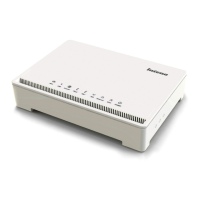
Details the indicators and their states on the front panel of the DG301.
Provides solutions for common issues encountered during DG301 installation and operation.
 General
| Device Type | Gateway |
|---|---|
| Manufacturer | Inteno |
| Model | DG301A-R1-AC |
| Wireless Frequency Bands | 2.4 GHz, 5 GHz |
| USB Ports | 1 x USB 2.0 |
| DSL Support | No |
| VoIP Support | No |
| Power Supply | 12V DC |
| Wi-Fi Standards | 802.11ac |
| Maximum Wireless Speed | 1200 Mbps |
| Ethernet Ports | 4 |
| WAN Port | 1 |
| Security Protocols | WPA, WPA2 |


 To Next Page