EasyManua.ls Logo

Inteno FG-500 - User Manual

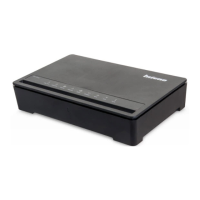
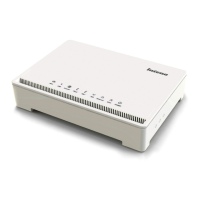
Inteno FG-500
91 pages
Print Icon
To Next Page IconTo Next Page
Loading...
I
User Manual
FG-500
Ethernet IAD with VoIP
Wireless LAN
and Giga Ethernet Switch
Issue 1.0
23
th
Aug. 2011

Table of Contents

Question and Answer IconNeed help?

Do you have a question about the Inteno FG-500 and is the answer not in the manual?

Summary

Introduction

Features

Lists the main capabilities and features of the FG-500 device.

Getting to Know the Device

Parts Check

Lists the items included in the FG-500 package contents.

Front Panel

Rear Panel

Connecting Your Device

Connecting the Hardware

Step-by-step guide for physically connecting the device and peripherals.

Getting Started with the Web Pages

Accessing the Web Pages

Instructions on how to access and log into the device's web interface.

Device Information

Summary

Provides an overview of the device's status, firmware, and network information.

WAN

Displays detailed information about the WAN connection status and settings.

Statistic

Shows network traffic statistics for LAN, WLAN, and WAN interfaces.

Route

Displays the device's routing table information.

ARP

Shows the ARP table mapping IP addresses to MAC addresses.

DHCP

Lists DHCP leases and provides DHCP server status.

Voice

Displays the status of SIP accounts and voice ports.

Advanced Setup

Layer2 Interface

Configuration for the Layer 2 WAN interface.

WAN Service

Setting up different internet connection types (PPPoE, IP over Ethernet, Bridging).

LAN

Configuration for the Local Area Network settings.

IPv6 Autoconfig

Settings for IPv6 auto-configuration on the LAN.

NAT (Network Access Translation)

Configuration for Network Address Translation features.

Virtual Server

Setting up port forwarding rules for servers.

Port Triggering

Dynamically opening ports based on traffic.

DMZ Host

Configuring a DeMilitarized Zone host for specific services.

Security

Covers IP filtering, Parental Control, and URL filtering.

IP Address Filter

Rules to filter incoming and outgoing IP traffic.

Parental Control

Restricting internet access based on time and URLs.

URL Filter

Managing lists of allowed or blocked website addresses.

Quality of Service

Prioritizing network traffic for better performance.

QoS Queue

Configuring traffic queues for prioritization.

QoS Classification

Defining traffic classes and their priority levels.

Routing

Configuring default, static, and policy-based routing.

Static Route

Manually defining specific network routes.

Policy Routing

Creating custom routing rules based on specific policies.

RIP

Configuration for the Routing Information Protocol.

DNS

Settings for DNS server and Dynamic DNS.

Dynamic DNS

Associating dynamic IP addresses with domain names.

Print Server

Setting up the device as a network printer server.

DLNA

Configuring the device as a DLNA media server.

Storage Service

Enabling the device to share USB storage.

User Accounts

Managing user accounts for storage access.

Interface Grouping

Grouping LAN and WAN interfaces for network management.

IP Tunnel

Creating IPv6 in IPv4 or IPv4 in IPv6 tunnels.

IPSec

Setting up IPSec VPN tunnels for secure connections.

Certificate

Managing local and trusted certificates for identity verification.

Power Management

Configuring hardware modules for power saving.

Multicast

Configuring IGMP protocol parameters for multicast.

Wireless Setup

Basic

Configuring basic wireless settings like SSID and security.

Security

Setting up wireless network authentication and encryption.

MAC Filter

Filtering wireless clients based on MAC addresses.

Wireless Bridge

Configuring Wireless Distribution System (WDS) mode.

Advanced

Configuring advanced wireless communication parameters.

Station Information

Displaying information about connected wireless clients.

Voice Setup

Interface Setup

Configuring voice packets, country codes, and related parameters.

SIP Basic Setting

Setting up basic SIP protocol parameters.

SIP Advanced Setting

Configuring advanced SIP protocol features and call handling.

Diagnostic

Diagnostic

Running tests to diagnose LAN, Wireless, and WAN port connections.

Management

Settings

Backup, update, and restore device configuration settings.

System Log

Viewing and configuring system logs for monitoring.

Security Log

Reviewing security-related events and logs.

TR-069 Client

Configuring remote auto-configuration server access.

Internet Time

Synchronizing the device's clock with internet time servers.

Access Control

Managing access permissions for local and remote users.

Service

Enabling or disabling network services for access.

Password

Managing user account passwords for device access.

Update Software

Upgrading the device's firmware.

Reboot

Saving configuration and restarting the router.

Logout

Exiting the device's configuration interface safely.

Appendix A - Configuring the Internet Settings

Configuring Ethernet PCs

Instructions for setting up Internet access on wired PCs.

Configuring Wireless PCs

Instructions for setting up Internet access on wireless PCs.

Appendix B - Troubleshooting

Troubleshooting Suggestions

Solutions for common problems encountered with the device.

Diagnosing Problem using IP Utilities

Using tools like Ping and Nslookup for network diagnostics.

Appendix C - Specification

A1. Hardware Specifications

Detailed technical specifications of the device's hardware components.

A2. Software Specifications

Detailed specifications of the device's software features and protocols.

Appendix D - Warranties

B1. Product Warranty

Terms and conditions of the product warranty.

Appendix E - Regulation

FCC Part 15 Notice

Compliance information for digital devices under FCC Part 15.

FCC Part 15 Notice with Wireless

Specific FCC compliance for wireless operations.

FCC Radiation Exposure Statement

Guidelines on safe radio frequency exposure levels.

FCC Part 68 Notice

Regulations concerning telephone network connections.

UL Safety Regulations

Safety precautions and guidelines for electrical equipment.
Summary

Introduction

Features

Lists the main capabilities and features of the FG-500 device.

Getting to Know the Device

Parts Check

Lists the items included in the FG-500 package contents.

Front Panel

Rear Panel

Connecting Your Device

Connecting the Hardware

Step-by-step guide for physically connecting the device and peripherals.

Getting Started with the Web Pages

Accessing the Web Pages

Instructions on how to access and log into the device's web interface.

Device Information

Summary

Provides an overview of the device's status, firmware, and network information.

WAN

Displays detailed information about the WAN connection status and settings.

Statistic

Shows network traffic statistics for LAN, WLAN, and WAN interfaces.

Route

Displays the device's routing table information.

ARP

Shows the ARP table mapping IP addresses to MAC addresses.

DHCP

Lists DHCP leases and provides DHCP server status.

Voice

Displays the status of SIP accounts and voice ports.

Advanced Setup

Layer2 Interface

Configuration for the Layer 2 WAN interface.

WAN Service

Setting up different internet connection types (PPPoE, IP over Ethernet, Bridging).

LAN

Configuration for the Local Area Network settings.

IPv6 Autoconfig

Settings for IPv6 auto-configuration on the LAN.

NAT (Network Access Translation)

Configuration for Network Address Translation features.

Virtual Server

Setting up port forwarding rules for servers.

Port Triggering

Dynamically opening ports based on traffic.

DMZ Host

Configuring a DeMilitarized Zone host for specific services.

Security

Covers IP filtering, Parental Control, and URL filtering.

IP Address Filter

Rules to filter incoming and outgoing IP traffic.

Parental Control

Restricting internet access based on time and URLs.

URL Filter

Managing lists of allowed or blocked website addresses.

Quality of Service

Prioritizing network traffic for better performance.

QoS Queue

Configuring traffic queues for prioritization.

QoS Classification

Defining traffic classes and their priority levels.

Routing

Configuring default, static, and policy-based routing.

Static Route

Manually defining specific network routes.

Policy Routing

Creating custom routing rules based on specific policies.

RIP

Configuration for the Routing Information Protocol.

DNS

Settings for DNS server and Dynamic DNS.

Dynamic DNS

Associating dynamic IP addresses with domain names.

Print Server

Setting up the device as a network printer server.

DLNA

Configuring the device as a DLNA media server.

Storage Service

Enabling the device to share USB storage.

User Accounts

Managing user accounts for storage access.

Interface Grouping

Grouping LAN and WAN interfaces for network management.

IP Tunnel

Creating IPv6 in IPv4 or IPv4 in IPv6 tunnels.

IPSec

Setting up IPSec VPN tunnels for secure connections.

Certificate

Managing local and trusted certificates for identity verification.

Power Management

Configuring hardware modules for power saving.

Multicast

Configuring IGMP protocol parameters for multicast.

Wireless Setup

Basic

Configuring basic wireless settings like SSID and security.

Security

Setting up wireless network authentication and encryption.

MAC Filter

Filtering wireless clients based on MAC addresses.

Wireless Bridge

Configuring Wireless Distribution System (WDS) mode.

Advanced

Configuring advanced wireless communication parameters.

Station Information

Displaying information about connected wireless clients.

Voice Setup

Interface Setup

Configuring voice packets, country codes, and related parameters.

SIP Basic Setting

Setting up basic SIP protocol parameters.

SIP Advanced Setting

Configuring advanced SIP protocol features and call handling.

Diagnostic

Diagnostic

Running tests to diagnose LAN, Wireless, and WAN port connections.

Management

Settings

Backup, update, and restore device configuration settings.

System Log

Viewing and configuring system logs for monitoring.

Security Log

Reviewing security-related events and logs.

TR-069 Client

Configuring remote auto-configuration server access.

Internet Time

Synchronizing the device's clock with internet time servers.

Access Control

Managing access permissions for local and remote users.

Service

Enabling or disabling network services for access.

Password

Managing user account passwords for device access.

Update Software

Upgrading the device's firmware.

Reboot

Saving configuration and restarting the router.

Logout

Exiting the device's configuration interface safely.

Appendix A - Configuring the Internet Settings

Configuring Ethernet PCs

Instructions for setting up Internet access on wired PCs.

Configuring Wireless PCs

Instructions for setting up Internet access on wireless PCs.

Appendix B - Troubleshooting

Troubleshooting Suggestions

Solutions for common problems encountered with the device.

Diagnosing Problem using IP Utilities

Using tools like Ping and Nslookup for network diagnostics.

Appendix C - Specification

A1. Hardware Specifications

Detailed technical specifications of the device's hardware components.

A2. Software Specifications

Detailed specifications of the device's software features and protocols.

Appendix D - Warranties

B1. Product Warranty

Terms and conditions of the product warranty.

Appendix E - Regulation

FCC Part 15 Notice

Compliance information for digital devices under FCC Part 15.

FCC Part 15 Notice with Wireless

Specific FCC compliance for wireless operations.

FCC Radiation Exposure Statement

Guidelines on safe radio frequency exposure levels.

FCC Part 68 Notice

Regulations concerning telephone network connections.

UL Safety Regulations

Safety precautions and guidelines for electrical equipment.

Inteno FG-500 Specifications

General IconGeneral
BrandInteno
ModelFG-500
CategoryGateway
LanguageEnglish

Related product manuals