91
Inter-Tel
®
Model 8520 User Guide
USING E-MAIL READER
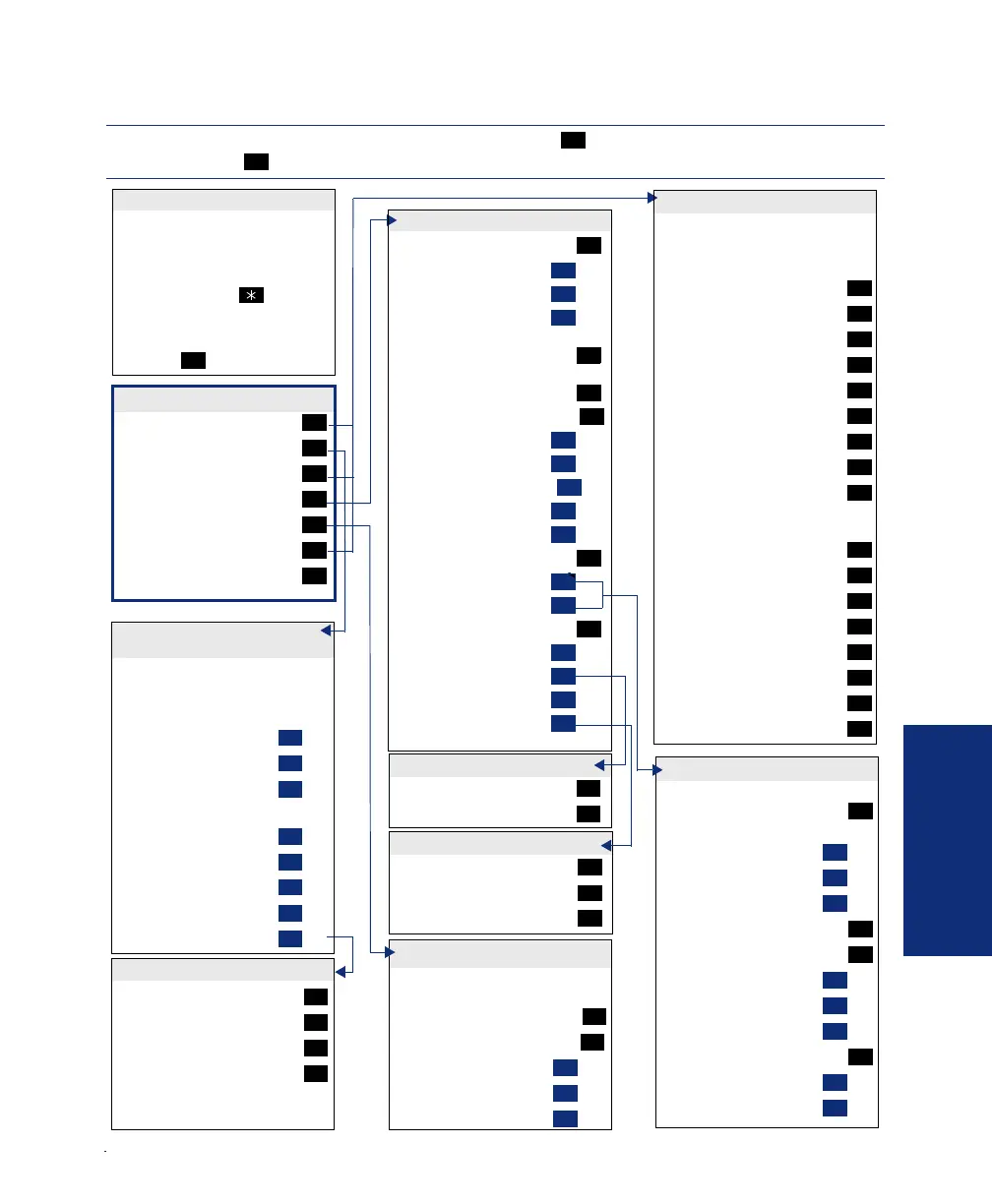
VOICE MAIL FLOWCHART (ADVANCED MAILBOX)
Note: Options vary by media
type.
While the message is playing:
“Back Up”
“Pause”
Move “Forward”
“Lower” (volume)
Play the “Envelope”
“Higher” (volume)
“Save” the Message
“Delete” the Message
“Skip” to the End
After the message:
“Replay” Message
“Reply” to the Message
“Forward” a Copy
Go to “Previous” Message
Play the “Envelope”
Go to “Next” Message
“Save” the Message
“Delete Message”
1
2
3
4
5
6
7
9
#
1
2
3
4
5
6
7
9
ACCESSING MESSAGES
SUBSCRIBER MAILBOX MENU
RECORDING A MESSAGE
MAILBOX ACCESS
• EITHER, Press the Mes-
sage button to respond to a
message from voice mail.
OR, Call the voice mail
extension number, say
“Login” or press , and
say or enter your mailbox
number.
• Enter your password
(press ).
#
• Dial the mailbox number,
reply to a message, or for-
ward a message.
• “Record” your message.
Pause
“Continue”
Erase
• After recording:
“Replay”
“Append”
“Erase,” re-record
“Copy”
Delivery “Options”
2
#
3
1
2
3
4
9
“Private”
“Certified”
“Priority”
“Send”
Send and Exit Hang Up
1
2
3
#
Record “Greeting”
“Primary” Greeting
“Alternate” Greeting
“System” Greeting
(See Recording Options)
Record Directory “Name”
(See Recording Options)
Record “Password”
Change “Envelope” Settings
“Time, Date”
“Source”
“Length/Subj./Pages”
“All Options”
“None”
“Remote” Messaging
“Primary” Cascade
“Alternate” Cascade
“More” Options
Fax “Number”
Message “Order”
“E-Mail Rdr. Count”
“Transfer” Method
1
1
2
3
2
3
4
1
2
3
4
5
5
1
2
9
1
2
4
5
Note: Applies to voice mail only.
Program Cascade “Level”
Enter cascade level number, then:
“Change”
“Personal” #
“Pager” #
Enter “Time” of Day
Set “Days” of Week
“Weekdays”
All “Days”
Individual “Day” 1-7
Select Message “Category”
“All Messages”
“Priority” Messages
1
1
2
3
2
3
1
2
3
4
1
2
“New” Messages
“Saved” Messages
1
2
REMOTE MESSAGING
PERSONAL OPTIONS
MESSAGE ORDER
DELIVERY OPTIONS
“Voice Mail”
“Record”
“E-Mail”
“Personal” Options
“Options” Message Options
“Facsimile”
“Disable” ASR
1
2
3
4
5
6
8
OTE: In most menus, you can say “Cancel” or press to return to the previous menu. Say
Accept” or press to accept the option.
*
#
Note: Options vary by media
type.
Cancel “Unheard” Messages
“Recover”DeletedMessages
“Voice Mail”
“E-Mail”
“Facsimile”
1
2
1
2
3
MESSAGE OPTIONS
“Unannounced”
“Screened”
“Announce” Only
1
2
3
TRANSFER METHOD
8520.book Page 91 Friday, December 2, 2005 2:59 PM



 To Next Page