69
Inter-Tel
®
Model 8520 User Guide
MOVING ON
Basic Search
Use Basic Search to search the Telephone directory for a contact name or feature.
To search for a directory name or feature using Basic Search:
1. Dial and select one of the following options:
• Press
for the Intercom directory.
• Press
for the Outside directory.
• Press
for the Feature directory.
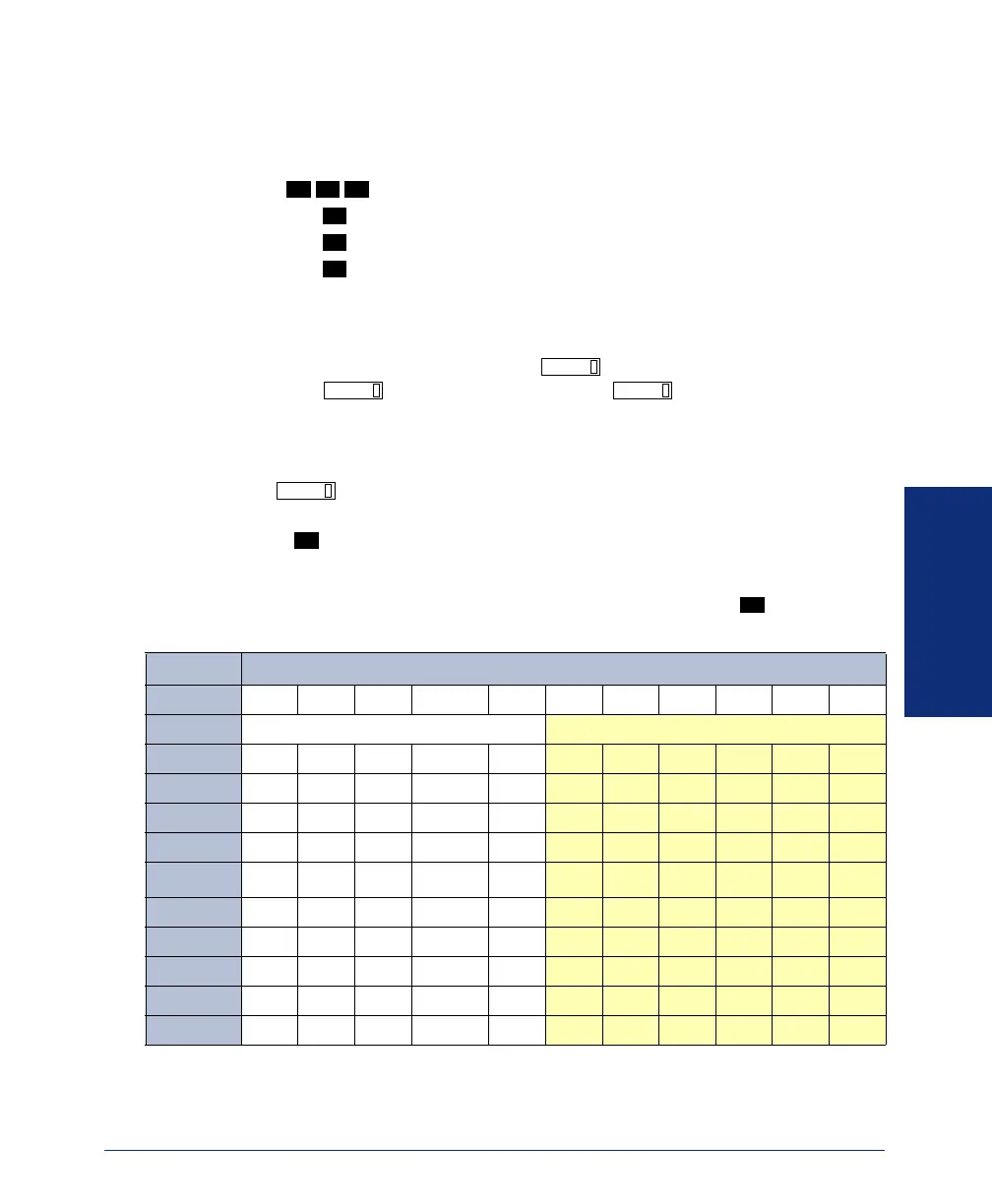
2. Press the dialpad buttons to enter characters (see the following table). The num-
ber of times a button is pressed determines which character is entered. For
example, 77776444844 would enter “SMITH.” When adjoining characters are
located under the same button, press once to advance to the next charac-
ter. Press twice to enter a space. Press to backspace.
• To remain in alphanumeric mode (Message button and lamp lit): Press the
dialpad buttons to enter the desired characters.
• To change to numeric mode (Message button and lamp unlit): Press the
button to switch to numeric mode. Then press the dialpad buttons to
enter the number.
3. Press to begin the search.
To scroll through directory entries: Press the high/low end of the Volume button.
To dial a number or activate a feature from the directory: Press while the
entry name or feature is displayed.
*The Japanese characters are only available if the Multilingual feature is enabled and Japanese is
installed as the secondary language.
*The character available depends on the software version.
3 0 7
1
2
3
FWD
FWD
MUTE
MSG
#
#
NUMBER OF TIMES BUTTON IS PRESSED
BUTTON
123 4 567891011
ENGLISH CHARACTERS JAPANESE CHARACTERS*
1
-&( ) 1A I U E O a
2
ABC ' 2KA KI KU KE KO i
3
DEF ! 3SA SHI SU SE SO u
4
GH I * 4TA CHI TSU TE TO e
5
J K L #or /
**
5
NA NI NU NE NO o
6
M N O N or #
**
6 HA HI FU HE HO tsu
7
PQR S 7MA MI MU ME MO ya
8
TUV ? 8YA YU YO . , yu
9
WX Y Z 9RA RI RU RE RO yo
0
@: . , 0WA WO N pa ba long
8520.book Page 69 Friday, December 2, 2005 2:59 PM



 To Next Page