11
USER’S GUIDE
Electronics, RemotePoint Presenter, and clicking
Presenter.
With the RemotePoint Presenter software running, the
RemotePoint Presenter becomes a full-featured
presentation remote control. With a single click, you can
change to a different profile, which is a collection of
button assignments.
To use RemotePoint Presenter as a presentation
remote control:
1. Start the RemotePoint Presenter software as
described in Starting the RemotePoint Presenter
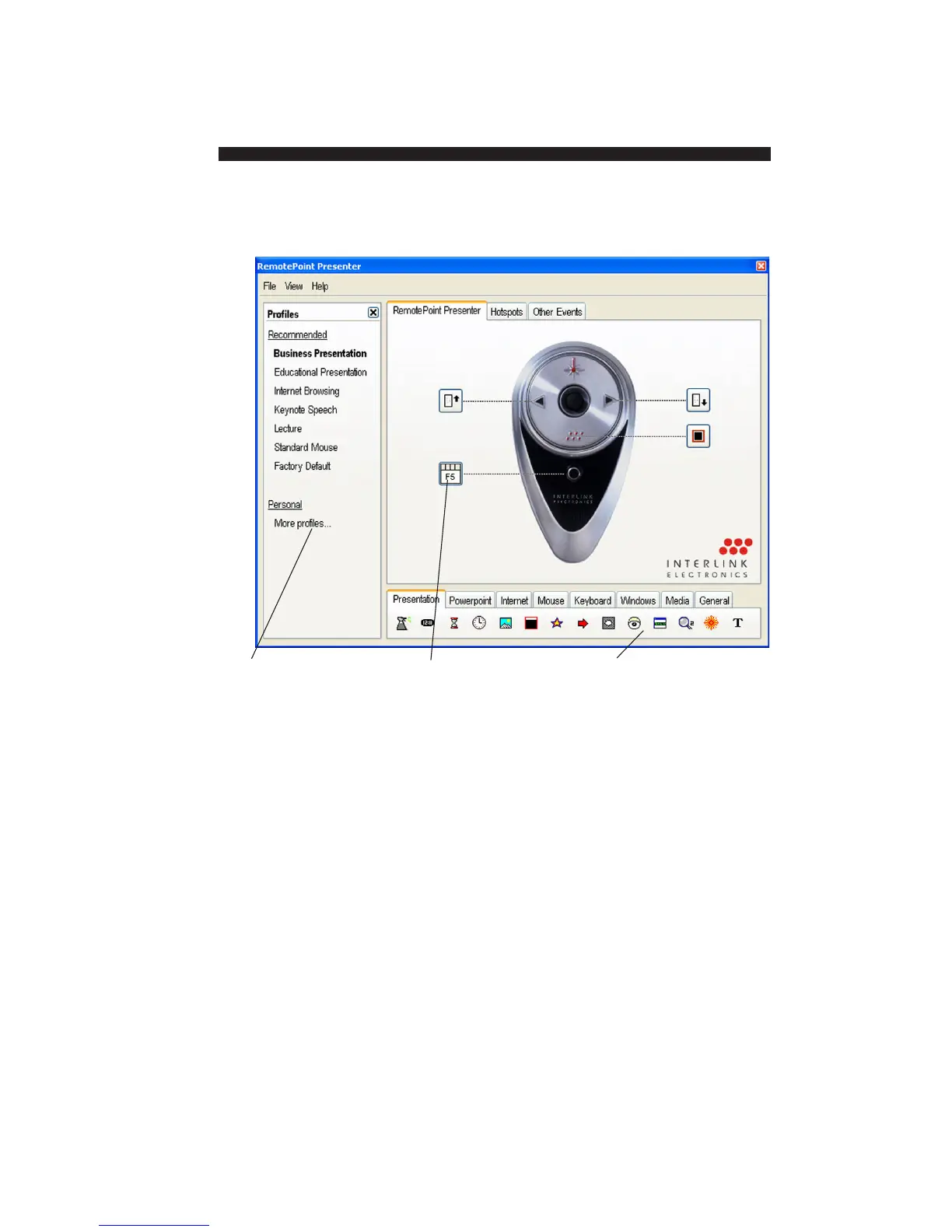
Profiles: Lists preset
and personal profiles;
the current profile is
shown in bold.
These icons show the
current button
assignments.
Tool palette: These
tools can be assigned
to any button; simply
drag to a button.
Using
RemotePoint
Presenter as a
Presentation
Remote Control


 To Next Page