REMOTEPOINT PRESENTER
14
With the RemotePoint Presenter software, you can
customize RemotePoint Presenter for your own needs.
You can:
• Assign tools and toolbars to buttons on the
RemotePoint Presenter Remote
• Change the properties of the tool assigned to a button
(that is, change the effects produced by the tool)
• Choose tools from preset profiles
• Create and save your own profiles
• Customize how RemotePoint Presenter operates
To perform any of these functions, start the RemotePoint
Presenter software, as described in Starting the
RemotePoint Presenter Software on page 10.
A profile is a collection of button assignments. The four
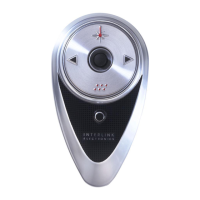
programmable buttons on the RemotePoint Presenter
Remote can be set to any of the preset profiles, or to any
custom profile you have created and saved.
When you choose a profile, the button assignments in that
profile are applied to the programmable buttons on the
RemotePoint Presenter Remote.
Customizing
RemotePoint Presenter
4
Changing All
Buttons to a
Preset Profile


 To Next Page